# MVGE - Using your gameshell as a PC gamepad \[BETA\]
**URL:** https://forum.clockworkpi.com/t/mvge-using-your-gameshell-as-a-pc-gamepad-beta/5533
**Category:** Developers
**Tags:** app, beta
**Created:** [April 17, 2020, 9:12pm UTC](https://forum.clockworkpi.com/t/mvge-using-your-gameshell-as-a-pc-gamepad-beta/5533 "2020-04-17T21:12:04Z")
**Posts on this page:** 8
**Page:** 1
### Author:  [@Petrakis](https://forum.clockworkpi.com/u/Petrakis)
#### Post date: [April 17, 2020, 9:12pm UTC](https://forum.clockworkpi.com/t/mvge-using-your-gameshell-as-a-pc-gamepad-beta/5533/1 "2020-04-17T21:12:04Z")
Have you ever been in a situation where a PC game requires a Gamepad but you don´t have one? Then you look at your Gameshell and think “I wish I could use it as a gamepad for my PC” well those days should be over.
I present you **MVGE** , a gamepad emulator for the gameshell.
 
**How does it work?**
It captures keypresses from the gameshell and sends them by network in an UDP message. And probably you are thinking, cool but how do you send the keystrokes to the OS? You need a client on the pc which maps the UDP messages to actual kestrokes, that client is called **MVGE Mapper**
[ ](https://user-images.githubusercontent.com/8819640/79606840-2209ed80-80ea-11ea-92f0-ddec380af2a1.png)
You can find the source here:
> **[GitHub - Mihaylov93/MVGE: Turns your Clockwork Pi into a Virtual Gamepad for...](https://github.com/Mihaylov93/MVGE)**
>
> Turns your Clockwork Pi into a Virtual Gamepad for the PC. - GitHub - Mihaylov93/MVGE: Turns your Clockwork Pi into a Virtual Gamepad for the PC.
> **[GitHub - Mihaylov93/MVGE-Mapper: Maps MVGE keypress to Keyboard keypress and...](https://github.com/Mihaylov93/MVGE-Mapper)**
>
> Maps MVGE keypress to Keyboard keypress and sends them to OS. - GitHub - Mihaylov93/MVGE-Mapper: Maps MVGE keypress to Keyboard keypress and sends them to OS.
**How to install?**
- On the CPI
- Download the latest release from [releases](https://github.com/Mihaylov93/MVGE/releases/)
and run _ **tar -zxvf MVGE-x.x.tar.gz -C /home/cpi/apps/Menu/** _ on your CPI.
- You should have the Qt libs but if you don´t you will need to instal them:
> sudo apt-get install libqtcore5 libqtgui5 libqtnetwork5
- On the PC
- ~~Currently only supports Windows!~~ Now Supports Windows,Linux(X and Wayland) and MacOS!
- Download the latest release from [releases](https://github.com/Mihaylov93/MVGE-Mapper/releases)
- Run the .exe (It is portable, no installer yet)
**Usage:**
By default it uses usb-eth and port 3000. I recommend using the usb cable but if you wish you can also use wifi, in the launcher directory you will find a file named **config.ini**
> ```
> [General]
> iface=usb0
> port=3000
>
> ```
If you wish to change the interface to wifi, you should replace usb0 with wlan0.
Change the port number to any port you wish (Remember to use the same port in the Mapper)
**Demo video** :
[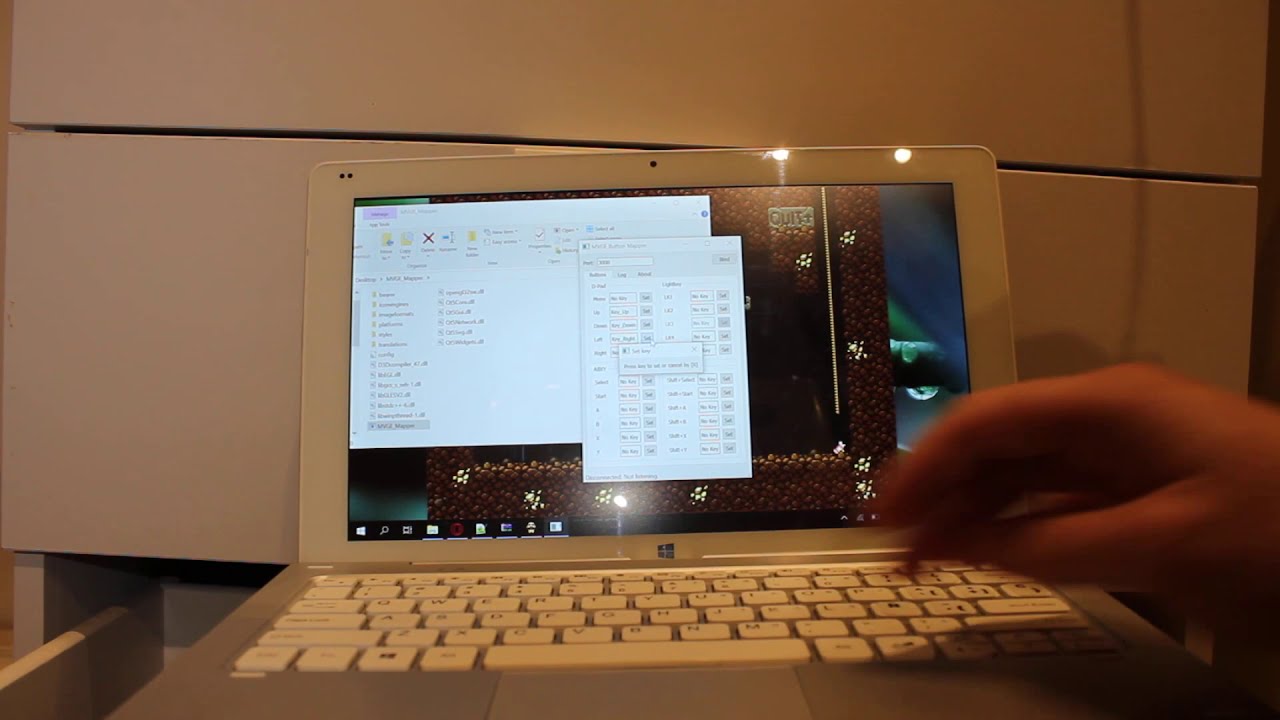 ](https://www.youtube.com/watch?v=9W0Zqw9p61o)
**DISCLAIMER:**
Consider its current state as a beta! Expect bugs. I would love to hear suggestions and fix any bug you find.
---
### Author:  [@javelinface](https://forum.clockworkpi.com/u/javelinface)
#### Post date: [April 18, 2020, 11:39am UTC](https://forum.clockworkpi.com/t/mvge-using-your-gameshell-as-a-pc-gamepad-beta/5533/4 "2020-04-18T11:39:39Z")
This is some fresh amazing content. I would be the first off the bat to try, if I had a windows computer! Argh!
Looks like dual booting time!
I’m almost thinking; expanding upon this, using something similar to the Logitech G15 displays. Remember this keyboard?

Would be useful for say, synchronising it with events/timers within an MMO, or to be used as a macro management console/programmer.
---
### Author:  [@Petrakis](https://forum.clockworkpi.com/u/Petrakis)
#### Post date: [April 18, 2020, 12:14pm UTC](https://forum.clockworkpi.com/t/mvge-using-your-gameshell-as-a-pc-gamepad-beta/5533/5 "2020-04-18T12:14:13Z")
Hmm never had this keyboard, but as its built right now, you can use as anything, not only a gamepad, just map the keys you wish your gameshell to send to the OS!
---
### Author:  [@Petrakis](https://forum.clockworkpi.com/u/Petrakis)
#### Post date: [April 19, 2020, 7:42pm UTC](https://forum.clockworkpi.com/t/mvge-using-your-gameshell-as-a-pc-gamepad-beta/5533/6 "2020-04-19T19:42:09Z")
Good news! MVGE-Mapper ~~1.1~~ 1.2 is out! appart from some improvements it brings Linux support!
> **[Mihaylov93/MVGE-Mapper](https://github.com/Mihaylov93/MVGE-Mapper/releases/tag/1.2)**
>
> Maps MVGE keypress to Keyboard keypress and sends them to OS. - Mihaylov93/MVGE-Mapper
There is a release for x64, if you need x32 you would need to compile it from source.
As for MacOs… I added some development but I don´t know if it will compile or even work properly, currently I don´t have a Mac and I never used one.
**Edit:**
Fixed crash and incorrect key bug from 1.1 in 1.2
---
### Author:  [@Petrakis](https://forum.clockworkpi.com/u/Petrakis)
#### Post date: [April 24, 2020, 4:26pm UTC](https://forum.clockworkpi.com/t/mvge-using-your-gameshell-as-a-pc-gamepad-beta/5533/7 "2020-04-24T16:26:50Z")
I am back here bringing good news, from today MVGE Mapper supports Windows, Linux (Both X and Wayland) and **MacOS!!!**
Unfortunately providing binaries for every system is pretty difficult, in particular MacOS as I don´t own a Mac but you should be able to compile it painlessly if you have Xcode and Qt5
You only need to clone the repository and
> cmake CmakeLists.txt
> make
Thats all!

Source: [GitHub - Mihaylov93/MVGE-Mapper: Maps MVGE keypress to Keyboard keypress and sends them to OS.](https://github.com/Mihaylov93/MVGE-Mapper)
**Tested on Mac OS Sierra (version 10.12)**
Enjoy!
---
### Author:  [@javelinface](https://forum.clockworkpi.com/u/javelinface)
#### Post date: [April 24, 2020, 7:10pm UTC](https://forum.clockworkpi.com/t/mvge-using-your-gameshell-as-a-pc-gamepad-beta/5533/8 "2020-04-24T19:10:19Z")
This opens up the gameshell to be able to do much more!! I will try it when I wake up.
Out of interest, can you map a modifier + a key, eg, CTRL + C or something. And of even more interest, what about macros?
Not just for gaming, but having the gameshell as an external customisable interface can make repetitive automated tasks easier, eg mass photo editing/post processing in adobe Lightroom. It could also be used in audio and video editing software to shuffle between sequencing tracks.
I’m getting excited about this! Nice work!
---
### Author:  [@Petrakis](https://forum.clockworkpi.com/u/Petrakis)
#### Post date: [April 24, 2020, 7:57pm UTC](https://forum.clockworkpi.com/t/mvge-using-your-gameshell-as-a-pc-gamepad-beta/5533/9 "2020-04-24T19:57:56Z")
> [@javelinface](#):
>
> Out of interest, can you map a modifier + a key, eg, CTRL + C or something.
It is possible but not implemented.
And for macros and other things, should be fairly customizable. Mind that under the hood **MVGE** sends UDP messages, think of that as an API, so basically anyone could writte in any language “receivers” (thas basically what MVGE Mapper is) and customize the behaviour on a received message.
MVGE sends the keypress through UDP with the following format
**Key\_[name]:[n]** where name is the **name** of the key and **n** is 1 for key pressed, and 0 for key released.
For example
**Key\_Up:1**

The key names come from [Qt](https://doc.qt.io/archives/qtjambi-4.5.2_01/com/trolltech/qt/core/Qt.Key.html), you can check all the valid names here [MVGE/mainwindow.cpp at master · Mihaylov93/MVGE · GitHub](https://github.com/Mihaylov93/MVGE/blob/master/mainwindow.cpp#L101)
For example Qt::Key\_Escape, would be Key\_Escape in your UDP message
---
### Author:  [@Petrakis](https://forum.clockworkpi.com/u/Petrakis)
#### Post date: [April 28, 2020, 8:13pm UTC](https://forum.clockworkpi.com/t/mvge-using-your-gameshell-as-a-pc-gamepad-beta/5533/10 "2020-04-28T20:13:42Z")
I forgot to add, it should work best with the modifications of the keypad [https://github.com/Mihaylov93/Keypad/commit/f7688a3190c28872b7a8eb1f481e27011257a820](https://github.com/Mihaylov93/Keypad/commit/f7688a3190c28872b7a8eb1f481e27011257a820)
But I have no data to support that statement.