Project Idea: ScummVM on the PicoCalc

I’d love to play those old Sierra Online games like Space Quest and Kings Quest on my Picocalc.

There is a version which runs on the Pico 2, but I have no idea how to merge that code with the PicoCalc keyboard and display drivers. GitHub - rh1tech/frank-quest · GitHub

Anyone interested in taking this project on?..Brian

I looked into it since it’s the kind of thing I’d like to do. Unfortunately, the blocker is memory. FRANK Quest won’t boot without 8 MB of PSRAM wired to the RP2350’s memory bus, because ScummVM doesn’t fit in 520 KB. The PicoCalc does have 8 MB of PSRAM, but it’s on ordinary GPIO pins, with chip select on GP20. The chip can map external memory only on GP0, GP8, GP19 or GP47, so the PicoCalc’s PSRAM can only be copied in and out, never used as working memory.

The way around it is the processor board. The Pimoroni Pico Plus 2 (or Plus 2 W) has 8 MB of PSRAM on GP47, and FRANK Quest already looks for PSRAM there. However, I don’t think many people on this forum have the Pimoroni and of those, how many want to play old Sierra games?

Maybe your post will excite someone to action :slight_smile:

Thanks for looking into this. I already have a Pimoroni on order.

Hopefully others will be interested making the work worthwhile.

…Brian

Brian,

Since you’ve got a Pimoroni coming, here’s where I’d start if you (or anyone) want to try the port. FRANK Quest keeps its hardware code in a few places, separate from the game engines:

- `src/backends/platform/rp2350/rp2350-minimal.cpp` implements the `cabal_*` functions the engines call: the screen (`cabal_init_graphics`, `cabal_update_screen`, `cabal_set_palette`), input (`cabal_poll_event`) and time. Most of the port is rewriting this one file for the PicoCalc.

- `drivers/HDMI.c`, `drivers/ps2/` and `drivers/usbhid/` are what it uses now for the screen, keyboard and mouse. On the PicoCalc these get replaced.

- `drivers/audio/audio.c` is the sound (I2S, through `cabal_audio_*`).

- `drivers/sdcard/` and `src/board_config.h` hold the SD card and pin settings.

What the PicoCalc has instead (pins from Blair Leduc’s picocalc-text-starter, which has working drivers for all of them):

- **Screen:** 320x320 LCD on SPI1 (SCK GP10, MOSI GP11, MISO GP12, CS GP13, DC GP14, RST GP15), RGB565. A 320x200 game fits the width. Instead of HDMI scanning out a framebuffer, `cabal_update_screen` would convert the 8-bit picture through the palette and send it to the LCD. At 75 MHz a full 320x200 frame takes about 14 ms.

- **Keyboard:** read over I2C1 (SDA GP6, SCL GP7) from the STM32, `sb_read_keyboard()` in the text starter. Its key codes would be turned into `CABAL_KEY_*` events in `cabal_poll_event`.

- **Mouse:** a Bluetooth one works. I paired my Logitech M720 with btpair from [picocalc-extras]( GitHub - ctorkildson-netizen/picocalc-extras · GitHub ) and every movement and click came through; `btkbd_pointer()` gives the movement and buttons, which `cabal_poll_event` would turn into mouse events. That needs the **W** board (Pico Plus 2 W) for the radio. Without a mouse, Sierra’s AGI games (King’s Quest, Space Quest) are mostly played by typing, so they’d work first, and one key could switch the arrow keys between walking and moving a pointer, with Enter as the click.

- **Sound:** PWM on GP26 and GP27 instead of an I2S DAC.

- **SD card:** SPI0 (MISO GP16, CS GP17, SCK GP18, MOSI GP19).

Two other things: `build.sh` defaults to 504 MHz, which is a big overclock, while `src/board_config.h`'s own default is 252 MHz, which is where I’d start. And the Pico Plus 2’s PSRAM is on GP47, which FRANK Quest already detects on an RP2350B, so that part should just work.

I’d get the SD card and the screen going first, so you can see the game selector, then the keyboard, then sound.

Good luck, and post how it goes.

I am working on porting FRANK Quest. I have it running all the games I bought on gog.com.

This is a beast. The UF2 is currently over 7MB and my CI pipeline takes over 10 mins to run for each PR.

I hope to have the first release up this weekend, but it depends on how the testing goes.

Side note: I am running at 300 MHz, which is so far fast enough for all the games I own. I chose this rate to maximize the LCD clock to 75 MHz since updating the display is a bottleneck.

The games I am using to test: Full Throttle, Gobliiins, Gobliins 2, Goblins 3, Indiana Jones and the Fate of Atlantis, King’s Quest I-III, Legend of Kyrandia, and Space Quest II-IV.

2 Likes

That’s great news, Blair. For the point-and-click games, a Bluetooth mouse works on the PicoCalc: I’ve had a Logitech M720 pairing with btpair from picocalc-extras, and btkbd_pointer() gives its movement and buttons. It needs the W board for the radio.

FRANK Quest’s own usb-hid option might also work through the Pico’s micro-USB with an OTG adapter, if the mouse gets 5 V on VBUS.

Happy to help if you want to try it.

I’ll let you contribute that. I have a virtual mouse working with the arrow keys for a portable solution, but others may like the mouse.

Perhaps we can work together and get the paring setup in the shell and pass that to programs that would like to use a keyboard/mouse, but that should be on the shell thread.

I’d like to, but the Pico Plus 2 W is out of stock everywhere, so the FRANK Quest mouse will wait until I can get one. In the meantime I’ll move the Bluetooth library to FatFs, so it fits v0.17, and pick up the shell pairing idea on the shell thread. Giovanni has already got BLE keyboards working in the shell, so there’s a head start there.

Wow guys!

I can’t wait to try it with my Pimoroni. Unfortunately I won’t be getting it until Christmas,

I am still in the testing phase, and so far it is going well. I have been testing on the Pimoroni Pico Plus 2 and the Plus 2 W.

I must say that this port is looking and sounding freaking amazingly on the PicoCalc.

1 Like

PicoCalc Quest v1.0

The first release of PicoCalc Quest: classic adventure games on the ClockworkPi PicoCalc, ported from FRANK Quest.

This is thousands of hours of work by the upstream developers. All I did was port this to the PicoCalc and fix some bugs. The games were created by dozens of people spending thousands of hours on each one. Please support gog.com to keep these classic titles running on modern hardware.

You need a PicoCalc with a Pimoroni Pico Plus 2 or Plus 2 W.

Games

  • SCUMM v3–v7: Last Crusade, Loom, Monkey Island 1 and 2, Fate of Atlantis, Day of the Tentacle, Sam & Max, Full Throttle, The Dig
  • SCI: King’s Quest IV–VI, Space Quest III–V, Leisure Suit Larry II, III, V and VI, Police Quest II–III, Quest for Glory I–III
  • AGI: King’s Quest I–III, Space Quest I–II, Leisure Suit Larry I, Police Quest I
  • Gob: Gobliiins, Gobliins 2, Goblins 3
  • Kyra: The Legend of Kyrandia, Hand of Fate
  • Sky: Beneath a Steel Sky

Installing

  • With UF2 Loader: copy the .uf2 to the card’s pico2-apps folder and start it from the loader’s menu or the shell.
  • With no loader: hold BOOTSEL while plugging in the Plus 2, then copy the .uf2 to the drive that appears.

See the README for card layout, keys and settings.

Known problems

  • CD versions of the Gob games play without music.
  • SCUMM v8 (The Curse of Monkey Island) is not built.
  • Maniac Mansion, Zak McKracken and the Steam release of the Last Crusade cannot be started.
  • Malcolm’s Revenge (Kyrandia 3) is not offered: it locked up in testing.
  • A 30-minute soak recorded 3 late audio refills, with nothing audible noticed.
  • If a BOOTSEL copy over UF2 Loader fails, erase the flash with flash_nuke.uf2 first. This removes the loader too.

3 Likes

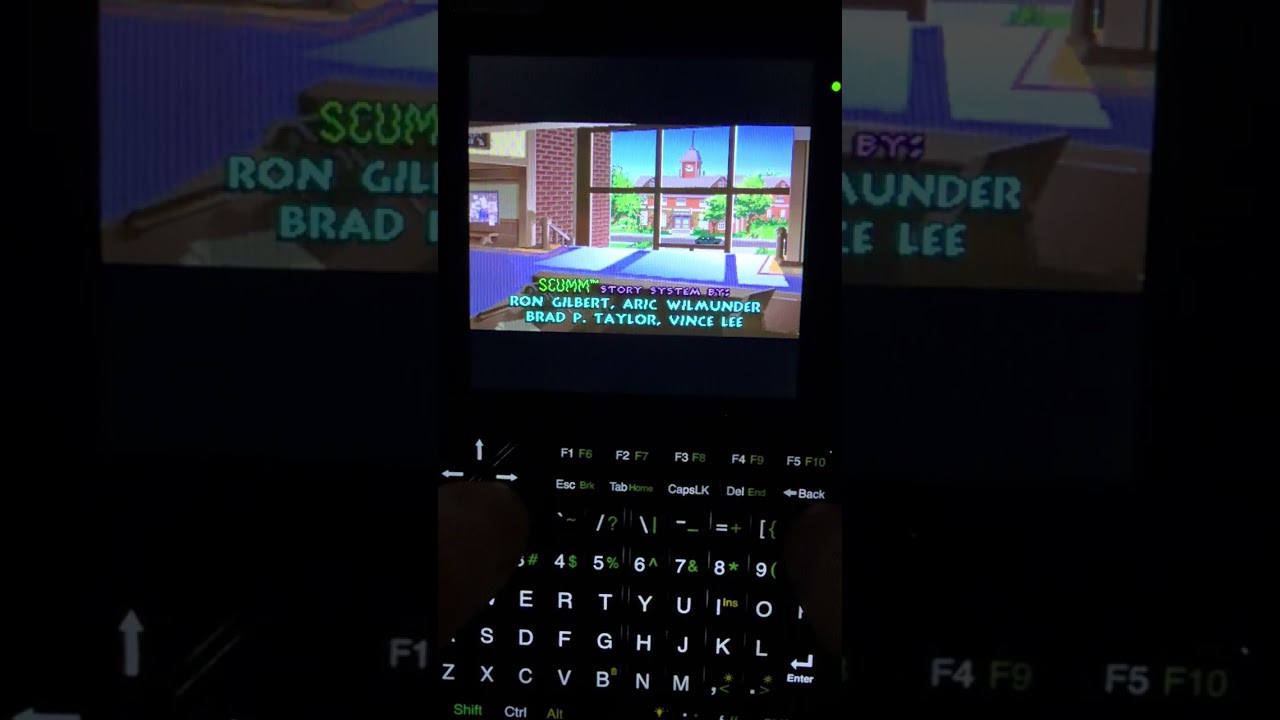
I created a video of the start of Indiana Jones and the Fate of Atlantis on the PicoCalc (the sound is not good, PicoCalc speakers, better in person, much better with head phones):

2 Likes

Can an extra PSRAM chip be bodge wired to a Pi pico 2w?

Potentially. you would need to get a PSRAM IC and then carefully piggyback it on to the flash chip and route the select line. However, you would need the skills to do this and the equipment.

I, for myself, would think twice about attempting this, and I have been soldering surface-mount components for years. The pitch on this chips is very fine - microscope territory.

It would be much easier and cheaper to get a Pimoroni Plus part.

I’m assuming there’s no way to use any coding trickery to make use of the slower PSRAM that’s part of the PicoCalc? Sounds like this is actively using that RAM to function, and probably moving it back and forth to the actual RAM on a Pico2(W) would be too slow.

I really wish someone sold the Pimoroni parts with headers already soldered. I’m sure I could do it, but I guess I’m just lazy. :wink: I’d have already bought one if it wasn’t for that, but it just never seemed worth the effort. Now there’s a project actually using that PSRAM though…

1 Like

The Pimoroni part seems to be sold out everywhere, perhaps a breakout board and bodge wires it is then. With the cost of these commodity boards the cost of an utter failure is not life altering.

Pimoroni Pico Plus 2 is still available in Canada. (2W is out of stock)

1 Like

No, unfortunately the PSRAM in the PicoCalc is not usable for this project.

1 Like