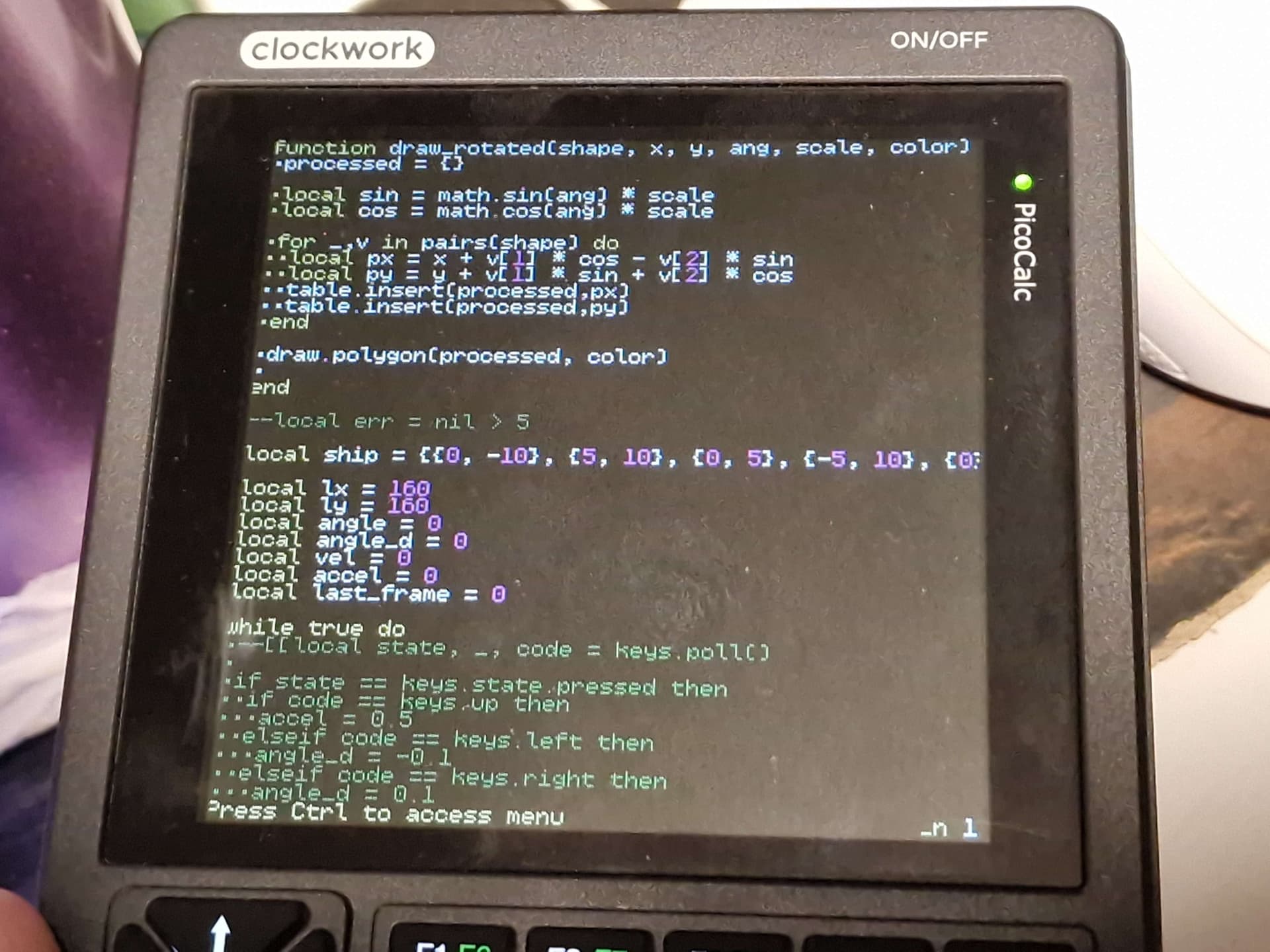
New release with a proper REPL, and a small API to access the SD card, draw graphics, read keyboard.
Tested only on pico2, but uf2 available for pico1 as well.
You can put a file named main.lua in the root of your SD card, it will get executed at startup.
It would probably be a major project to implement, but have you considered adapting it to support the subset of commands, special features, and new commands that Pico-8 supports? I wondered if anyone else had done anything like that and found this:
Since it looks like an older project, it would probably only support older Pico-8 stuff, but it could be an alternative to the other old/unfinished Pico-8 port to Pico.
This would require porting the functionality of Love2D, as well, so probably a massive project. But it could bring a sort of standard lua platform to the PicoCalc.
I created some custom lua functions in c and have them working in lua replicating some of the PICO-8 apis. I was wanting to try out this mini games framework on an actual device but i dont have a device yet. Also is something ive never done before writing to an actual screen off a device like this so have no idea if it will work.
i’ve picked up this project and ran away with it a little bit there’s still a lot i want to overhaul (including potential breaking changes on the current API) and some of it lacks documentation yet, but i figured i would put out what i have so far before i disappear in the mist of scope creep
namely, i plan to move all LCD functions to the second core (like picomite does) and overhaul the terminal emulation such that it doesn’t use the LCD controller’s scroll register, and instead use the extra frame memory in the LCD controller itself as a “free” framebuffer by exploiting the scroll register (this was a misunderstanding of how the LCD controller uses its own memory - there’s not enough to have two full screens and flip through them)
i also plan on making an editor, i was trying to implement enough of computercraft’s API to use its editor written in lua rather than having to implement one on the C side from scratch, unfortunately as soon as i got enough in place for it to run it just blows through the entire free memory, probably because of all the lexer and autocomplete stuff it does :^)
currently there’s a weird crash that happens if you try to interrupt a program, though, and i think it might have to do with my use of timers, but i’m not having much luck tracking it down yet. once that’s sorted my next two main goals are adding a framebuffer for smoother motion drawing and wifi functionality
i think i’ve ironed out most issues with hangs and spurious drawing glitches, now we also have a PSRAM framebuffer (it’s not fast to use it realtime, but it’s faster to draw to it than to the screen, and then one slow draw to blit it to the screen, which is what the bubble universe demo uses)
i still want to add wifi and sound modules before i call it truly done but since there’s many fixes to make it usable and that’s going to take a while, i’m releasing a new version here: Release PicoCalc Lua 0.3 · Lana-chan/picocalc_lua · GitHub
I can’t seem to get this to run on my RP2040 based Pico. I just get a blank screen. I’ve tried the uf2 from your published release, as well as building from source. In the debugger it seems to be stuck in the multicore init code:
#0  0x10006c98 in multicore_fifo_push_blocking_inline (data=<optimized out>) at /usr/share/pico-sdk/src/rp2_common/pico_multicore/include/pico/multicore.h:186
#1  multicore_fifo_push_blocking (data=<optimized out>) at /usr/share/pico-sdk/src/rp2_common/pico_multicore/multicore.c:34
#2  multicore_launch_core1_raw (entry=entry@entry=0x10006c25 <core1_trampoline>, sp=<optimized out>, vector_table=536870912)
    at /usr/share/pico-sdk/src/rp2_common/pico_multicore/multicore.c:201
#3  0x10006d06 in multicore_launch_core1_with_stack (entry=<optimized out>, stack_bottom=0x20040800, stack_size_bytes=2048)
    at /usr/share/pico-sdk/src/rp2_common/pico_multicore/multicore.c:161
#4  multicore_launch_core1 (entry=<optimized out>) at /usr/share/pico-sdk/src/rp2_common/pico_multicore/multicore.c:170
#5  0x100002ee in main () at /home/wmoore/Source/github.com/Lana-chan/picocalc_lua/picolua.c:66
I noticed this line in picolua.c, which seems to be overclocking the MCU:
set_system_clk(220000);
The weird thing is that it did work once, but only that one time, I wondered if it was this clock speed. I’m not sure if other parts of the system are dependant on that clock speed but I also tried commenting out that line and adding set(PICO_USE_FASTEST_SUPPORTED_CLOCK 1) to CMakeLists.txt, but that didn’t change anything.
it’s true that i haven’t been testing my releases on RP2040 since swapping picos in the picocalc is such a pain and i’ve been developing mainly on a plus2w now
i just tried the 0.3 UF2 release without modification on a 2022-silkscreened Pico 1 W, it loaded without issue and i was able to run the bubble universe demo. this showed some screen glitches (possibly due to the overclock affectting PSRAM read/writes) but the image was correct aside from some garbage on the left side of the screen, so it seemed to be working mostly as intended
as i previously suspected, because the editor gobbles up around 200k of RAM (remember, it’s written in Lua and was not at all designed for microcontrollers) it immediately panics out of memory
the second core is used to offload all drawing functions from the first core, and since i can see things on screen i’m assuming that it’s working fine on my RP2040 at least… i’ve yet to build a debugger probe into my picocalc
i’m wondering if your pico1 is crashing due to not enough voltage for the requested clock speed. i definitely shouldn’t have included that line indiscriminately for all models, i needed some per-model settings once i start including wifi functions anyway
Thanks for looking into it. My Pico board has never had anything bad happen to it, but it seems to have strange compatibility issues. I’m able to run all the things clockworkpi published, but have had the issues described above with picolua as well as issues with uf2loader. uf2loader is flakey, sometimes not showing the menu at all, other times showing the menu but then hanging. Since the PicoMite and co work fine it seems like it’s not an issue with my hardware, but I don’t know for sure.
i’m wondering if your pico1 is crashing due to not enough voltage for the requested clock speed. i definitely shouldn’t have included that line indiscriminately for all models, i needed some per-model settings once i start including wifi functions anyway
Even when I set a compatible clock speed it still didn’t seem to work, so it might not be the issue.
 there’s still a lot i want to overhaul (including potential breaking changes on the current API) and some of it lacks documentation yet, but i figured i would put out what i have so far before i disappear in the mist of scope creep