Hello everyone,
I’m excited to announce the PicoCalc eBook Reader, a multi-component project that I’ve built for the PicoCalc. You can find the full project, including all files and documentation, on GitHub: - https://github.com/A-I-nstein/PicoCalc-eBook-Reader
This project is designed to convert EPUB files into a custom .book format and allow them to be read on the PicoCalc. It is built upon BlairLeduc/picocalc-text-starter, which provides the base hardware driver support—a big thank you to @BlairLeduc.
This is my first proper embedded application, suggestions, improvements, and constructive feedback are very welcome. Please also let me know what other features you’d like to see!
Project Components
The project consists of two main components, both of which are available for download from the GitHub Releases page:
| Component | Description | How to Use |
|---|---|---|
Converter (converter.exe) Download from GitHub |
An application written in Rust to be run on your computer. | Simply double-click to start. It converts your .epub files into the required .book files, which you then copy to the PicoCalc’s SD card. |
Firmware (firmware.uf2) Download from GitHub |
The actual eBook reader application. I used a Pico 2W for testing. | Connect your PicoCalc in BOOTSEL mode to your computer and copy the firmware.uf2 file onto it. Disconnect the PicoCalc and turn it on to launch the reader. |
Navigation and Usage:
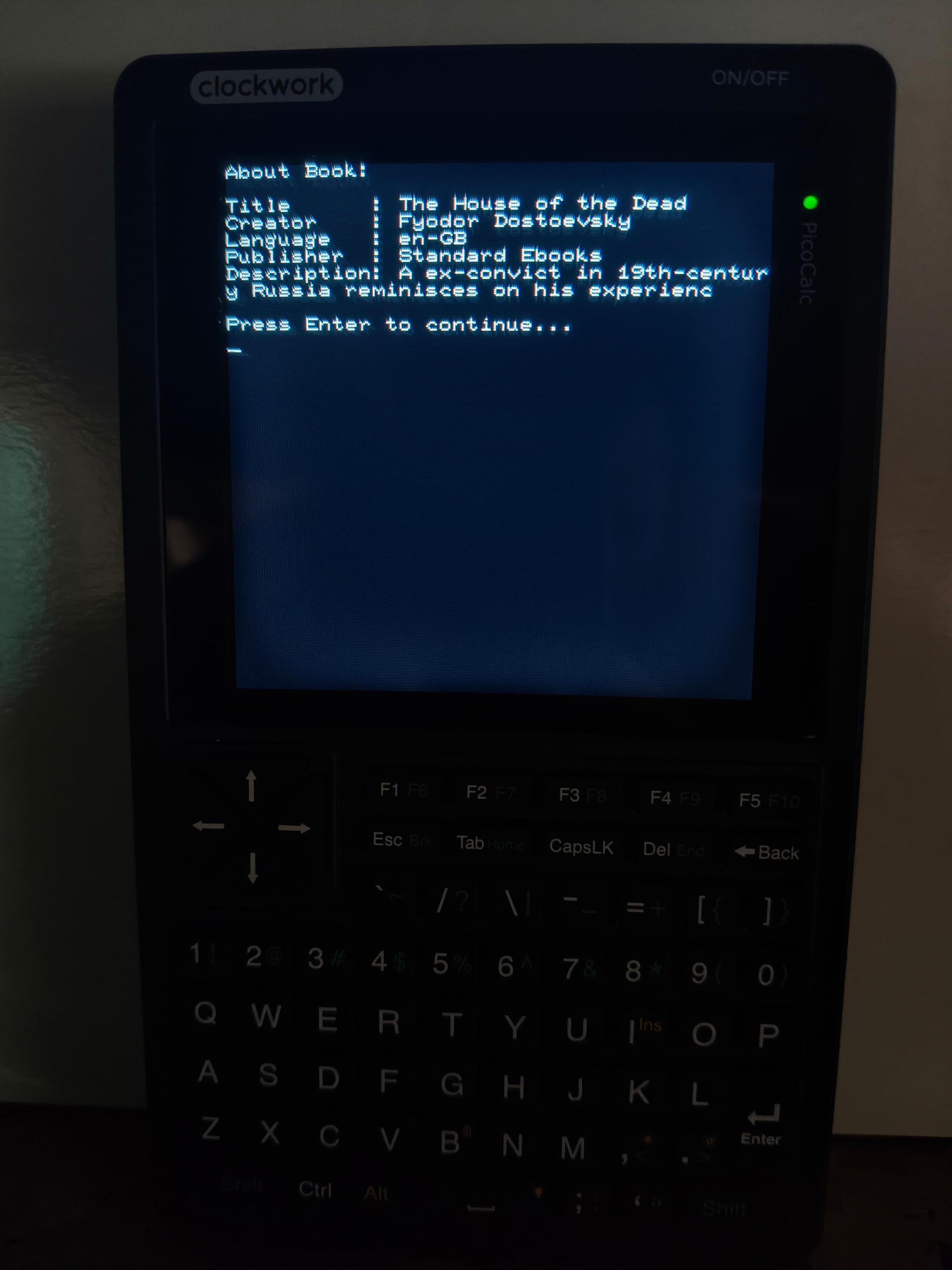
On startup, the firmware will list the first nine .book files found on the SD card, allowing you to select a book. Book metadata (title, author, etc.) will be displayed after your selection.
Use the PicoCalc keyboard for navigation:
Enter: Go to the next page.<: Go to the previous section/chapter.>: Go to the next section/chapter.q: Return to the main book list at any time.
Features supported:
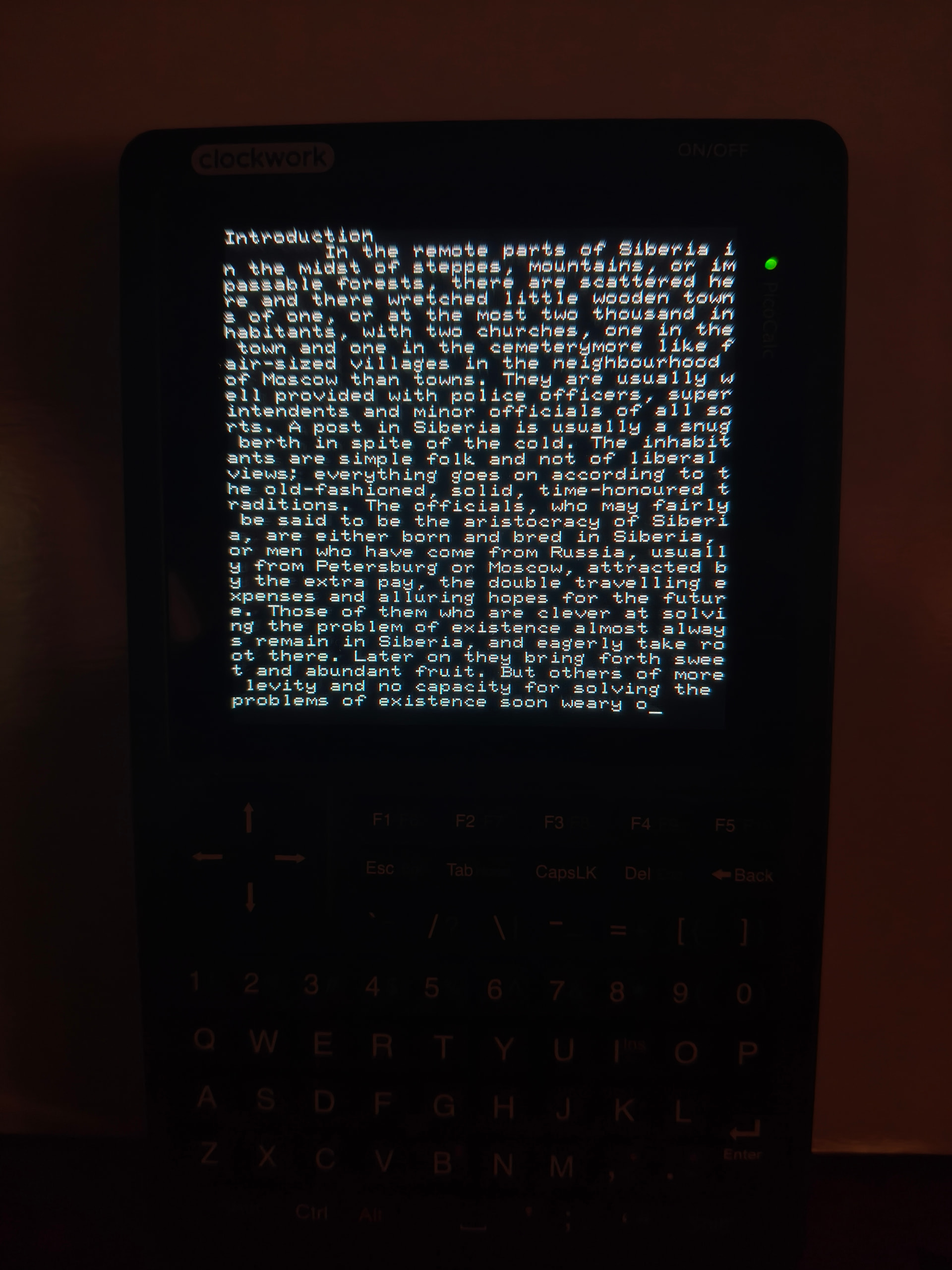
- Text Extraction & Formatting: Extracts and cleans readable text from EPUB files; includes startup screen, paragraphs, tabs, and pagination.
- Efficient Packaging: Packs all text into a single
.bookfile with a fast-access header for efficient navigation. - Metadata: Extracts and embeds book metadata (title, author, description, etc.) for display in the reader.
- Reader Functions: Lists books, allows user selection, and supports section/chapter navigation.
Features Planned / In Progress
- Formatting Options: Word breaks (next line/page), font size/style options.
- Navigation: Table of Contents navigation.
- Extended Support: Support for ASCII control characters and other new features.
- Visuals: Display cover pages and images.
- Reader Utilities: Show battery life, pages remaining, time to complete section/book, and bookmarks.
- Display Limits: Increase the displayed book limit beyond nine.
For more technical information please check the main project on GitHub