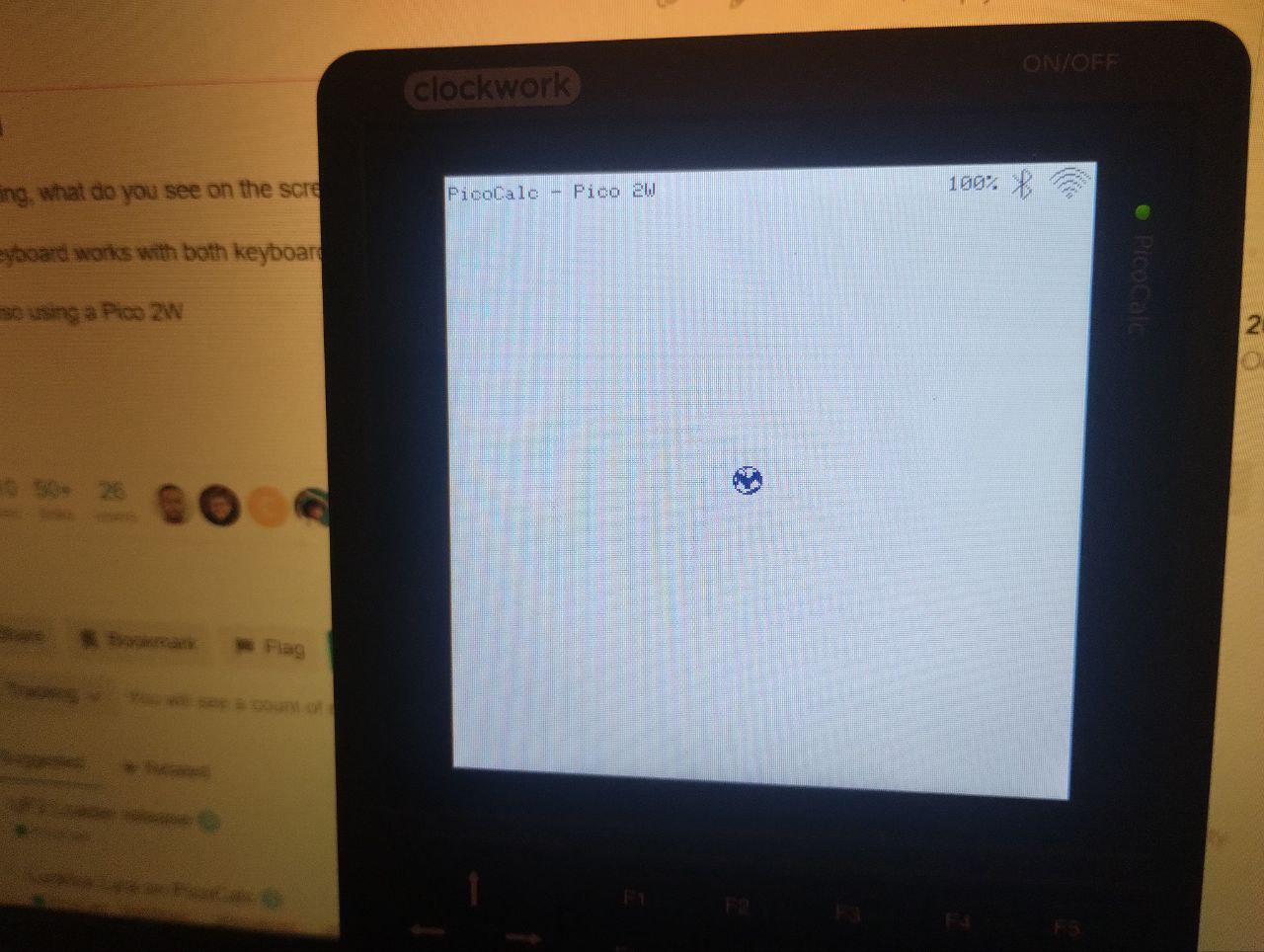
That the program is not responding after loading the initial screen.
The version before running fine.
Must note that my PicoCalc have no updated keyboard SW,
which may be the source of trouble.
That the program is not responding after loading the initial screen.
The version before running fine.
Must note that my PicoCalc have no updated keyboard SW,
which may be the source of trouble.
Interesting, what do you see on the screen initially?
The keyboard works with both keyboard firmwares
I’m also using a Pico 2W
What happens when you press Up or Enter?
Nothing….
Only the point in the middle changing the colors, dark blue, blue, red….
Hmmm I suggest upgrading to BIOS v1.4 then. Im assuming Blair’s latest changes to the Starter Kit don’t work with BIOS v1.2
Thank you… will see in the future.
The SDK v1.4.9 is just enough for my needs, running OK.
EDIT:
just for test, have reloaded the v1.4.8 MicroPython, that one running OK
I just reproduced the problem you reported. I’m also using the uf2loader. The older version of PicoWare using MicroPython (1.4.8) ran ok under my pico2w, but the newest version (1.4.9) shows the startup screen and then no keyboard keys respond. I had set mine to dark mode under 1.4.8 and the startup screen for 1.4.9 was still in dark mode, so it was apparently reading the config info and using it. The colors for the icon in the middle of the screen cycle, but key input seems to be ignored. The SDK version of 1.4.9 seems to work ok though.
Something I’ve never been able to get working on my device under either version of PicoWare is a wifi connection. I can set and save the credentials (and I know they’re correct), but it hasn’t worked. I took a look at the config files on the SD card where they are saved and initially I noticed there was a newline code at the end in the saved string. I tried hand editing the files to remove the “\n” thinking maybe that was the problem, but it still wouldn’t connect. I’m wondering if maybe it only supports certain type of security for wifi? My router is using WPA2 PSK (CCMP) but maybe it only works with WEP?
I’ve been able to connect to my router successfully using WebMite, though that was directly flashed and not via the loader. So I know my Pico2W module is able to connect. 
Same here WPA2 PSK, under MicroPython versions, wi-fi have some trouble.
SDK version wi-fi reporting connection and getting the data over the net.
The older version of PicoWare using MicroPython (1.4.8) ran ok under my pico2w, but the newest version (1.4.9) shows the startup screen and then no keyboard keys respond.
Interesting, thanks for checking out Picoware and reporting! Are you also using BIOS v1.2?
I’m also using the uf2loader.
Does the keyboard work without using uf2loader?
Something I’ve never been able to get working on my device under either version of PicoWare is a wifi connection. I can set and save the credentials (and I know they’re correct), but it hasn’t worked… I’m wondering if maybe it only supports certain type of security for wifi? My router is using WPA2 PSK (CCMP) but maybe it only works with WEP?.. I’ve been able to connect to my router successfully using WebMite, though that was directly flashed and not via the loader. So I know my Pico2W module is able to connect.
My WiFi is WPA2-PSK [AES] and works with both versions. I wonder if you’re trying to connect to a 5 GHz network? You are actually the third person (with 9a4db being the second) to report WiFi issues in the MicroPython version  it’s hard to know for certain what the issue is since it works perfectly for me. When using the
 Scan option, does your WiFi appear in the list?
Hmmm just to be clear, the SDK version is working for you to connect to WiFi and send HTTP requests, but the MicroPython version isn’t?
The somewhat frustrating thing about the MicroPython version is that it uses the connect method from the WLAN class, which handles all of the logic. In other words, other than just using that method, connecting is out of my control.
@jblanked: I released a fix for the lcd driver that prevented it from working on the Pico 1. I am not sure if Picoware is affected.
I’m using BIOS v1.4 from the Clockwork repo. I was on 1.2 for a long while, upgraded to the custom fork 1.4, and encountered a different issue so settled on installing the official 1.4 a month or so ago.
I’ll need to check that. Should be able to do it in a few hours when I’m back in the same place as my PicoCalc, and I’ll report back. 
I am trying to connect to a 5 GHz network! I don’t currently have the 2.4GHz radio active on my router, but if it would help I could try turning it on as a AP and trying to connect to it.
Thanks for updating it! I see it changed
from
// Display window and drawing functions
void lcd_blit(uint16_t *pixels, uint16_t x, uint16_t y, uint16_t width, uint16_t height);
to
// Display window and drawing functions
void lcd_blit(const uint16_t *pixels, uint16_t x, uint16_t y, uint16_t width, uint16_t height);
The SDK and MicroPython version are both using that method but I haven’t had any issues with the RP2040 (maybe because im using static buffers?)
I am trying to connect to a 5 GHz network! I don’t currently have the 2.4GHz radio active on my router, but if it would help I could try turning it on as a AP and trying to connect to it.
I see! Thanks for sharing. That explains the issue with connecting. Picoware (and I think the Pico in general) can only connect to 2.4 GHz.
I’ll need to check that. Should be able to do it in a few hours when I’m back in the same place as my PicoCalc, and I’ll report back.
I actually just double checked! It is indeed the uf2loader @9a4db @pelrun
You can test by nuking your Pico 2W then flashing the MicroPython version of Picoware directly. The keyboard input works. The only thing (I see currently) that the Micropython version does differently than the SDK version is that it polls the keyboard at 50 ms instead of 100 ms
I set up a new router recently, and I’m realizing now the old one had both the 2.4 and 5Ghz AP on the same name. So I’m not sure which radio it was actually connecting to before, via WebMite. When I turned the 2.4Ghz off for the new setup I guess I cut off my access from the Pico. Oops! Also makes sense because there’s really no practical reason for the Pico to support the faster connection since it’s not like there’s a need to transfer large amounts of data quickly to/from it.
I just checked a moment ago, and under the loader, I can connect to the 2.4Ghz network with the SDK version. So that’s all good. 
There’s another issue though (probably unrelated to the loader?) and that’s saving credentials from wifi settings. Whenever I try to edit them and save, it claims the credentials are empty when I go to the connection menu. (That’s after entering the string and then selecting “save” with the arrows keys and hitting enter.) It also seems to delete the ssid.json on the device after I’d tried to edit it that way. If I manually create the files and edit them on the SD directly, the connection works though.
The I2C config on the PicoCalc seems really fragile/weird. PicoMite was really sensitive to changes to the polling speed too.  Somewhere on the forum I remember seeing someone more knowledgeable on hardware saying that it should be able to run faster, and at normal defaults. But it sounded like the keyboard BIOS is doing something funky and requires it to be set at slower speeds. For backwards compatibility of existing firmware it’s been kept that way, but if it could be fixed in the BIOS it might be worth doing if it meant applications for PicoCalc weren’t as fragile with I2C calls as a result.
It can run at 400K without problems. Yesterday my PicoCalc with Pico 2 completed a 24 hour test successfully. Unfortunately I have noticed a problem that needs attention before I can publish my changes.
Great point and glad to hear your WiFi is working with the SDK version 
I’ve noticed that the SDK version I few release ago, but I thought I finally fixed that must be something with the saving/loading. Thanks for bringing that issue back up! Now that I’m done with soldering, I can brainstorm and fix the latest issues
Agreed! I’ll do some more testing over the weekend; it’s still odd that polling would affect uf2loader functionality. I really wanted to use an interrupt instead of polling, though 50ms seems fast enough