As many of you know, the original Picocalc uses an SPI display, which unfortunately suffers from a less-than-ideal refresh rate. Because of this, I’ve been on the lookout for a better screen option for the Picocalc.
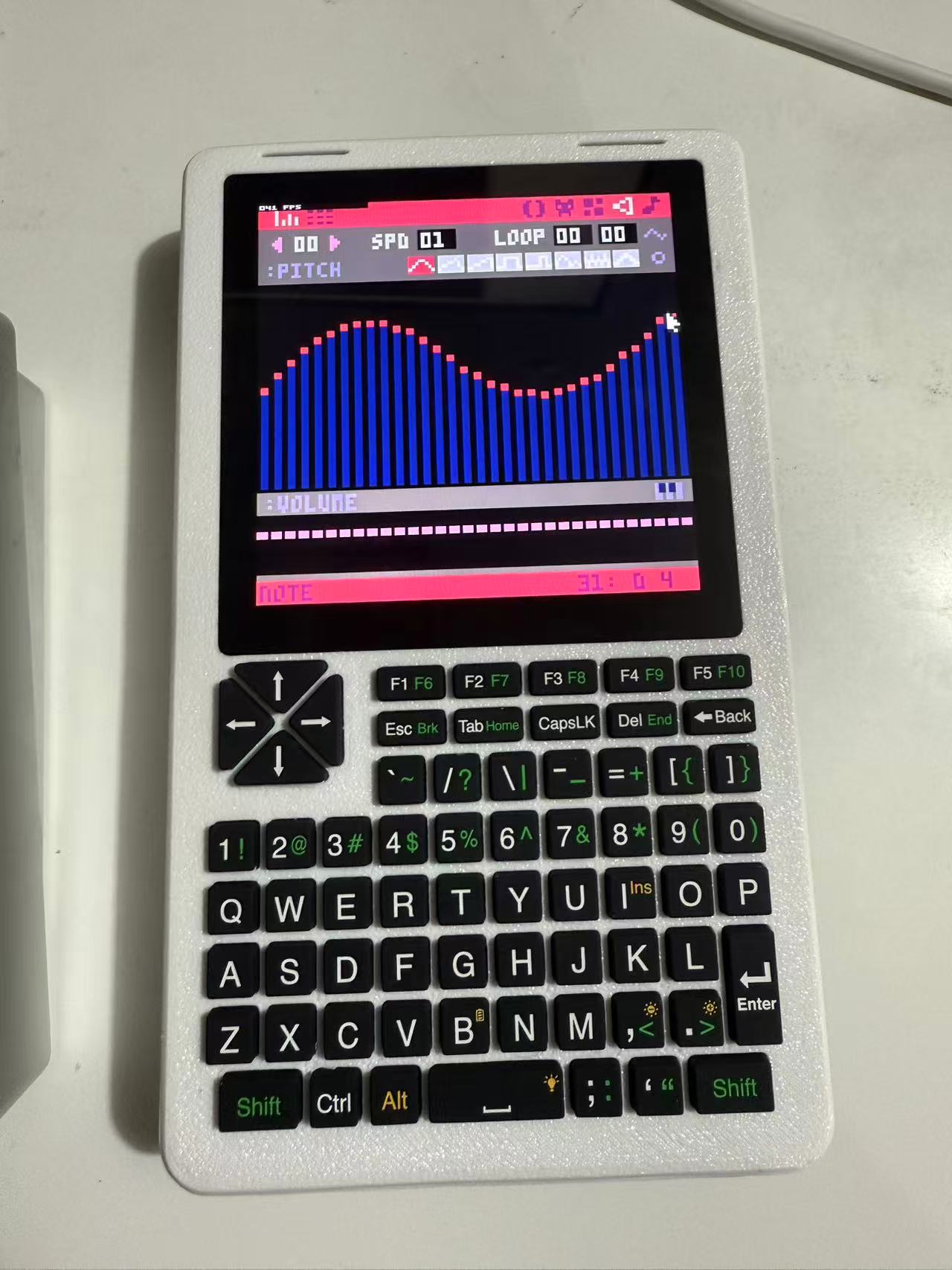
I eventually found the perfect candidate: a 480×480 MIPI/DSI display that’s available and fits the device beautifully. After some effort, I successfully ported the necessary drivers—and it works great! PICO-8 now runs smoothly on it, with full touchscreen support.
This means we can now develop and run PICO-8 games or tools directly on the device—no computer required!
Admittedly, between my busy work schedule, this project took me about six months of on-and-off tinkering. None of this would have been possible without the amazing groundwork and porting efforts shared by other members of the community—thank you all!
Also, I replaced the PWM-based audio driver (software/hardware) with Rockchip’s DSM—so the audio quality/performance will be better in theory.
If the community shows interest, I’ll gladly open-source everything I’ve built so far!
Currently, most displays available on the market use the ST7701 as their display controller. However, for reasons I haven’t fully pinned down, every ST7701-based screen I’ve tested—four different models in total—exhibits minor visible flickering along the vertical direction (not related to VCOM issues).
Eventually, I tried a display using the ST7102 controller, and this one doesn’t suffer from the flickering problem. That said, it’s not perfect either:
First, the official ST7102 datasheet is incomplete, making it impossible to fine-tune parameters like the gamma curve. As a result, grayscale appears slightly too bright—but still acceptable.
Second, the ST7102 integrates a touch controller, but its firmware is closed-source. The manufacturer told me multi-touch support might come in the future, but right now it only supports single-touch, and the driver code (as far as I can tell) is of rather low quality—it barely works.
I recommend ST7102, and if any one could solve flickering issue, I will recommend ST7701 then.
On the bright side, all these screens share the same physical interface, so you can switch between them purely via software updates—no hardware changes needed!
I’m located in mainland China, so I sourced these displays from Taobao / Alibaba.
The real complexity of this project isn’t in the software—it’s in the hardware modification. Here’s what you’ll need:
A MIPI adapter board – I haven’t open-sourced mine yet because my current version uses jumper wires (“flying wires”). I do have a schematic ready, but I haven’t built or tested a proper PCB version yet.
A 22-pin, 0.5mm-pitch, 15cm-long FPC cable with opposite-side contacts – meaning the contacts are on the top side at one end and on the bottom side at the other (a so-called “flip” or “reversed” cable).
A 3D-printed case – Since I’m not trained in industrial design, my CAD model is pretty rough. I’ll need to refine it a bit more, but I plan to release it soon.
Some manual wiring for touch and audio – and speaking of audio, I want to emphasize again: the audio quality with my DSM-based solution is excellent. Even when connected to high-end speakers, there’s no audible distortion, and it consumes almost zero CPU resources.
I know the software source is what you’re all curious about—I’ll tidy it up this weekend and push it to GitHub. Come take a look and tell me how badly I messed up (just kidding… mostly )!
Regarding the MIPI adapter board: I’ve currently included the LED backlight power circuit on it, but technically, you could just reuse the Picocalc’s existing backlight supply—you’d only need to fly 2 wires over. I chose not to, though, because I didn’t want to modify or “mess up” the original PCB.
I hoped there would be a more direct Display replacement, but this is very impressive work, especially your converter board design that maybe can be done/adapted for other displays. I am looking forward to your release.


 )!
)!