Here a Ubuntu 24.04.3 OS SDK builder for use with adaptor board for mount and use Luckfox Lyra Zero W on Picocalc


-
USB-C OTG0 port
for power supply and program burning -
USER-LED
for indicating system operation status in the default image -
USB-C HOST port
for connecting USB peripherals -
RESET button
-
BOOT button
Press it when powering on or resetting to enter download mode -
Antenna connector
-
Onboard antenna
-
DSI display interface
MIPI DSI 2-lane -
512MB DDR3L
-
RK3506B
Multi-core heterogeneous SoC with built-in Triple-core ARM Cortex-A7 + ARM Cortex-M0 -
Wi-Fi / Bluetooth module
2.4G Wi-Fi 6 / Bluetooth 5.2 / BLE module -
MX1.24 4P header
can be converted to USB-A HOST port or used for LCD screen power input -
TF card slot
-
40PIN GPIO header
Compatible with some Raspberry Pi HATs
You need to have the 4layer PCB adaptor board made by PCB manufacturer
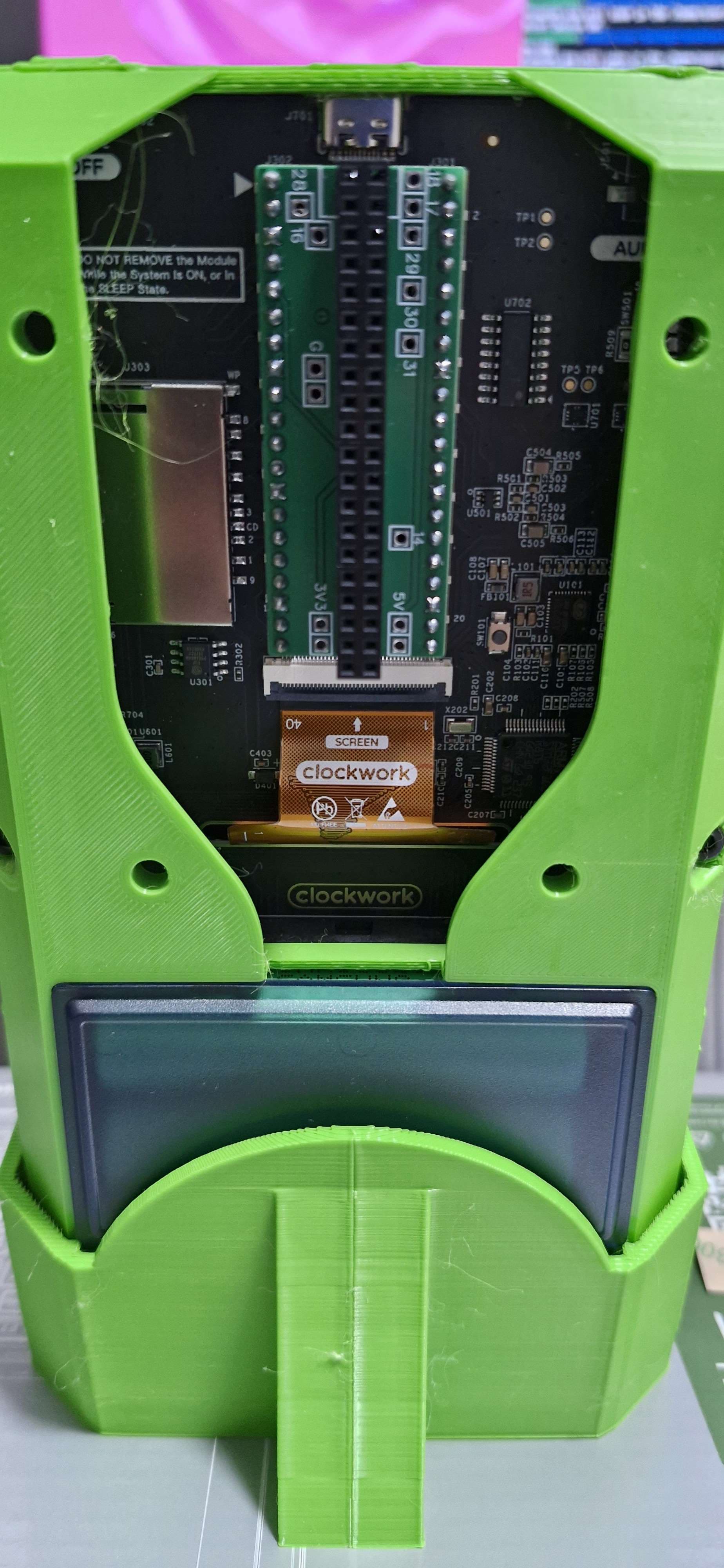
3d case files credit to @n602_na
https://www.thingiverse.com/thing:6998636#google_vignette
Stand by sn0ren @sn0ren_1842114
https://www.printables.com/model/1254039-picocalc-stand
PicoCalc Display, Keybaord, SND drivers by hisptoot https://github.com/hisptoot/picocalc_luckfox_lyra/
After first boot enable onboard wifi
adb shell "cd /home/lyra/aic800/ && make install; reboot"

#test
adb shell nmcli dev wifi list

#connect
nmtui
Install and enable XFCE4 (if you really want)
dpkg-reconfigure tzdata
timedatectl set-ntp off; timedatectl set-ntp on

apt -y update; apt install -y --no-install-recommends xserver-xorg-input-all xserver-xorg-core xinit xfce4-terminal xserver-xorg-video-fbdev x11-utils;

apt -y install xfce4 dbus-x11 mesa-utils xubuntu-default-settings xfce4-goodies lightdm-gtk-greeter lightdm-gtk-greeter-settings;

rm /etc/systemd/system/default.target;
systemctl set-default graphical.target;
reboot
Return to Console only
systemctl set-default multi-user.target