just added:
- sleep support based on paragonnov’s work
- 4g module tool
just added:
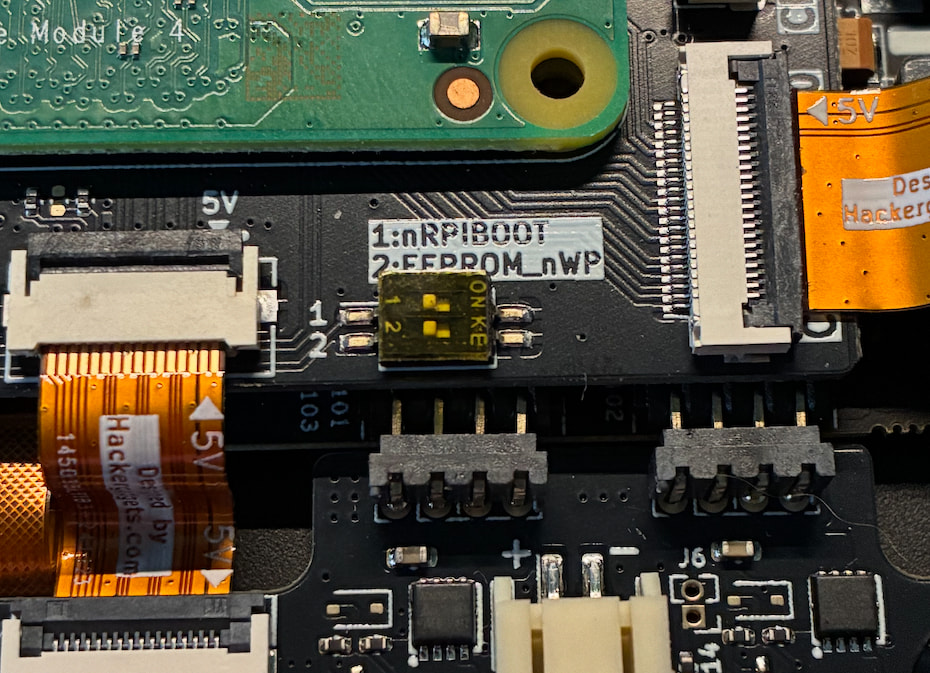
Any tips to make make PCIe work with the CM4 module? I am constantly getting this in the kernel logs `brcm-pcie fd500000.pcie: link down`. I tried setting dtparams like this: pcie=on, pcie_gen=2, and as the above as too, but nothing.
it looks so sweet! how fast it runs? and again, every repo available? wonderful wrk btw!
Add dtparam=pcie=off to your config.txt.
You currently don’t have anything hooked up to pcie.
passing the option “nopcie0 = true” to the clockworkpi-uconsole will disable the pcie support in kernel.
i.e:
  hardware.raspberry-pi.config = {
    cm4.dt-overlays = {
      clockworkpi-uconsole.params = {
        nopcie0.enable = true;
        nopcie0.value = true;
      };
    };
  };
in my module ethernet/pcie is enabled by default. you can use nogenet/nopcie0 to disable…
clockworkpi-uconsole
  	nogenet # true: disable cm4 ethernet (FIXME)
   	nopcie0 # true: disable pcie (FIXME)
[warning: the nopcie0 will be changed to no_pcie0 next major release]
just a quick howto: params are defined as:
<name> = {
  enable = [true|false];
  value = <value>;
};
it will add the dtparam=<name>=<value>to config.txt
the snippet I provided will add (assuming that you included oom-hardware.nixosModule.uc.configtxt):
[cm4]
...
dtoverlay=clockworkpi-uconsole
dtparam=nopcie0=true
dtoverlay=
...
Hm, sorry if it wasn’t clear, but I actually want to use the PCIe hub with an nvme battery board. The nvme is properly powered, but no PCIe device is detected during boot (still booting from SD card)
check if your connectors are properly connected:
this works for me ((-; it should work. if you see: brcm-pcie fd500000.pcie: link down - that means, that you don’t have anything connected to pcie.
as fast as it can be. repo? let’s say, if U go to the search.nixos.org and something is available for aarch64-linux it will be available here… ((-;
NICE! I wonder if this will work with he CM5 module too… we will have to see! 
I am between building the devterm or buying one to built another prototype now, I do wonder f making the hardware better can help to this too.
it works with the CM5 too - bcm2711 (cm4) image can boot both CM4 and CM5, but there is a separate bcm2712 image (can boot CM5).
Keep in mind that my images/modules are tested only using the uConsole CM4/CM5. There are some overlays for the DevTerm, but since I do not have one (and DevTerm kits are out of stock) I cannot test it. Also there is no support for A-04/A-06 and R-01 uConsole.
I am assuming that if get to prototype one, will get the adapter from Alex and then use the CM5, due to the form factor would love to get the radxa better and d a larger battery, might need some work to be done with a company or service to build a new exterior.
Hi! I’ve just created a repo with pre-built minimal images and a little guide on how to get NixOS on your uConsole (CM 4 only as I can’t test CM5 right now!).
It’s based on johndoe’s work and some other stuff and aims to be mostly effortless
You can find it here: GitHub - nixos-uconsole/nixos-uconsole: NixOS on ClockworkPi's uConsole (CM4)
Great work!
(CM5 can boot from the bcm2711/cm4 kernel but the correct overlays should be defined in [cm5] sections)
Thanks for the tip!
I’ll try something this evening and people with a CM5 will be able to test 
I’ll be happy to help ((-; let me synchronise our code and maybe I will be able to create a pull request ((-;
Thanks, please do!
I will be home end of the day (it’s currently 12pm here) and can review by then.
Happy to make you a code owner as well if you wish
I’m learning Nix so the code is full of comments for my own study, hope you don’t mind 
the comments are what I always omit ((-; I were focused on make it work not documenting it.
I gotta admit a lot of it is from the LLM that helped me get this going 
Learning a ton!
I now have a pretty thoroughly customized NixOS 25.11 running on my CM4 uConsole with the HackerGadgets “all-in-one” SDR expansion board. I’m using Sway as my main desktop environment, Wayland-enabled SDDM as my display manager, and an LxQt+labwc Wayland session as my secondary desktop that comes with nice GUI utilities I can also use under Sway. I should maybe come back to this thread in a day or two with some snippets from my NixOS config, because I had to make some low-level tweaks to get access to the HackerGadgets components (RTC, GNSS, LoRa and SDR). When I was using X11-based SDDM I also figured out how to set the default X server screen rotation in NixOS. I managed to pull in meshtasticd from the latest unstable nixpkgs commit where it successfully built, and that doesn’t seem to provide the web interface but it does enable a more lightweight TUI client in nixpkgs called Contact. I can run dump1090-fa and use Python’s built-in http.server module to serve a local copy of tar1090 on top of it. SDR++ works well. And I can play HD-Radio stations (North American digital radio) with nrsc5, though I pipe the audio through mpv because nrsc5 produces really choppy audio on the CM4 otherwise. (mpv video playback is pretty smooth too.) I have gpsd and chronyd using PPS to sync the system time. I’ve found that the CM4 audio is much smoother using PulseAudio instead of Pipewire.
Side note: I’ve noticed nixos-uconsole is using the boot.loader.raspberryPi options from nixos-raspberrypi, but more recent versions of the nixos-raspberrypi flake have removed this and instead support the upstream boot.loader.raspberry-pi options from nixpkgs.