As the title has it. Any notepad (not necessarily for programming) or a basic word processor for it?
I have the uConsole and I use it in both portable and desktop mode to write using Micro, a much better Nano alternative. Btw thers also a Windows version of Micro.
Anything similar for the PicoCalc? Bare in mind i dont code, ill have to use someone elses work im affraid. Would the memory restrict it to using small files only? Thank you in advance
I am working on one, once I am done with a few more lines in the spreadsheet I am working on, I am coding for a picomite, so it might not work right for the picocalc, I havent gotten mine yet to do any testing, give me a week or so and I should have a beta.
They should propose a pico2w option when you buy it. My Pico1 did not leave the picocalc box
I’m also waiting for the word processor. The code editor already has a copy/cut/paste method with F4 and F5, the main problem is 40 cols 25 lines…
I dont have a PicoCalc yet, so I know Im not in measure to answer that. But i would love to emulate your software if I could. Or maybe other ppl may want to improve on it, i dont know, I dont code.
What I love is the idea of some 8 bit dos-like environment running a word processor on specs that were on vogue over 30 years ago.
My dream is an msdos portable typewriter on bare minimum specs (like 5Mhz proc and a couple of megs of RAM), 40 keys compact mechanical keyboard and high refresh rate e-ink display, with weeks and weeks of battery life. No wifi, no updates, no sync, maybe full msdos or full linux terminal under a barebone shell. But I dont have the skills to implement it myself… One can only dream
Well I am writing it in mmbasic, so it will work native with the picocalc (other than I am sure some screen size issues) and mmbasic runs easy on the pi pico, thats what I am useing.
So making your portable type writer isnt that hard.. if your willing to give up it running on msdos, a picomite with hdmi/usb your keyboard of choice and a hdmi eink screen, add in a sdcard and your all set, I was doing testing with my set up, and with a 3.7 volt 3800 mah battery, I was getting more than 7 hours of battery life with a 4 inch screen.
Ooh! MMBASIC! we’re on the same page! I started on a word processor and was looking at spreadsheet engines.
One suggestion is something I did with a Maximite Font editor I made. I wanted to have as much memory as possible available for the program, so instead of keeping the full font set in memory, I held it in a random access temp/work file on the SD and read in, and wrote it out, in sections. Because it’s small amounts of data, it’s pretty fast, and one of the other big advantages is that you don’t loose your work if the program crashes or the power goes off.
Editing text is a bit different then fonts, so I’m currently looking at what the best way to handle it. Whether to read it in as blocks or individual lines, and how to handle formatting.
stop talking foreign. kidding, i understood some of it. instead of loading stuff into ram, you make it write it on the card and use it from there.
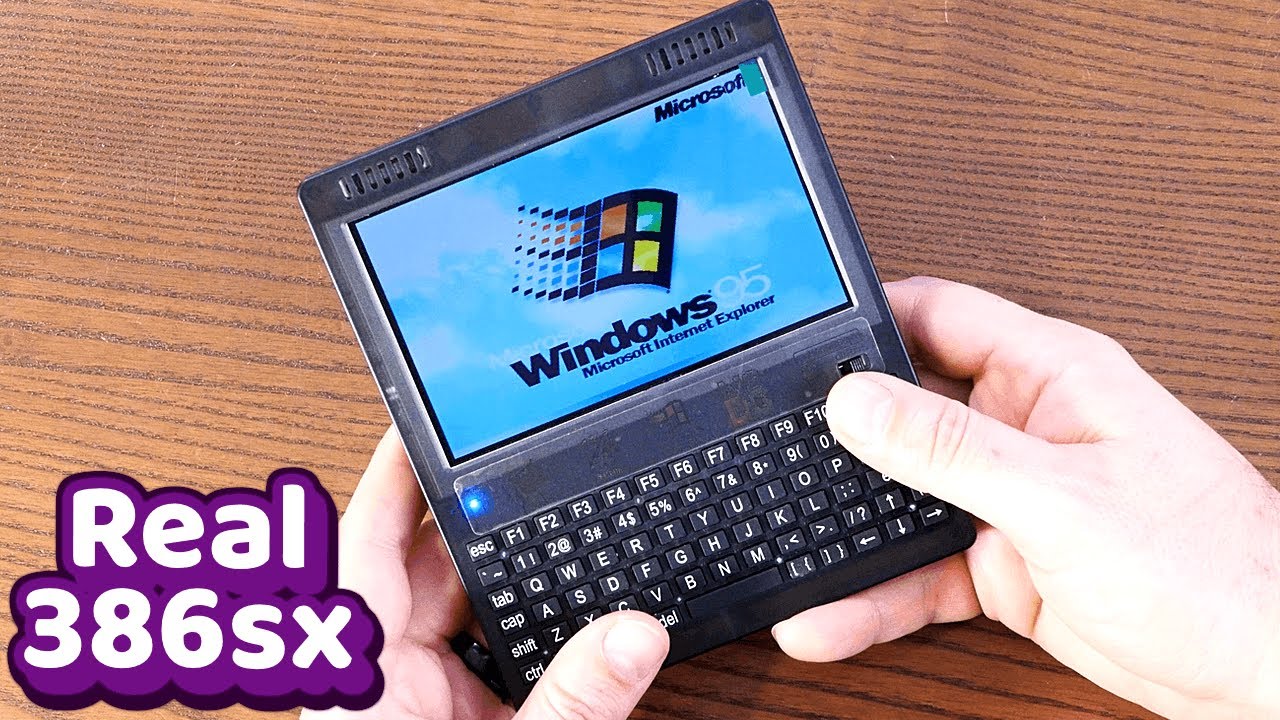
there is a 386 based mini laptop on ali express, running msdos and win95, both natively. i wish some reputable maker would get the hold of that hardware and do something with it. because as it is now, it is nothing more than a novelty
Yea once I am past the beta, like 7-10 days from now, I will do the memory to sd card, sliding window trick. Brings me back to my Apple ][ days, I wish I still had the code from back then. Right now I am putting the final touches on the alpha version of a spreadsheet in mmbasic.
If this is what you are looking for, you could opt to put a Luckfox Lyra in the PicoCalc and install Ubuntu on it. Once you have done that, you would need wifi to install Wordgrinder, which is a proper text mode word processor, then you could unplug the wifi and be done with it. If you could get along with a plain text editor like Nano or Vi then you would not need wifi at all.
is that thing just drop in, in terms of hardware? then why would people bother with pico 2w? i bet it would still need drivers etc for the enclosure. it seems way beefier compared to pi pico, but would it run ubuntu? maybe it should get a very cut down version. has anyone tried it yet?
im familiar with wordgrinder, i prefer micro to nano, vim not at all
Actually no wifi require,most Ubuntu build for Lyra has USB net support,when you connet it to a Windows PC(with the Lyra USB port),It will add a rndis device to your network-adapter module of control pannel。
all you need to do just share the Internet connection from Windows and make some “IP config” on both Windows and Picocalc
It is pretty much a drop in replacement. There is one optional hardware mod, it is only needed if you want sound. The Ubuntu image has all the drivers already integrated and works really well. There is a very long thread in the forums here on this subject.
I think most people don’t use the PicoCalc this way is because there are better options for handheld Linux devices. The Lyra is really under powered when compared to even a Raspberry Pi Zero. For your use case though, it would be perfectly fine.
You can get the SD card image you would need here;
you hinted about better handheld linux devices. i do own a pi4 uconsole. can you please name a few more? thank you. im biased towards good keyboard and low spec (that lends itself to longer battery life)