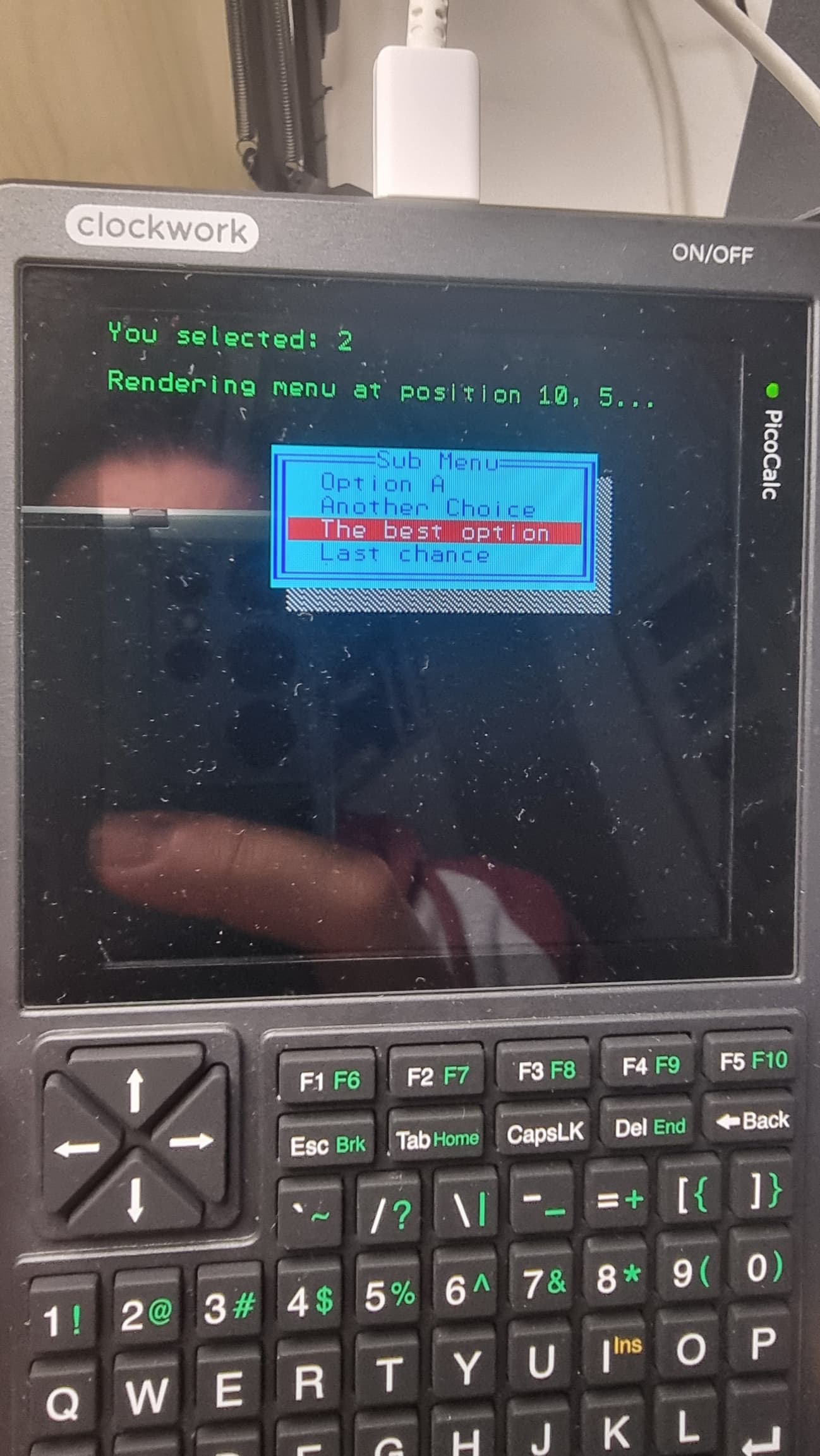
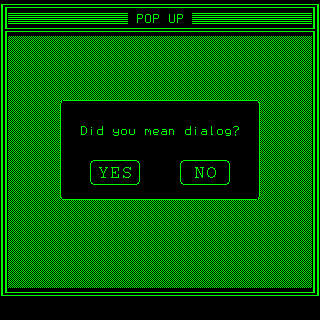
No, this is the entire program:
'
' Renders a pop-up menu on the text screen
'
' Parameters:
' x_pos - The X coordinate for the top-left corner. Pass -1 to center horizontally.
' y_pos - The Y coordinate for the top-left corner. Pass -1 to center vertically.
' title$ - The title for the menu
' items$() - An array of strings representing the menu items
'
' Returns:
' A string with the selected menu item, or "" if Escape was pressed.
'
FUNCTION POPUPMENU(x_pos, y_pos, title$, items$(), maxitems)
LOCAL x, y, width, height, i, selected, key$
LOCAL border_h$, border_v$, border_tl$, border_tr$, border_bl$, border_br$
LOCAL shade_h$, shade_v$, shade_br$
LOCAL fg_color, bg_color, sel_fg_color, sel_bg_color
LOCAL max_item_len, cursor_pos
' --- Configuration ---
' ASCII characters for border and shade
border_h$ = CHR$(205) ' Horizontal line
border_v$ = CHR$(186) ' Vertical line
border_tl$ = CHR$(201) ' Top-left corner
border_tr$ = CHR$(187) ' Top-right corner
border_bl$ = CHR$(200) ' Bottom-left corner
border_br$ = CHR$(188) ' Bottom-right corner
shade_h$ = CHR$(176) ' Horizontal shade
shade_v$ = CHR$(176) ' Vertical shade
shade_br$ = CHR$(176) ' Block character for corner
' Color settings (default to screen colors)
fg_color = 1
bg_color = 3
sel_fg_color = 7 ' Green (on black by default)
sel_bg_color = 4
' --- Calculate dimensions ---
max_item_len = LEN(title$)
FOR i = 0 TO maxitems
IF LEN(items$(i)) > max_item_len THEN
max_item_len = LEN(items$(i))
ENDIF
NEXT
' Add padding and border characters
width = max_item_len + 4 + 2' 2 spaces + 2 border chars + 2 extra spaces on each side
height = maxitems + 3 ' Title + items + 2 border chars
' --- Determine menu position ---
IF x_pos = -1 THEN
x = (64 - width) / 2
ELSE
x = x_pos
ENDIF
IF y_pos = -1 THEN
y = (32 - height) / 2
ELSE
y = y_pos
ENDIF
' --- Draw the menu border and shade ---
' Draw the 3D shade (right and bottom)
COLOUR 7, 0 ' Gray shade
FOR i = 1 TO height - 1
print @((x + width)*mm.fontwidth,(y + i)*mm.fontheight) shade_v$
NEXT
print @((x + width)*mm.fontwidth,(y + height)*mm.fontheight) shade_br$
'CURSOR x + width + 1, y + height
'PRINT shade_br$
'CURSOR x + width, y + height + 1
'PRINT shade_br$
FOR i = 1 TO width - 1
print @((x + i)*mm.fontwidth,(y + height)*mm.fontheight) shade_h$
NEXT
    ' Draw the main border
    COLOUR fg_color, bg_color
    print @(x*mm.fontwidth,y*mm.fontheight) border_tl$; STRING$(width - 2, border_h$); border_tr$ ' top border

    FOR i = 1 TO height - 2
        print @(x*mm.fontwidth,(y + i)*mm.fontheight) border_v$ ' left border
        print @((x + width - 1)*mm.fontwidth,(y + i)*mm.fontheight) border_v$ ' right border
    NEXT

    print @(x*mm.fontwidth,(y + height - 1)*mm.fontheight) border_bl$; STRING$(width - 2, border_h$); border_br$ ' bottom border
' --- Draw the title and items ---
' Draw title
print @((x + (width - LEN(title$)) / 2)*mm.fontwidth,y*mm.fontheight) title$
' Draw items
FOR i = 0 TO maxitems
print @((x + 1)*mm.fontwidth,(y + i + 1)*mm.fontheight) space$(2); items$(i); space$(2)
NEXT
' --- Navigation loop ---
cursor_pos = 0
DO
' Highlight the selected item
FOR i = 0 TO maxitems
IF i = cursor_pos THEN
COLOUR sel_fg_color, sel_bg_color
ELSE
COLOUR fg_color, bg_color
ENDIF
print @((x + 1)*mm.fontwidth,(y + i + 1)*mm.fontheight) space$(2); items$(i); STRING$(max_item_len - LEN(items$(i)), " ");space$(2) ' Add padding to clear highlight
NEXT
keyboard_loop:
' Wait for key press
key$ = INKEY$
if key$ = "" THEN GOTO keyboard_loop
' Process key
SELECT CASE key$
CASE CHR$(128) ' Up arrow
cursor_pos = cursor_pos - 1
IF cursor_pos < 0 THEN cursor_pos = maxitems
CASE CHR$(129) ' Down arrow
cursor_pos = cursor_pos + 1
IF cursor_pos > maxitems THEN cursor_pos = 0
CASE CHR$(13) ' Enter
COLOUR 2, 0 ' Set back the default colours
POPUPMENU = cursor_pos
EXIT DO
CASE CHR$(27) ' Escape
COLOUR 2, 0 ' Set back the default colours
POPUPMENU = -1
EXIT DO
END SELECT
LOOP
END FUNCTION
' --- Example Usage ---
CLS
DIM menu_items$(3)
menu_items$(0) = "Option A"
menu_items$(1) = "Another Choice"
menu_items$(2) = "The best option"
menu_items$(3) = "Last chance"
' Render the menu centered on the screen
PRINT "Rendering centered menu..."
result = POPUPMENU(-1, -1, "Main Menu", menu_items$(),3)
' Clear screen and print result
CLS
IF result = -1 THEN
PRINT "Menu closed with Escape."
ELSE
PRINT "You selected: " + str$(result)
ENDIF
' Render the menu at a specific position
PRINT
PRINT "Rendering menu at position 10, 5..."
result = POPUPMENU(10, 5, "Sub Menu", menu_items$(),3)
CLS
IF result = -1 THEN
PRINT "Menu closed with Escape."
ELSE
PRINT "You selected: " + str$(result)
ENDIF
END