It works with 32 bit Trixie for now. I am going to make a 64 bit sd card too.

2 Likes
I applied GitHub - ironat/picocalc_trixie Everything is working… except:
- picopoweroff as user or root with an error “could not open file ‘/dev/i2c-1’ or ‘/dev/i2c/1’: not such file or directory”
- I do not understand the chapter about fbterm. It cannot be launch with the error “stdin isn’t an interactive tty!”
had the same issue. had to run raspi-config and enable again there.
1 Like
I noticed too that right shift is not active as shift key. More bizarre is that if you try to use the right shift key it apparently disable the arrow keys! You have to “repush” the right shift key for the arrow keys to function back.
Concerning picopoweroff I think the way it works is not a “classic” way for a service if I don’t misunderstand it  You need to run “sudo systemctl start picopoweroff” to do a power off. The moment the service starts is the moment the system powers off.
Another tip: I think it is good to do sudo dpkg-reconfigure console-setup then choose UTF-8 then Guess optimal character set then Terminus and then 6x12 (framebuffer only) (of course you can choose whatever font you need but the one I advice is way better than the default one IMHO)
1 Like
I agree, there is maybe a better way to implement shutdown, but this is the method I found, and It takes several hours of testing to get it to work.
The point is that the service needs to be enabled, after that if you run “sudo poweroff” he will run the shutdown service which triggers the script with the i2c command,
Right shift key activates/deactivates mouse mode.
1 Like
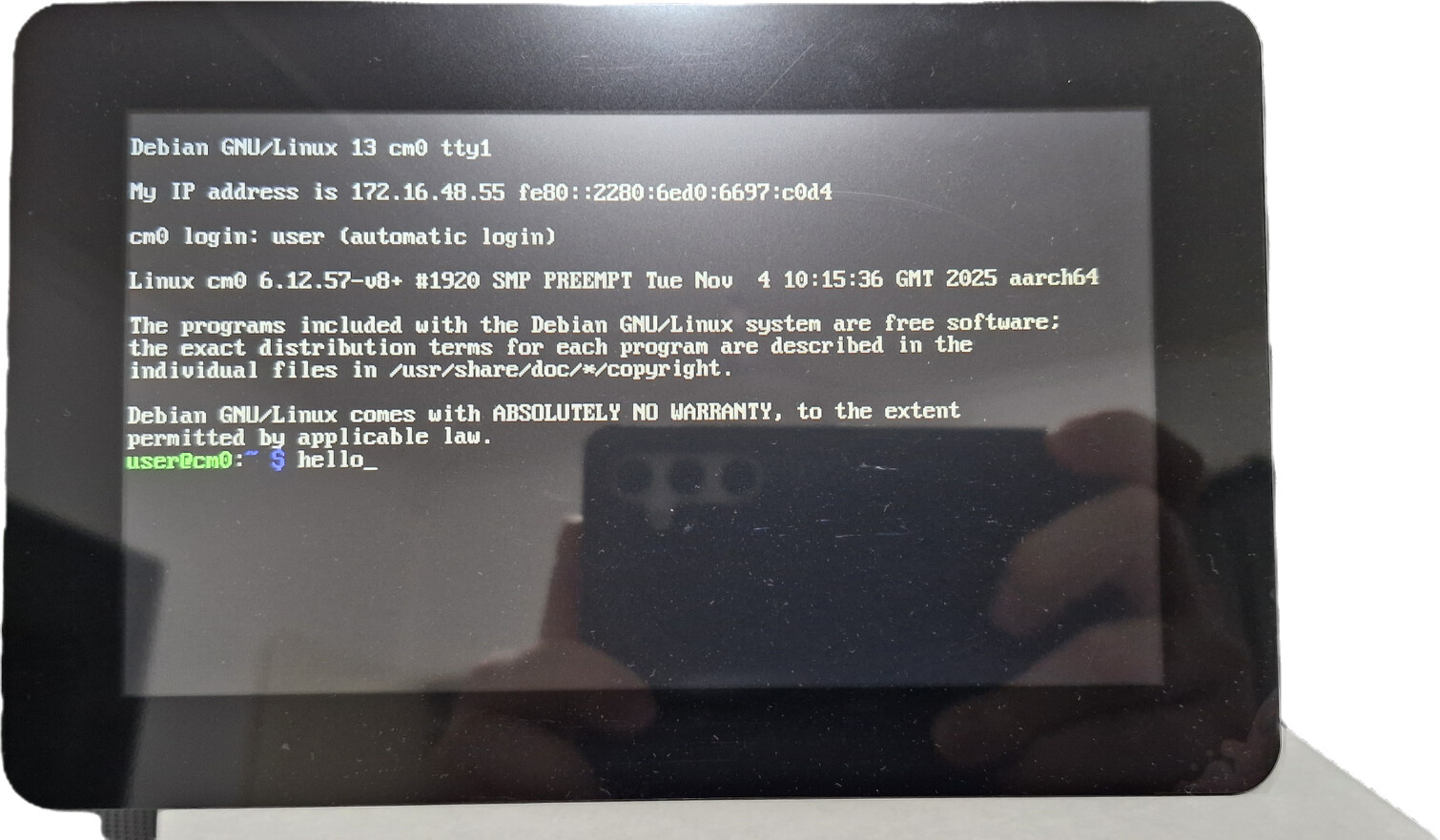
After the “holy smoke” drama, here back on task of LXQt testing…. no luck so far.
Some of the Qt components are missing after standard debian installation.
Anyone here already running LXQt ?
Looks promising (again on Trixie 32, no desktop option)
Here, trying to get both screens running…

sudo apt install xfce4
sudo apt install xfce4-goodies
Can you please assist how to modify /boot/firmware/config.txt (Trixie32) to keep booth HDMI port & PicoCalc screens active?
Multi screen desktop works with wayland and the rpd (raspberry desktop). I was not able to archive this with Xserver.
Trixie desktop version worked out of the box with Multi Screen desktop.
I may have time to investigate next week.
1 Like
Wow! Awesome ! I’m assuming you can only run either the 02w or the PICO at one time ?
I’m sorry to disappoint you, but the board described there can only be equipped with either RasPico or RasPiZero2W, and cannot run both at the same time.
… I also think it would be great if that were possible, but I think it would be difficult to achieve.
I would like 2 boards and backs in black if possible. I can also print the back myself if I have the stl files. Just let me know.
Norman Sockwell
205-602-0798
I would like at least 2 of the boards. Maybe up to 5.
Norman
did you got any success with this?
Hi, I am working on getting this to work on radxa zero3w. currently I have keyboard working and I am like 90% there to have working display, if anyone have any idea why it does not work it would be great.
display does not even flicker, I know it still works as I have put in the pico back in and it worked just fine, it also worked with raspberry pi zero, but that thing is gutless and does not have wifi
pins:
SPI3_MOSI_M1      GPIO4_C3
SPI3_MISO_M1      GPIO4_C5
SPI3_CLK_M1       GPIO4_C2
SPI3_CS0_M1       GPIO4_C6
RESET             GPIO3_C1
DC                GPIO3_B2
I am using display init.txt from this gitrepo : picocalc_trixie/picomipi.txt at main · ironat/picocalc_trixie · GitHub
picolcd.txt
delay 120

command 0x28
command 0xCB 0x39 0x2C 0x00 0x34 0x02
command 0xCF 0x00 0xC1 0x30
command 0xED 0x64 0x03 0x12 0x81
command 0xE8 0x85 0x00 0x78
command 0xEA 0x00 0x00
command 0xF7 0x20
command 0xC0 0x23
command 0xC1 0x10
command 0xC5 0x3E 0x28
command 0xC7 0x86
command 0x36 0x48
command 0x21
command 0x3A 0x55
command 0xB1 0x00 0x11
command 0xB6 0x08 0x82 0x27
command 0xF2 0x02
command 0x26 0x01
command 0xB4 0x02
command 0xE0 0x0F 0x31 0x2B 0x0C 0x0E 0x08 0x4E 0xF1 0x37 0x07 0x10 0x03 0x0E 0x09 0x00
command 0xE1 0x00 0x0E 0x14 0x03 0x11 0x07 0x31 0xC1 0x48 0x08 0x0F 0x0C 0x31 0x36 0x0F
command 0x11
delay 64
command 0x29
delay 20
here is my dts, I am 90 % it is correct as I can see the driver initialize
DTS
/dts-v1/;
/plugin/;

/ {
   compatible = "radxa,zero3"; /* Update to match your SoC */

   fragment@0 {
       target = <&spi3>; /* Correct SPI3 node */

       __overlay__ {
           #address-cells = <1>;
           #size-cells = <0>;

           pinctrl-names = "default";
           pinctrl-0 = <&spi3m1_pins &spi3m1_cs0>; /* Reference correct pin configuration */

           status = "okay"; /* Enable SPI3 */

           panel: panel@0 {
               compatible = "picolcd", "panel-mipi-dbi-spi";
               reg = <0>;
               spi-max-frequency = <24000000>;
               width-mm=<43>;
               height-mm=<43>;
               reset-gpios = <&gpio3 17 0>; //GPIO3_C1
               dc-gpios = <&gpio3 10 0>; // GPIO3_B2
               write-only;
               debug = <3>;
               panel-timing {
                   hactive = <320>;
                   vactive = <320>;
                   hback-porch = <0>;
                   vback-porch = <0>;
                   clock-frequency = <24000000>;
                   hfront-porch = <0>;
                   hsync-len = <0>;
                   vfront-porch = <0>;
                   vsync-len = <0>;
               };
           };
       };
   };

   fragment@1 {
       target = <&pinctrl>; /* Ensure this matches your pin controller node */

       __overlay__ {
           spi3m1_pins: spi3m1-pins {
               rockchip,pins = <
                   4 23 3 0 /* GPIO4_C2 as SPI3_CLK_M1 */
                   4 19 3 0 /* GPIO4_C3 as SPI3_MOSI_M1 */
                   4 21 3 0 /* GPIO4_C5 as SPI3_MISO_M1 */
                   4 24 3 0 /* GPIO4_C6 as SPI3_CS0_M1 */
               >;
           };
       };
   };
};
here is dmesg | grep mipi that shows that it is initializing the driver, btw I got more info here as I added drm.debug=0x06 to extraargs in armbianEnv.txt
dmesg | grep mipi
[   10.872660] panel-mipi-dbi-spi spi3.0: Looking up power-supply property in node /spi@fe640000/panel@0 failed
[   10.872699] panel-mipi-dbi-spi spi3.0: supply power not found, using dummy regulator
[   10.873047] [drm:mipi_dbi_spi_init] SPI speed: 24MHz
[   10.873442] panel-mipi-dbi-spi spi3.0: [drm:panel_mipi_dbi_commands_from_fw] size=136 version=1
[   10.873478] panel-mipi-dbi-spi spi3.0: [drm:panel_mipi_dbi_commands_from_fw] command 11
[   10.873502] panel-mipi-dbi-spi spi3.0: [drm:panel_mipi_dbi_commands_from_fw] sleep 120ms
[   10.873522] panel-mipi-dbi-spi spi3.0: [drm:panel_mipi_dbi_commands_from_fw] command 28
[   10.873543] panel-mipi-dbi-spi spi3.0: [drm:panel_mipi_dbi_commands_from_fw] command cb 39 2c 00 34 02
[   10.873564] panel-mipi-dbi-spi spi3.0: [drm:panel_mipi_dbi_commands_from_fw] command cf 00 c1 30
[   10.873585] panel-mipi-dbi-spi spi3.0: [drm:panel_mipi_dbi_commands_from_fw] command ed 64 03 12 81
[   10.873605] panel-mipi-dbi-spi spi3.0: [drm:panel_mipi_dbi_commands_from_fw] command e8 85 00 78
[   10.873624] panel-mipi-dbi-spi spi3.0: [drm:panel_mipi_dbi_commands_from_fw] command ea 00 00
[   10.873644] panel-mipi-dbi-spi spi3.0: [drm:panel_mipi_dbi_commands_from_fw] command f7 20
[   10.873664] panel-mipi-dbi-spi spi3.0: [drm:panel_mipi_dbi_commands_from_fw] command c0 23
[   10.873683] panel-mipi-dbi-spi spi3.0: [drm:panel_mipi_dbi_commands_from_fw] command c1 10
[   10.873702] panel-mipi-dbi-spi spi3.0: [drm:panel_mipi_dbi_commands_from_fw] command c5 3e 28
[   10.873722] panel-mipi-dbi-spi spi3.0: [drm:panel_mipi_dbi_commands_from_fw] command c7 86
[   10.873741] panel-mipi-dbi-spi spi3.0: [drm:panel_mipi_dbi_commands_from_fw] command 36 48
[   10.873761] panel-mipi-dbi-spi spi3.0: [drm:panel_mipi_dbi_commands_from_fw] command 21
[   10.873780] panel-mipi-dbi-spi spi3.0: [drm:panel_mipi_dbi_commands_from_fw] command 3a 55
[   10.873800] panel-mipi-dbi-spi spi3.0: [drm:panel_mipi_dbi_commands_from_fw] command b1 00 11
[   10.873819] panel-mipi-dbi-spi spi3.0: [drm:panel_mipi_dbi_commands_from_fw] command b6 08 82 27
[   10.873838] panel-mipi-dbi-spi spi3.0: [drm:panel_mipi_dbi_commands_from_fw] command f2 02
[   10.873858] panel-mipi-dbi-spi spi3.0: [drm:panel_mipi_dbi_commands_from_fw] command 26 01
[   10.873877] panel-mipi-dbi-spi spi3.0: [drm:panel_mipi_dbi_commands_from_fw] command b4 02
[   10.873896] panel-mipi-dbi-spi spi3.0: [drm:panel_mipi_dbi_commands_from_fw] command e0 0f 31 2b 0c 0e 08 4e f1 37 07 10 03 0e 09 00
[   10.873916] panel-mipi-dbi-spi spi3.0: [drm:panel_mipi_dbi_commands_from_fw] command e1 00 0e 14 03 11 07 31 c1 48 08 0f 0c 31 36 0f
[   10.873936] panel-mipi-dbi-spi spi3.0: [drm:panel_mipi_dbi_commands_from_fw] command 11
[   10.873956] panel-mipi-dbi-spi spi3.0: [drm:panel_mipi_dbi_commands_from_fw] sleep 64ms
[   10.873976] panel-mipi-dbi-spi spi3.0: [drm:panel_mipi_dbi_commands_from_fw] command 29
[   10.873996] panel-mipi-dbi-spi spi3.0: [drm:panel_mipi_dbi_commands_from_fw] sleep 20ms
[   10.874219] [drm:mipi_dbi_dev_init_with_formats] rotation = 0
[   10.874849] panel-mipi-dbi-spi spi3.0: [drm:drm_sysfs_connector_hotplug_event] [CONNECTOR:31:SPI-1] generating connector hotplug event
[   10.874906] [drm] Initialized panel-mipi-dbi 1.0.0 20220103 for spi3.0 on minor 1
[   10.875295] panel-mipi-dbi-spi spi3.0: [drm:__drm_fb_helper_initial_config_and_unlock] test CRTC 0 primary plane
[   10.875323] panel-mipi-dbi-spi spi3.0: [drm:drm_fb_helper_generic_probe] surface width(320), height(320) and bpp(16)
[   10.876142] panel-mipi-dbi-spi spi3.0: [drm:drm_mode_addfb2] [FB:36]
[   10.876672] panel-mipi-dbi-spi spi3.0: [drm] fb1: panel-mipi-dbid frame buffer device
[   11.167646] rockchip-mipi-csi2-hw fdfb0000.mipi-csi2-hw: enter mipi csi2 hw probe!
[   11.168105] rockchip-mipi-csi2-hw fdfb0000.mipi-csi2-hw: probe success, v4l2_dev:mipi-csi2-hw!```
also here is the proof that GPIO pins from dts are getting set correctly, I got this by using command sudo gpioinfo -c 3 | grep output
activated pins
    line  10:       "PIN_18"                output consumer="dc"
    line  16:       unnamed                 output
    line  17:       "PIN_22"                output consumer="reset"
    line  27:       unnamed                 output active-low consumer=board-antenna
thanks in advance
I think you are missing the reference to the firmware file. I am not sure how the system should know that you want to use the piciomipi.bin file. maybe i missed something.
Sorry, I did not make that readable enough, I named it differently on my side, the file that it is loading is set in the compatible flag in DTS fille compatible = "picolcd", "panel-mipi-dbi-spi";, in my case I called it picolcd, I will edit the earlier post to correct it. you can also see in the dmesg | grep mipi the commands from the picolcd file, so it looks like it is loading the bin file just fine. this is why it is soo confusing to me, everything seams to be working correctly and yet it does not work
lil update on the progress, I have a 99% success. I finally got some pixels on the screen

the thing is that it does not fully work, it does not clean the screen, only does partial updates, the noise you see on the photo is because I did send dev random to the fb0 sudo cat /dev/random > /dev/fb0
2 Likes