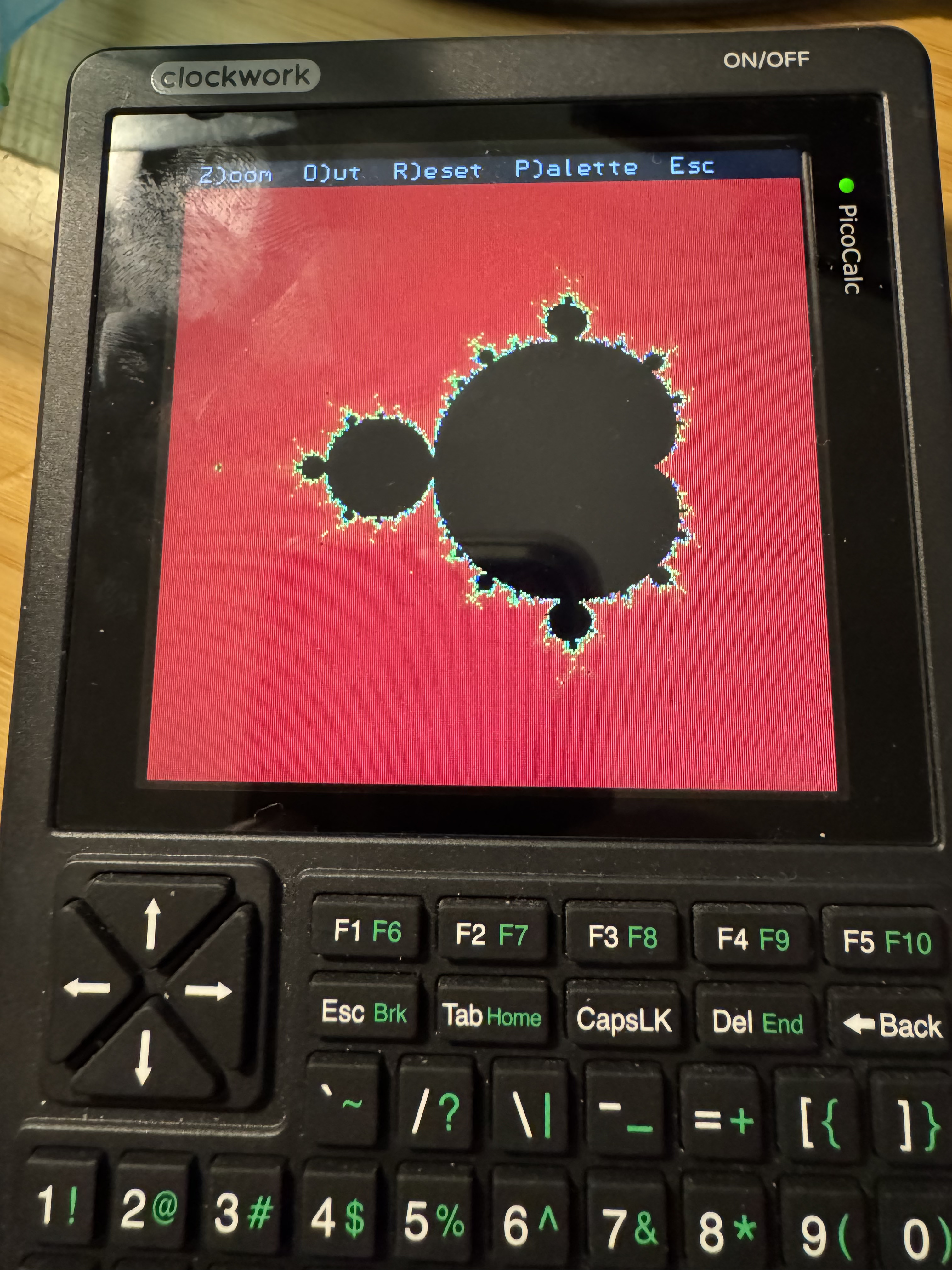
I’ve always loved the Mandelbrot set and the stock picocalc comes with a Mandelbrot set generator. But it’s slow. Very slow.
Interpreted languages just aren’t good at math intensive code in a tight loop. So I played around trying to optimize the basic but could only get so far.
Then I discovered that you can write code in C and call it from MMbasic. I tried it out and found about a 7-10x speed up.
Making a CSub is a non trivial poorly documented process. So I bundled up what I learned on GitHub along with some versions of a much better Mandelbrot demo.
Note that the demo programs embed processor dependent machine code into the CSub definition, so you need to build for the correct mcu, rp2040 or rp2350. There’s premade versions in the ‘builds’ directory.
Pretty much all the old BASICs allowed you to create and call an assembly language program in memory as a subprogram. The mechanism differed by BASIC variant and changed over time, but it was a common way to make a subroutine that allowed you to do something very fast.
When I run it the menu appears at the top of the screen, but nothing else. The keyboard is unresponsive (at least I’m assuming Esc should drop me back into MMBasic).
Any idea how to get this running?
I love Mandelbrot and would love to see what you created.
I’ve started my Mandelbrot program with Blair Leduc’s starter. I added the Mandelbrot calcs using the pico_float package. However this is slow since floating point is implemented in software on the RP2040.
I’m currently trying to write the central iteration loop in assembly using 4.28 fixed point (int32_t) since that can use the hardware integer add, subtract and multiply. Getting there step-by-step.
I know the PicoCalc is too slow to be a proper Mandelbrot explorer, but the fun is in the challenge of getting it to run at all.
i find that iterative rendering (similar to what’s done in this demo, and how i’ve done the Lua Mandelbrot demo, where a lower resolution is rendered first and then gradually improved) does wonders to the feasibility of exploring the fractal
the one in my Lua demo can be panned and zoomed freely and it’s quite enjoyable to play with
Why not try the RP2350 and use hardware single-precision floating point? I opted for the RP2350 (in the form of the Pimoroni Pico Plus 2W) because I really had no good reason not to, and I wrote a Mandelbrot renderer using hardware single-precision floating point as captured in:
\ Copyright (c) 2023-2025 Travis Bemann
\
\ Permission is hereby granted, free of charge, to any person obtaining a copy
\ of this software and associated documentation files (the "Software"), to deal
\ in the Software without restriction, including without limitation the rights
\ to use, copy, modify, merge, publish, distribute, sublicense, and/or sell
\ copies of the Software, and to permit persons to whom the Software is
\ furnished to do so, subject to the following conditions:
\
\ The above copyright notice and this permission notice shall be included in
\ all copies or substantial portions of the Software.
\
\ THE SOFTWARE IS PROVIDED "AS IS", WITHOUT WARRANTY OF ANY KIND, EXPRESS OR
\ IMPLIED, INCLUDING BUT NOT LIMITED TO THE WARRANTIES OF MERCHANTABILITY,
\ FITNESS FOR A PARTICULAR PURPOSE AND NONINFRINGEMENT. IN NO EVENT SHALL THE
\ AUTHORS OR COPYRIGHT HOLDERS BE LIABLE FOR ANY CLAIM, DAMAGES OR OTHER
\ LIABILITY, WHETHER IN AN ACTION OF CONTRACT, TORT OR OTHERWISE, ARISING FROM,
\ OUT OF OR IN CONNECTION WITH THE SOFTWARE OR THE USE OR OTHER DEALINGS IN THE
\ SOFTWARE.

begin-module mandelbrot

  picocalc-term import
  pixmap8 import
  st7365p-8-common import
  float32 import

  32 constant max-iteration

  max-iteration 1+ cell align buffer: colors

  : init-colors ( -- )
    max-iteration 1+ 0 ?do
      i u>v max-iteration 1- u>v v/ 1e0 v+ vln
      2e0 vln v/ 255e0 v* v>u colors i + c!
    loop
  ;

  initializer init-colors

  : iteration>color { iteration -- color }
    iteration max-iteration < if
      0 colors iteration + c@ 0 rgb8
    else
      0 0 255 rgb8
    then
  ;

  : draw ( xa xb ya yb -- )
    [: { xa xb ya yb display }
      display clear-pixmap
      xb xa v- { x-mult }
      yb ya v- { y-mult }
      display dim@ { width height }
      height 0 ?do
        width 0 ?do
          i u>v width u>v v/ x-mult v* xa v+ { x0 }
          j u>v height u>v v/ y-mult v* ya v+ { y0 }
          0e0 0e0 { x y }
          0 { iteration }
          begin
            x dup v* y dup v* v+ 4e0 v<=
            iteration max-iteration < and
          while
            x dup v* y dup v* v- x0 v+ { xtemp }
            x y v* 2e0 v* y0 v+ to y
            xtemp to x
            1 +to iteration
          repeat
          iteration iteration>color
          i height j - display draw-pixel-const
        loop
        display update-display
      loop
    ;] with-term-display
  ;

  : test ( -- ) -2e0 0.47e0 -1.12e0 1.12e0 draw ;

end-module
The float code took just a few minutes. Where’s the fun in that?
Assembly code. Now that’s fun. It’s taken a bit to get it right, and lot’s of learning as a bonus. I think it’s running as of this afternoon, but it still needs optimizing. Of course liking assembly programming is probably why I liked building and programming my Ben Eater 6502 breadboard computer so much!
I’ve pushed a fix. It turns out that the algorithm used depends on 64 bit multiplies, which on the rp2040 require a helper function from the library, which was not getting properly linked in. On the rp2350 the CPU can natively do 64 bit multiplies, so there were no issues when I compiled and ran on my pico2. The new mand2040.bas in the builds directory should work, I show it here running on the rp2040 that came with the PicoCalc.
I learned to program as a retirement hobby so my code doesn’t follow “good practice”. As long as it runs I’m satisfied. The extra black pixels are really bugging me and so this code isn’t acceptable yet.
Since programming is just for my personal pleasure I’ve never considered sharing the final product. The Picocalc has opened me up to interacting with others on this site. I needed the help to get as far as I have.
I can download from GitHub, which seems to be the standard choice for sharing, but that exhausts my knowledge.
Mandelbrot on RP 2040 at 200 MHz. All versions I wrote use the same optimized algorithm that has only 3 multiplies per iteration as they’re the bottleneck.
Also, no iterations in the cardiod or period 2 bulb. -2.0 <= cr <= 0.5 and -1.25 <= ci <= 1.25 plot area. Colour plotting.
~190s : MMBasic 6.00.03 with MAX_ITER = 16
~35s : MMBasic 6.00.03 and mand2040 written by joshv. Use above cr and ci ranges as well as MAX_ITER = 200. Very nice improvement Josh!!
4.91s : C and pico_float with iter_limit = 200. I’ve quit playing with this version.
1.44s : C and 4.28 fix point math in assembly with iter_limit = 200. This started at about 2.3s so I’ve optimized this quite a bit so far. I’m hopeful for a bit more improvement as I understand more about the available assembly instructions.
My C versions were in the same program with only the iteration counts coded differently, so the plotting overhead is identical.
I can zoom in by a factor 2^21, but there’s not enough bits in 4.28 fixed point to go deeper. Still … not bad for a simple microcontroller.
Added multicore so the the calculation time has dropped to 0.72s.
I should try to figure out file sharing. GitHub seems to be a whole development environment, with version control and who knows what else. Just need somewhere to post a folder or zip file to be shared.
Done some reading. Not sure I fully understand gists, but it seems primarily focused on single file sharing. This is fine for the Basic program pelrun mentioned gists on, but mine is a C project with 15 or 20 files in a folder structure.