Does anyone know if theres a Terminal program that I can run on the Picocalc?
it doesnt have to be fancy, plain old 115200 8N1 would be fine, a handheld portable terminal would be perfect for so many of my projects!
My PicoCalc Text Starter kit has everything we need to put something like this together quickly with hardcoded parameters. How did you plan to connect your projects to the PicoCalc?
Does the USB3 USB console not work for you?
@BlairBlair, that sounds Great! I`ll be using the GND, Rx and TX pins brought out to the header on the side for the physical connections and a HC-15 built into the pico calc for more remote coms ie/ to a moving robot.
some of my pico projects have Picomite running on them as the firmware, so it would be nice to be able to modify them with a small handheld coms terminal rather than have to bring a laptop or take the board out.
I can do this easily with a laptop running any number of simple terminals and using an FTDI USB to Serial chip, the picocalc doesnt even need the FTDI chip 
@Mike, it probably does, but not everything I want to interface too has USB ACM available, but they all have free RX/TX/GND.
Ok, I will put something together this weekend.
2 Likes
Good idea! Even a dumb terminal for TTY serial would be useful.
I’d want to use the PicoCalc as a simple terminal for my ham radio, an Elecraft KX3.
This radio can be connected to a terminal to operate in CW, RTTY, and PSK31 modes, I think…
Yes, a terminal program would be a good, useful, tool.
I created a terminal app for the PicoCalc, however, when testing I remembered this post:
Without a hardware modification, the UART0 side port is not functional. And it you make the modification, then UART0 over USB-C connector will not function (one way or the other).
Is anyone still interested in the terminal app I created?
Would it make sense (and be possible) to do the serial connection over the USB-C on the PicoCalc or micro USB on the module itself? That way it would only require an adapter instead of a hardware mod.
I’m guessing it can’t be done with some combo of GPIOS 2, 3, 4, 5, 21, and 28 on the side?
1 Like
Great idea! Let me run with that.
Hello, I did connect a Raspberry Pi Zero via the TX/RX ports on the side of the PicoCalc without any problem. I had done this in MicroPython.
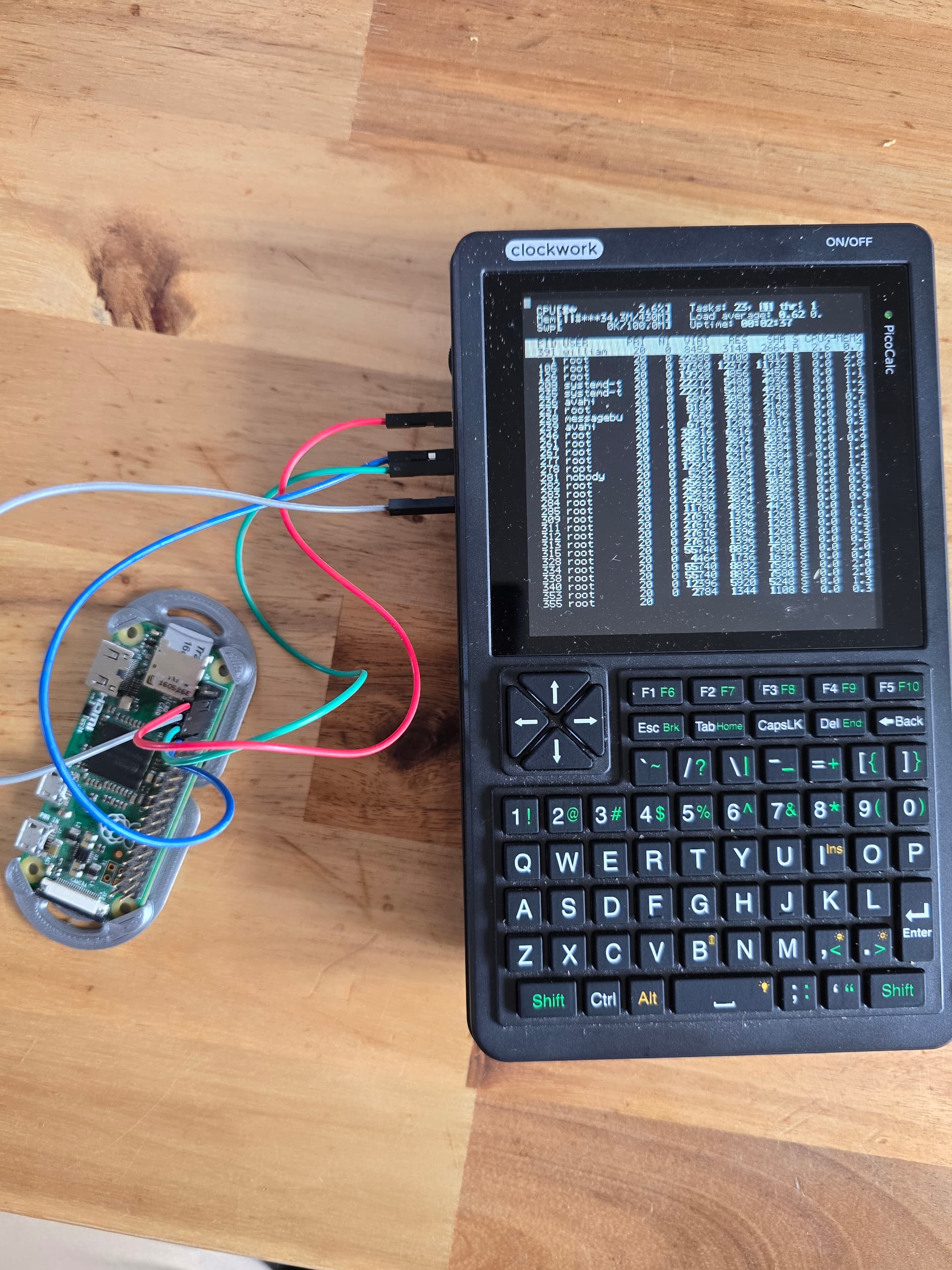
2 Likes
The problematic serial port is the one on the lower header that is shared with the usb-c port. We just have to use ports on the other pins than the ones labelled UART, which is what you’re already doing in your photo.