Is there anyway, including accessing source code to change the default font from the green to Amber?
No big deal, but my first computer had an amber font on the black background.
Thanks
Geoff
Is there anyway, including accessing source code to change the default font from the green to Amber?
No big deal, but my first computer had an amber font on the black background.
Thanks
Geoff
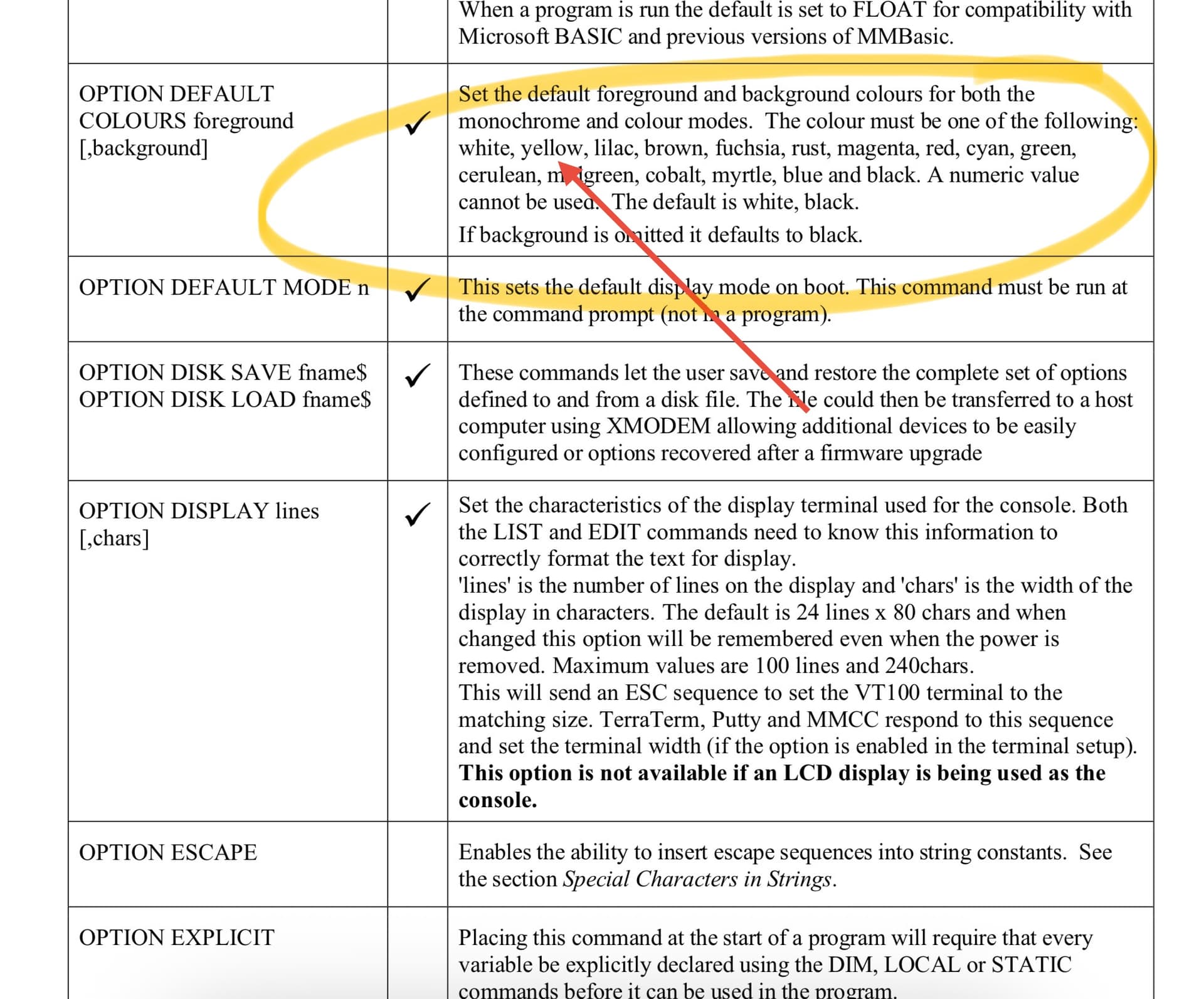
Have you tried OPTION DEFAULT COLORS foreground, [background]
Valid color names are white, yellow, lilac, brown, fuchsia, rust, magenta, red, cyan, green,
cerulean, midgreen, cobalt, myrtle, blue and black.
This is all from the picomite pdf manual. https://geoffg.net/Downloads/picomite/PicoMite_User_Manual.pdf
I know, rtfm 
Thanks and will update the post when completed!
What kind of machine is that?
Hp 9825a from Ames/NASA which I restored a few years ago. The tape drive has been modified to accept modern tapes. Beside it and on top is an HP serial clock from the same era also restored to working condition. Think of it as an RTC external!
Cheers
WOW!!! 

Nice! (And while I personally am a partisan of green-on-black ─ my days as a kid of working on Apple systems at school where many of them had green-screen monitors shows by that ─ amber-on-black is also reflective of good taste IMO.)
Would love to “recreate” its software for the picocalc. I absolutely LOVE old computers. I was thinking of starting a new project with the hope to try and recreate the PDP-11 on the picocalc.
Nothing beats Amber & Red.
For me, it was my Amdek with an amber screen, and 8088 with math co-processor, dot matrix printer and two 10mb hard drives, which made us the envy of all the other labs in 1984!
But I use the HP 41 CX for all my statisticalcalcs on my 400 line RPN program for the IGCP analysis of core samples along with HPIL printer, wand, and controlling multiple system systems in the lab.
Cheers
I love the hp clock. Now I’m jealous!