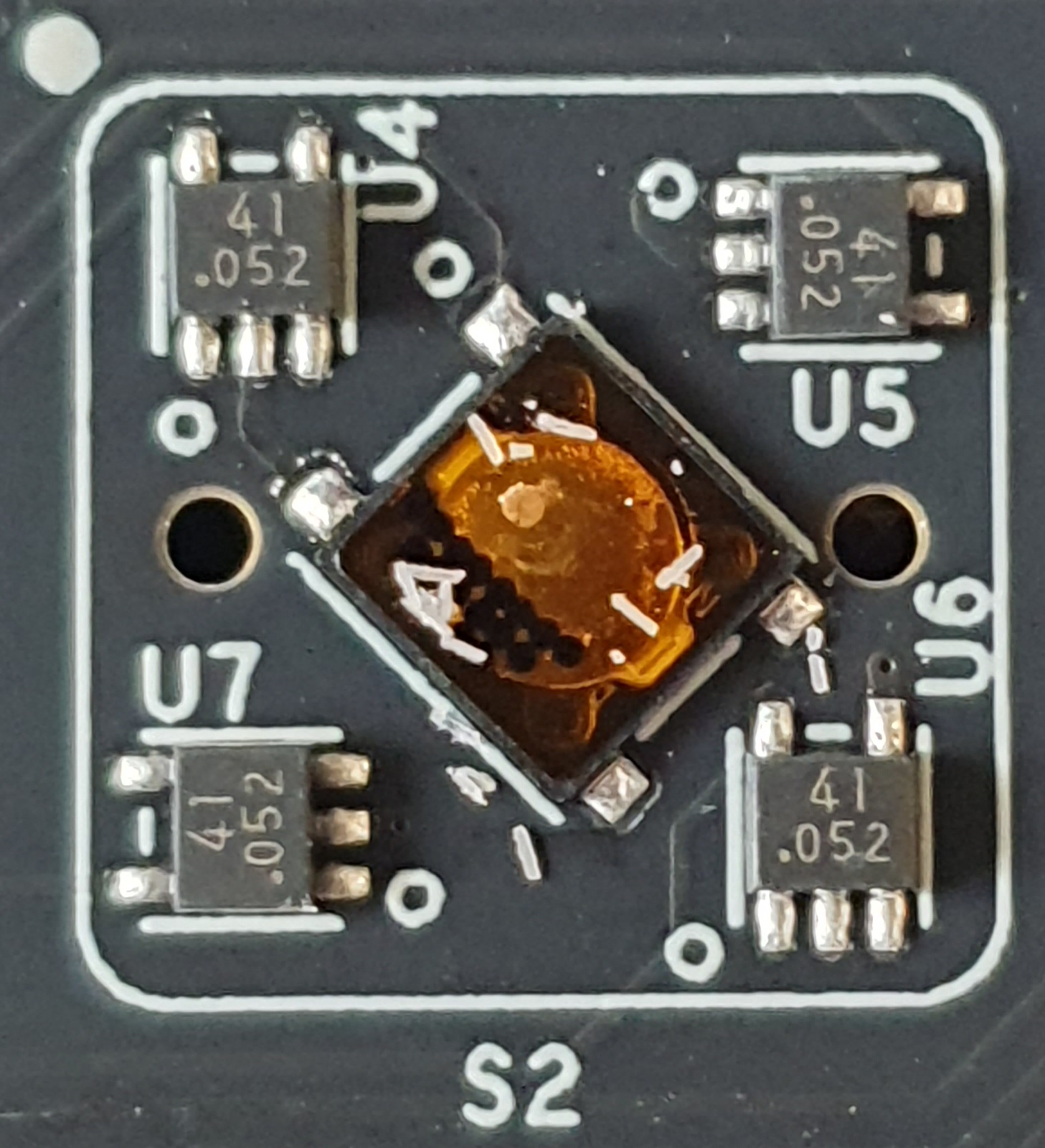
New machine, latest Trixie working well.
Yet the keyboard backight is rubbish !, at max level it’s only visible in a darkened room. What’s the score here ?. The PicoCalc is much brighter, Uconsole screen brightness is good tho.
Trackball, POOR !. If it moves, it jumps around. Pressing down on it helps a little but still bad. Any quick fixes beyond replacing or changing to a trackpad ?
Both are well known topics with several threads existing already.
For the backlight there are 3rd party diffusors which shall perform better.
For the trackball some people report that cleaning with isopropyl alcohol may help.
1 Like
Already using a diffuser…
Seems the LED’s are just too dim !. Will have a closer look and try some options.
Diffuser swapped for the Clockwork one, no better. Has anyone else noticed the keyboard is VERY dim ?
Trackball examined, bits of plastic found on the circuit board part. Slightly better but still bad…
Circuit board part cleaned again. Ball part cleaned with IPA. ‘Slightly’ better again yet not impressive !
Clockwork diffuser removed, slightly better but now patchy of course. Has anyone managed to make the led’s brighter ??
An example of keyboard backlights at full brightness, Uconsole and PicoCalc.