any chance someone could compile most of the WIFI drivers on the Ubuntu release ? I can’t get it to work on my end.
What’s your wifi chip?
I was able to compile the module for the rt5370 (rt2800usb) using the large “developper” ubuntu image. It contains the full kernel source where you can do make menuconfig and select the module for your chip. You can do everything on device.
1 Like
So I can’t just write the image to the SD card (for use on a Lyra without NAND), plug it in, and go? I’ve tried to write the “raw” SD image to a card with balena-etcher and it’s failed to even write the image fully. It’ll get to nearly finishing verifying after writing, and then crap out with no explanation, just “something went wrong”.
I doubt you will get a response from hisptoot, he has not responded to anything in this thread in a very long time, I suspect he has moved on to other projects. I do not recommend his image anyway, It is too limited and difficult to work with, the Ubuntu image is better in every regard.
For the Luckfox? I must have missed that one - could you point me to the image?
Will it run on the same hardware? I’ve got a plain basic Luckfox Lyra, no SPI and no W, just an SD card.
Yes, it will run on the same hardware
This will help you get it up and running.
1 Like
OK, I’ll have a play with that. Thanks.
Though I’m curious why it’s a 50GB image distributed in an archive split into 306 pieces that extracts to 16GB SD card. I always thought a disk image was a disk image was a disk image. Not gonna bother with WiFi anyway, it’s just for re-learning some languages and shell-scripting. That I’ll probably do is extract it to the SD card and then make a new image with dd or something like.
How to get this image onto a sd card via windows10 ?. Any preparation needed on the Lyra ?.
Just what I was thinking. There isn’t an image I can just grab and put on an SD card, I’ve got to download 20GB of images and then use some mystery software that the person who made the image set appears to just assume everyone has. That’s after installing git and frigging about with an entirely unnecessary installation of mingw which I’m only going to get rid of once I’ve made an SD card I can make a copy of.
Open source developers are the bane of my life with their interminable obfuscation of processes which could and should be simple for the user. Especially when their “instructions” are just a printout of when they did it, with no explanations of what software environment you need.
Edit: it’s not even an image, for cryin’ out loud. It’s an installer which assumes I’ve got everything plugged in and I’m using the Luckfox as a peripheral device and I’m actually flashing it. Would making a flat image of an installed environment have been such a challenge for the guy who did this? Gordon Bennet.
2 Likes
Here is the Luckfox wiki page, the instructions for SD cards is at the bottom. The SDDiskTool defaults to Chinese, but you can change it to English by opening the config.ini file and changing Selected=1 to Selected=2.
2 Likes
Hi guys, I’ve created a yocto layer for the picocalc based on the luckfox lyra board. Feel free to check it out. It currently is still barebones and tailored to my usecase, but feel free to fork and adjust it to your needs.
3 Likes
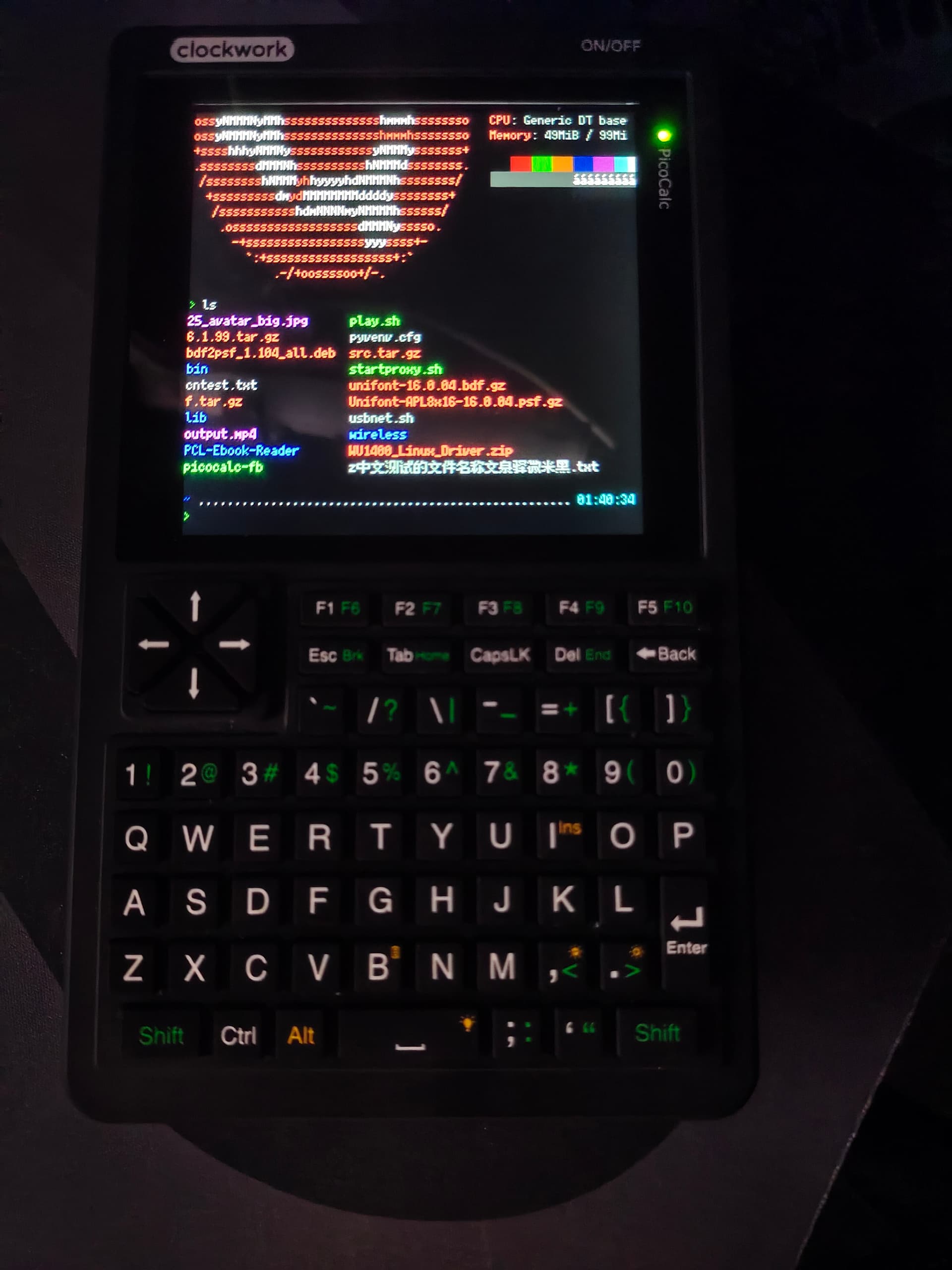
Hello guys,sharing a nice mono Bitmap fonts after days of testing,the extreme 8px(it means Latin alphabet is 4x8) size make it possible to achieve the 80 column of Linux Terminal to avoid unneccesary word warping and get the CJK glyph support,I run it with fbterm, and it looks Clear and Sharp on PicoCalc,(I am using the 6x12 size actually)
https://github.com/TakWolf/fusion-pixel-font
9 Likes
your local folder grows with a .git folder same size as the total download and you need to extract the 7z
Cool. A long time ago I had a Ben NanoNote (with a 320x240px screen) and installed a similar font that used sub-pixel rendering to make an 80x26chr terminal possible.
Yes, I know how multi-volume archives work. I’m just saying, it’s a ballache. This stuff is why I sacked off software development and write fiction instead.
Ben, my wifi chip is MT7610U


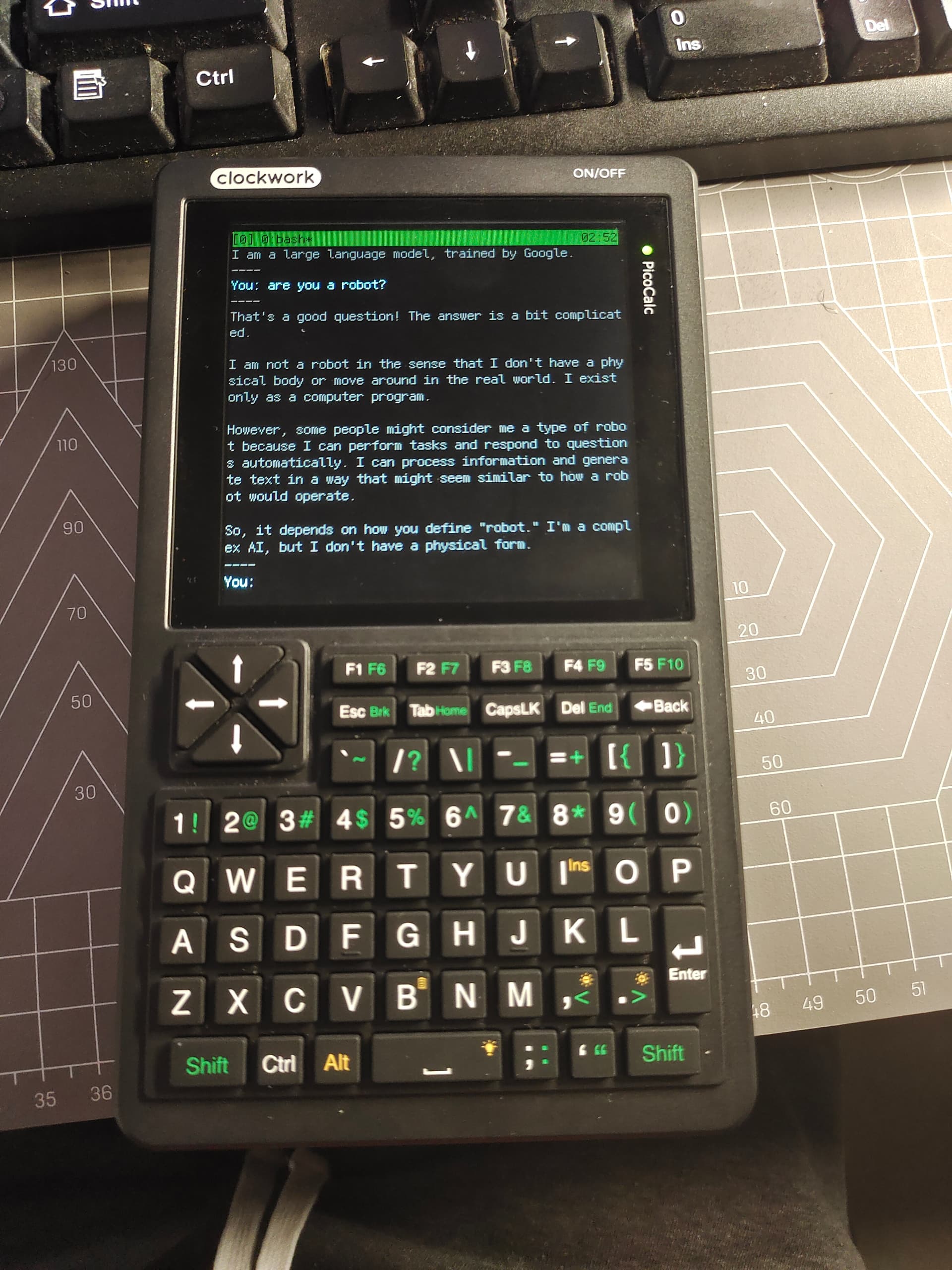
Ar ha ! This is really something I dream of , with this shell script and the lyra Linux build,you can now chat with Google Genimi on picoCalc !
https://github.com/Smthbig/gemini-cli.git
https://youtube.com/shorts/uXduU2B0bZ4
8 Likes
With the latest firmware (1.4) you can send an i2c command to poweroff to the MCU. In the keyboard driver you can add a notifier which listens for the poweroff event. With that you can fully poweroff the device, when running “poweroff“. I have implemented that here (based on @hisptoot ‘s driver):
4 Likes
Is there any tutorials on how to flash a functional PicoCalc image to the Lyra? I’ve flashed what I could fine on both the onboard and external SD cards.
1 Like