Here is the new Luckfox Lyra Pi board, just arrived
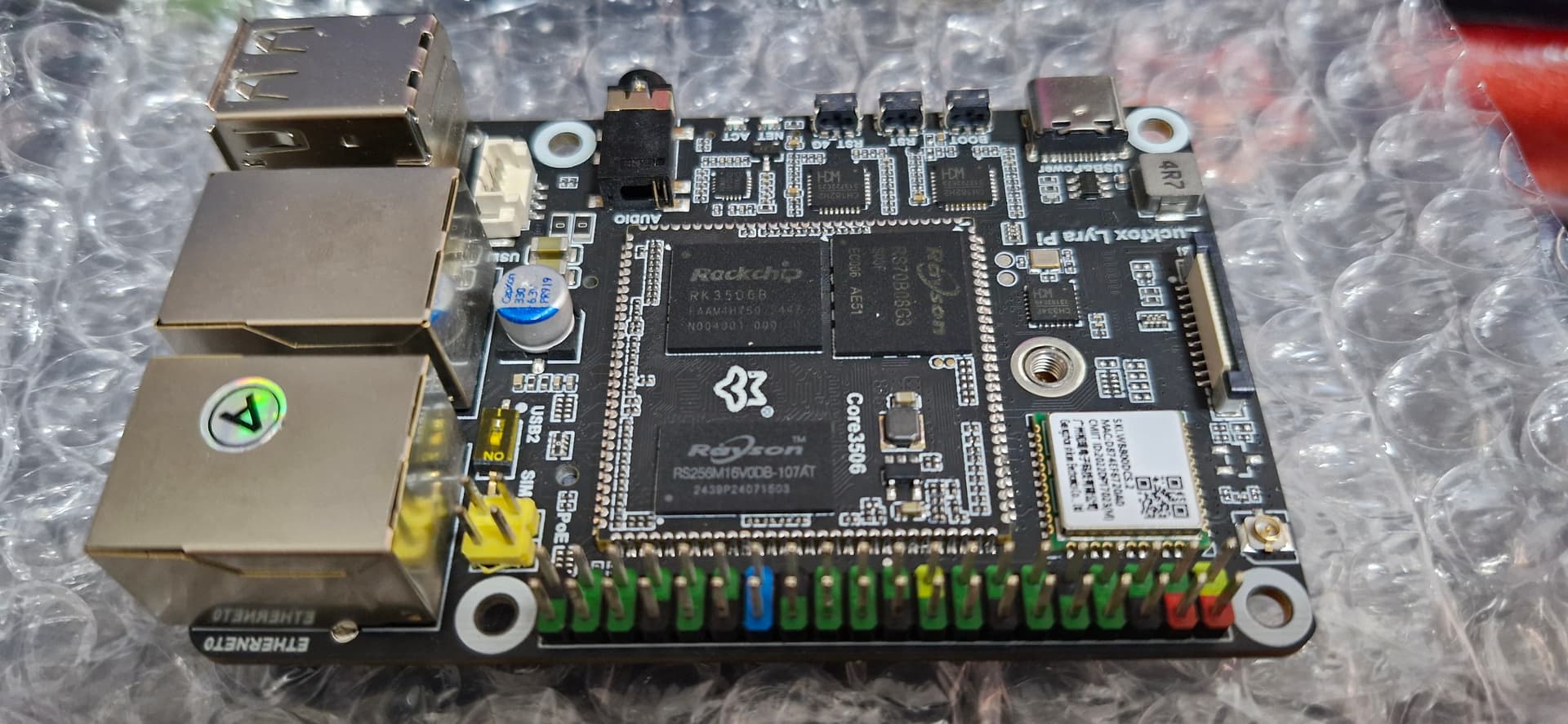
Nice, what will you use it for?
Does anybody had success accessing the Picocalc SD-Card in the u-boot? I can access it from Linux without an issue, but I cannot configure the u-boot to see it. I’ve already updated the spi_mmc.c driver to use SPI_DM and I can see the MMC over SPI device in u-boot. But it always says it cannot find the card (error -110).
Thanks! for this awesome hack.
One question, I have a Luckfox Lyra board, and I was trying to upload the image using the SD card, but I have the problem that I only have Linux. I already flashed a fresh firmware using the official SDK steps with Linux, and it is working from the nand flash, and I already have ADB (shell). But I want to use these Drive images with your drivers for the Picocalc, but I don’t know, maybe I’m wrong and my “erase all” step without Windows is wrong. I have the next output:
avp:luckfox-sdkȹ sudo ./rkflash.sh erase
Using /home/avp/pico/luckfox/luckfox-sdk/tools/linux/Linux_Upgrade_Tool/Linux_Upgrade_Tool/config.ini
Loading loader...
Start to erase flash...
Download Boot Start
Download Boot Success
Wait For Maskrom Start
Wait For Maskrom Success
Test Device Start
Test Device Success
Get FlashInfo Start
Get FlashInfo Success
Prepare IDB Start
Prepare IDB Success
Erase IDB Start
Erase IDB Fail
Also I burned the image using dd:
sudo dd if=picocalc-luckfox-lyra-update-sd-2025-04-19-sdcard-slot.img of=/dev/sdc bs=4M
but nothing..
Anyone knows how to flash the SD card image and erase the Luckfox Lyra on Linux?
Unfortunately, The Luckfox images are somewhat proprietary, and I have found no way to do this without using the Luckfox software under Windows. They can be converted to a standard image that can then be burned using dd, but I have no idea how to do it, and I have not had much time in the last several weeks to work it out.
Ubuntu OS running with a mipi display
Thanks! I’m relative new with the Picocalc and I also was trying to have something like your Docker repo. Your repo for now is my best finding, I tested some others.. Just a few minutes ago I did a little Pull Request on your repo and I was trying to use your development in my Debian 11, and also I’m looking the way to use the Luckfox Lyra without Windows, but I have the problem that I can’t erase the flash for boot it completely with the SD card, for this reason I was trying to use you repo for build a NAND Flash image.
Is possible that you will open the issue section in your repo? I have one, but I love Docker too, I could help. I have a similar repo like your repo, for build a complete images for Linux on ESP32S3 using it.
Thanks in advance.
1 Like
Thanks for the PR, i got that merged. I had already wiped the built-in flash in my lyra before I got this working, so I wasn’t too concerned with wiping the flash. I just got a second lyra though, so I should be able to test this now. I went ahead and opened the Issues section, so feel free to bury me with complaints. 
1 Like
Seems that it is possible. I tested these images, with the Linux tool dd, and these are working thanks to this repo:
Also I confirmed with a normal execution of:
sudo ./rkflash.sh erase
is enough to erase all around the nand flash to enable the boot only from of the SDCard in Linux. My problem was the creation of the image.
Now I need understand how make the Picocalc Luckfox images compatible with dd on Linux using their tool
making it work with dd is not something I have managed so far. but you can easily enough use rkflash.sh in the sdk folder after making a build to flash the SD card when it’s inserted in the lyra and it’s in loader mode. I do have a simple wrapper for rkflash.sh (./flash.sh) - it’s pretty unnecessary but checks for permissions to perform the flash and stuff.
Thanks to everyone for their hard work on this board. Tbh, I’m giving up on the Pico 2W, as the SDK with Micropython just isn’t working for me. I’m finding I’m burning 10 times the effort getting the board to be stable, then actually using it for what I wanted. I may pick up a Lyra.
Reading this forum, it seems like the “latest” image that folks have compiled for this board is from @markbirss at his GitHub repo. I know folks are working hard on this, so I wasn’t sure if there are other images around. I’m happy to contribute my own updates.
The Micropython image really needs a lot more work. The people who did the original port did a lot of good work getting it working, but pretty much abandoned it after that.
Yes, this is the latest image and it works really well, just pay attention to what usb wireless you are going to use, because you will likely have to compile the drivers yourself.
Today I realized that you must flash those images from linux / macos with upgrade_tool by putting the Lyra in bootsel mode just like the pico. Press boot (left button) and insert the usb cable. Prior to that, I though you needed the windows-only software from rk.
Anyway, the Ubuntu image works like a charm. Has anyone ported lighter distributions such as alpine or arch? Do you have hints on where I can start from? Maybe building a kernel with buildroot?
If you go all the way to the top of this topic, it was originally started by a person who built his own image from the buildroot. If you install it and jailbreak it out of the ridiculous command launcher and add proper user account, it is a bit lighter. However it is a pain to work with, it does not have a package manager, which means any software you want to add will have to compiled from source and the development environment is extremely limited.
Honestly, I am not sure it would be worth the effort to port alpine or arch to the Luckfox Lyra. I doubt you would gain much, the Lyra’s problem is not the operating system, its problem is the low powered CPU and extremely limited RAM. If you are looking for a handheld Linux terminal, you are better off getting a Hackberry Pi Zero from Elecrow.
If you go all the way to the top of this topic, it was originally started by a person who built his own image from the buildroot. If you install it and jailbreak it out of the ridiculous command launcher and add proper user account, it is a bit lighter. However it is a pain to work with, it does not have a package manager, which means any software you want to add will have to compiled from source and the development environment is extremely limited.
Honestly, I am not sure it would be worth the effort to port alpine or arch to the Luckfox Lyra. I doubt you would gain much, the Lyra’s problem is not the operating system, its problem is the low powered CPU and extremely limited RAM. If you want a handheld Linux terminal, I would get a Hackberry Pi Zero from Elecrow, it is a better choice in almost every respect.
Hello and thank you for this thread, special thanks to cjstoddard tutorials on github, which helped me setting up markbirss’ ubuntu image.
I have compiled MMB4L to try some of the originally intended BASIC use of the PicoCalc without having to switch boards, but mmb4l does not seem to find a graphics surface to draw to (“invalid graphics write surface”, “no graphics surfaces”). I have tried compiling SDL2 with DIRECTFB support and setting SDL_VIDEODRIVER=directfb when launching mmb4l (which seems to work for pico-8) with no luck.
Has anyone encountered and/or solved this issue ?
Hi everyone, I started a new topic for try to migrate the x48ng emulator to Lyra board. I already did a new buildroot package over this Docker SDK, because is more easy to replicate very quickly the setup and the errors 

1 Like
I would direct this question at thwill, he is the developer of MMB4L.
Hp48 emulator running on Picocalc. (WIP)
4 Likes
If you look at some of the game examples involving graphics in the gamepack.tgz at the MMB4L github, there is an OPTION SIMULATE which is at the beginning. Without this option set to something, you get the “invalid surface error” if you try to run a program that involves graphics. mmbasic for linux does not know what graphics hardware you have. I got this error trying to run some of my picocalc basic programs on mmb4l on my PC. I’m not sure what you should set it to; there isn’t an OPTION SIMULATE Picocalc and the wrong setting (picomite something-or-other) just causes a black window to appear.