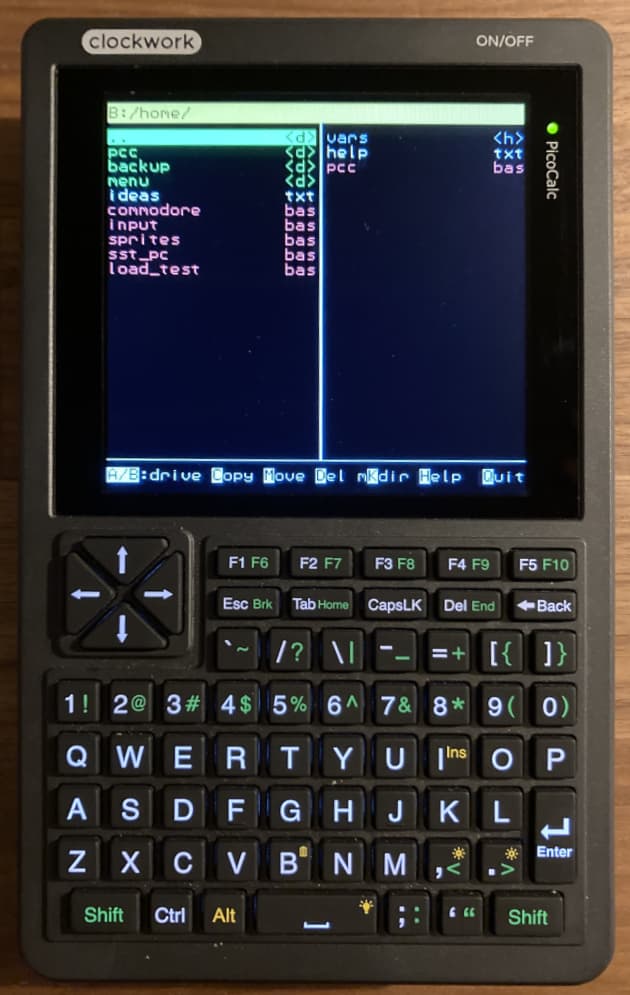
This app has inspired me to set up an onboot.bas file, which switches to B: and runs PCC. This in turn has inspired me to reorganize my ever-growing file system into something logical, since that no longer requires tedious and frequent typing. It has made the PicoCalc much more manageable for me.
Thanks for your contribution!
If I had one wish: include an edit as well as run command.
First, thank you for this program, I have Midnight Commander (Norton Commander clone for Linux) on all of my PCs, and Total Commander (for Android) on my phones and tablets. In other words, I use * Commander programs quite often, and this looks pretty cool. It’s really responsive, and only took me a few seconds to move the pcc.bas file over to the A: drive, and I set it up to run PCC on F6 as suggested in your GitHub page.
Second, I would like to second @Vank’s request for editing ability. In addition, an ability to send, and receive, files via xmodem.
Beyond that, is there a way to sort the files by name, or extension?
I did in the end, and it was first to large but when I used an online tool to resize it I got an error about it not being RGBA8888.
It appears to have very specific set of requirements, I will try to do some error checking and let the user know in advance when a picture will not work.
I am losing hope in opening images on this device, even a tiny 128x128 image gives me “not enough heap”.
I don’t know how the built in image (the one that came soon the sd card) that weights 300k can load and a 200k png can’t.
I will move to other things like incorporating a media player in it or a markdown reader.
Decoding png files contructs a complete RGBA8888 image in memory before it converts it to the display resolution. jpg and bmp files both decode in much smaller chunks. png files are really only of use for creating sprites where the transparent pixels are important. For anything else use jpg or bmp