PicoMultiLoader turns the Waveshare ESP32-P4-WIFI6 into a drop-in replacement for the Pico in the PicoCalc, and adds a firmware loader to it:
- Copy apps (
.binfiles) to the microSD card. - Pick one on the PicoCalc screen.
- The loader flashes it and starts it.
To get back to the menu, hold Up while switching on.
Download v1.2.0: Release PicoMultiLoader v1.2.0 · hexadevti/PicoMultiLoader · GitHub Source and documentation: GitHub - hexadevti/PicoMultiLoader · GitHub
Why the ESP32-P4?
The ESP32-P4-WIFI6 has the same footprint and pinout as a Pico, so it plugs into the PicoCalc’s Pico socket.

The Waveshare ESP32-P4-WIFI6 (picture: Waveshare)
Here is how it compares:
| ESP32-P4 | RP2040 (Pico) | RP2350 (Pico 2) | |
|---|---|---|---|
| CPU | 2× RISC-V @ 400 MHz | 2× Cortex-M0+ @ 133 MHz | 2× Cortex-M33 @ 150 MHz |
| Floating point | FPU + SIMD/AI instructions | none (software) | FPU |
| SRAM | 768 KB | 264 KB | 520 KB |
| PSRAM | 32 MB | none | none |
| Flash | 32 MB | 2 MB | 4 MB |
| Wireless | Wi-Fi 6 + BT 5 LE (ESP32-C6) | Wi-Fi 4 (Pico W) | Wi-Fi 4 (Pico 2 W) |
| USB | USB 2.0 high-speed (480 Mbit/s) | 12 Mbit/s | 12 Mbit/s |
| Media | MIPI-DSI/CSI, H.264, JPEG, 2D accelerator | — | — |
What that means in practice:
- Speed: about 3× the clock of a Pico, with more powerful cores, a hardware FPU and SIMD.
- Memory: 32 MB of PSRAM for emulators, games, interpreters and big framebuffers. Apps get a 10 MB slot, plus about 20 MB of flash for their own data.
- 16-bit-era emulation: that CPU and memory are enough for heavier emulators than a Pico can run, such as a 386 PC, the Amiga 500, Neo Geo, Mega Drive / Genesis and SNES, with room for their ROMs and RAM in PSRAM.
- USB drive mode is high-speed: the PicoCalc’s SD card shows up on your PC through a 480 Mbit/s USB 2.0 port, instead of the Pico’s 12 Mbit/s.
- Software: it runs any ESP-IDF, Arduino or MicroPython build for the ESP32-P4, with no changes. Merged
*.factory.binimages work too: the loader takes only the app part and never overwrites the bootloader.
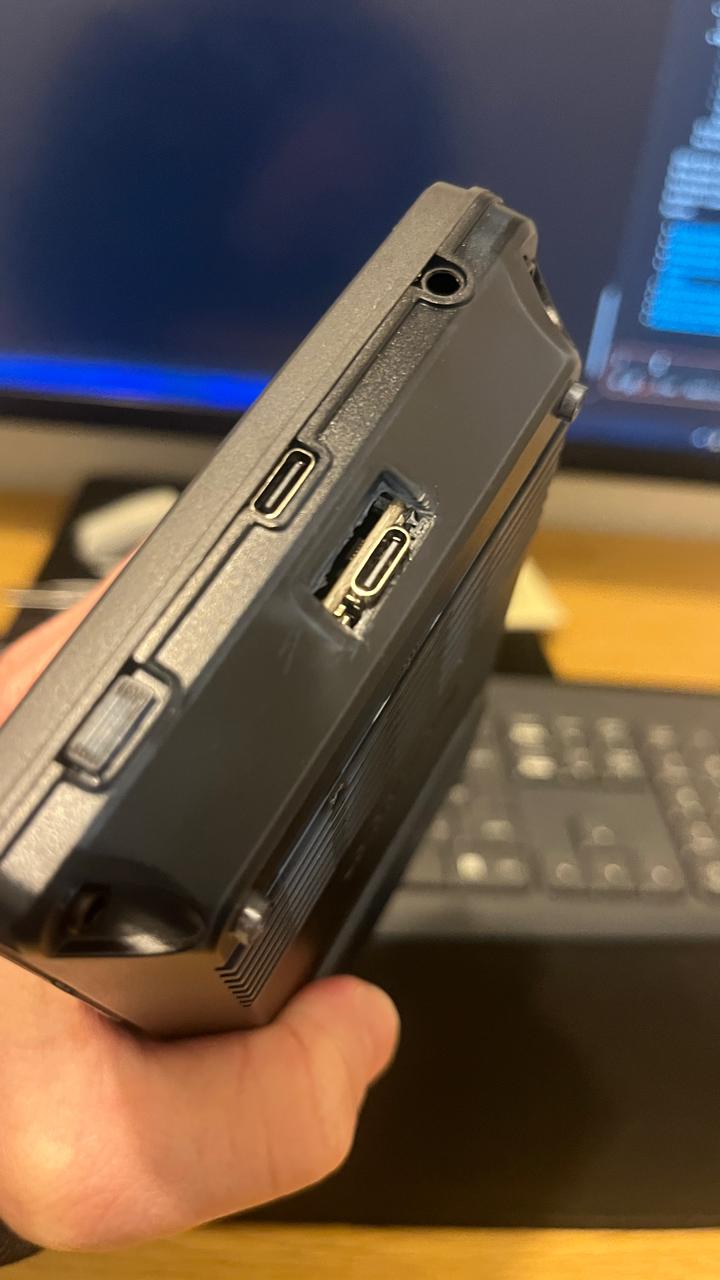
One thing to know: the board has a USB-C connector where the Pico has micro-USB, so the case opening must be made a little bigger. The README shows how.
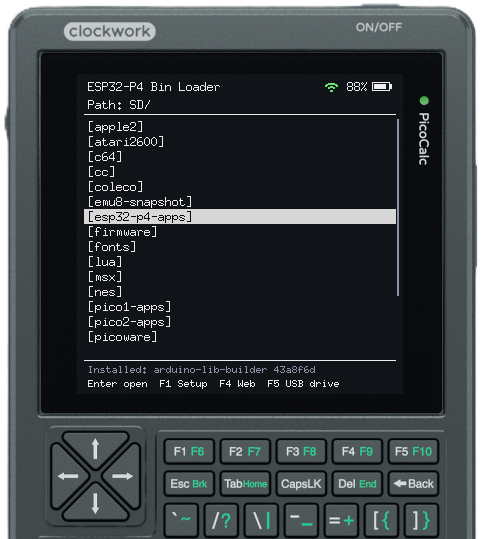
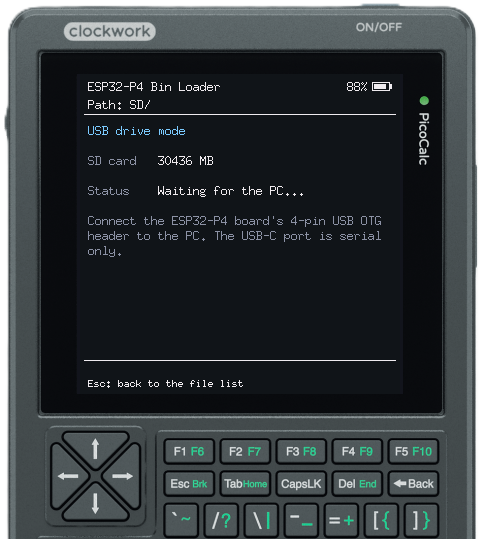
Screenshots
 |
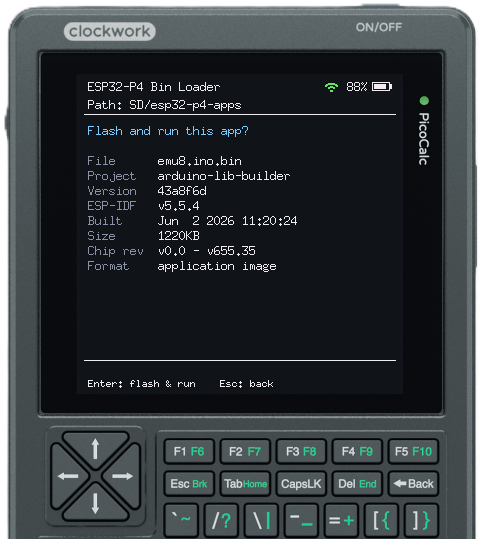 |
|---|---|
| File list on the SD card | Checking an app before flashing it |
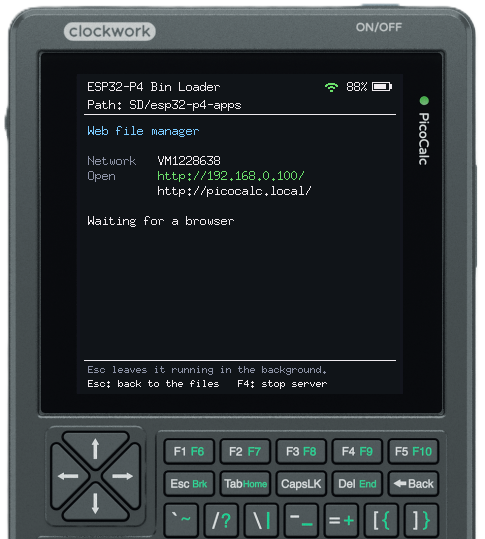 |
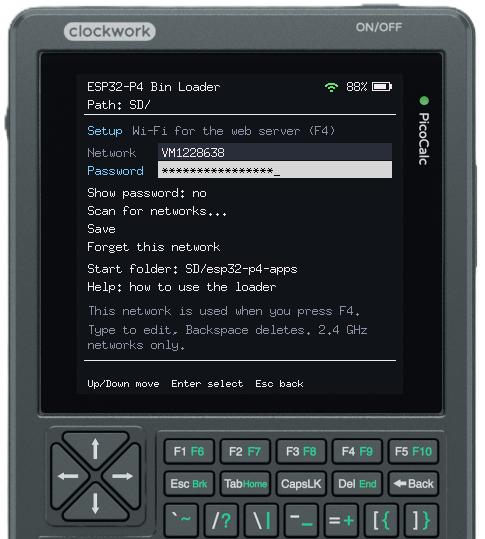 |
| Web file manager (F4) | Setup: Wi-Fi and start folder (F1) |
 |
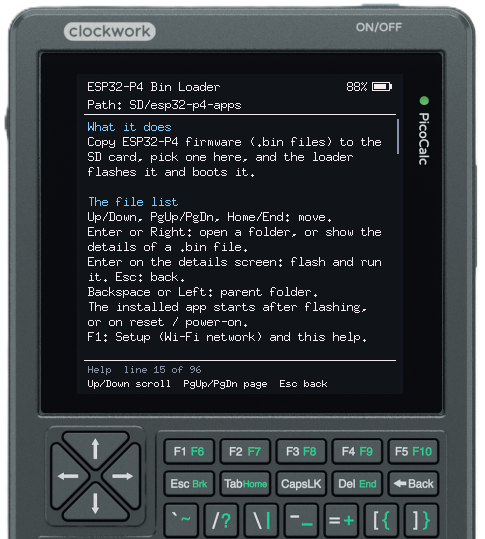 |
| USB drive mode (F5) | On-screen help |
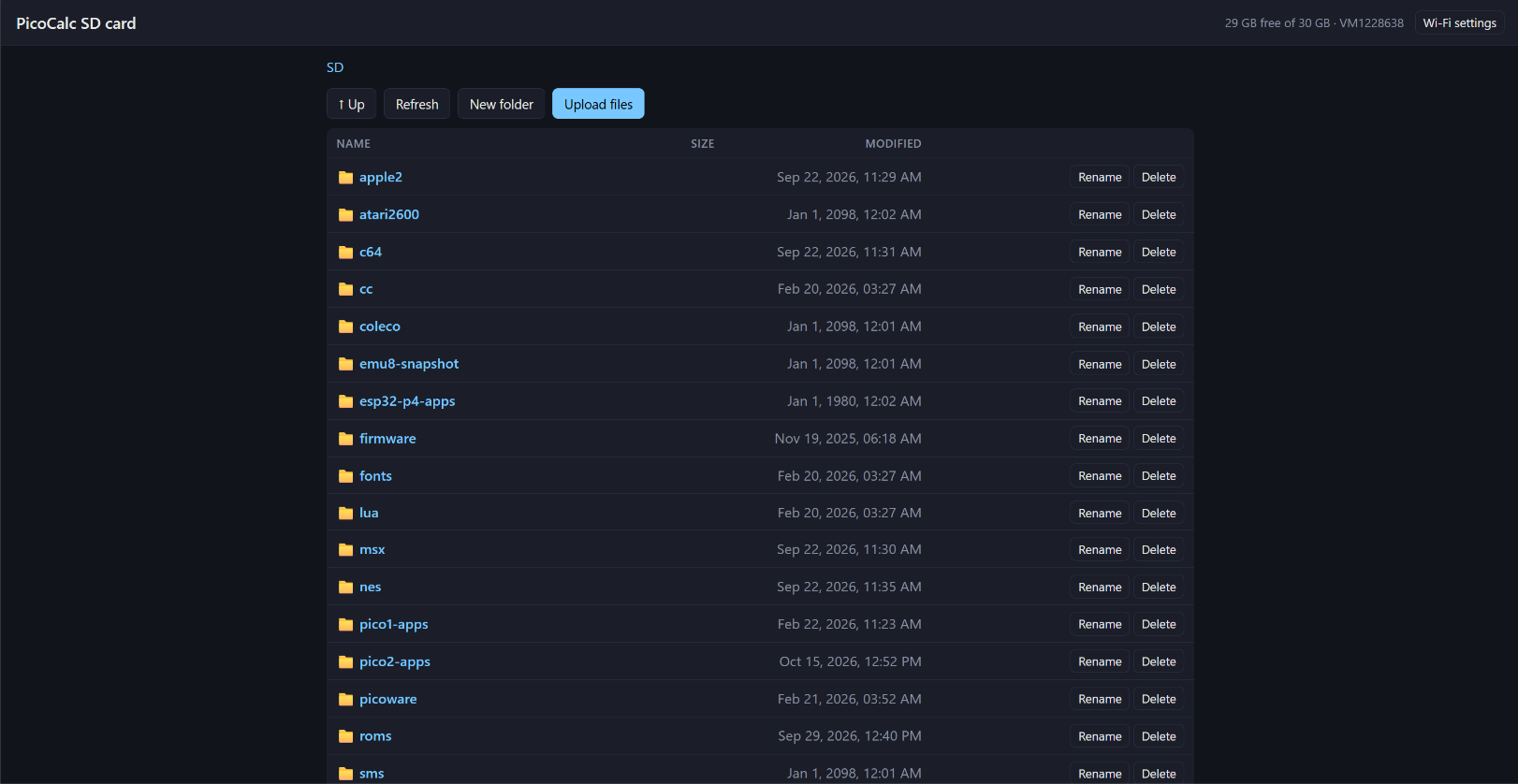
The web file manager in a browser
Features
On the PicoCalc
- Browse the SD card with the keyboard and flash an app in two key presses. Each file is checked first (chip, revision, image format), and an unsuitable file shows why.
- Copy, move and delete files and folders (F2, new in v1.2). The shortcuts are
C,X,VandDel, and copying shows a progress bar. - Back to the loader by holding Up, F1 or F5 while switching on. Apps can also open it in software.
- The loader never touches your app. It lives in its own partition, so the installed app keeps starting until you choose another one.
- Remembers the last folder and file, or opens a start folder of your choice.
- On-screen help. There’s also a serial console that works like the keyboard.
Web file manager (F4), over Wi-Fi
- Upload with drag-and-drop or Ctrl+V, and download, rename, delete or create folders.
- Select several files to download, move or delete them together (new in v1.2).
- Sort by name, size or date, and see progress for big folders and transfers.
- Flash an app straight from the browser.
- Joins your Wi-Fi, or makes its own access point if it can’t. It can start automatically at switch-on, and an icon at the top shows its state.
USB drive mode (F5)
- The SD card appears as a USB drive on your PC, at high speed on the ESP32-P4.
Also for Pico and Pico 2 W
You don’t have an ESP32-P4? The same loader works on the boards you already have:
- Pico / Pico W (RP2040): it installs
.uf2apps from the SD card. There is no Wi-Fi on this build. - Pico 2 W (RP2350): it installs
.uf2apps from the SD card and includes the Wi-Fi web file manager. Updating the menu only means copying one file (pml2350.uf2) to the SD card.
Getting started (ESP32-P4)
-
Make the case opening bigger for the USB-C port, and put the ESP32-P4-WIFI6 in the Pico socket.
-
Flash the full image once over the board’s USB-C port:
esptool --chip esp32p4 -p COMx -b 460800 write_flash 0x0 PicoMultiLoader-v1.2.0-esp32p4-full.bin -
Copy your
.binapps to the SD card, switch on, and pick one.
The release files are built for ESP32-P4 chip revision v3.x. For a v1.x chip, build from source. The Pico and Pico 2 W are installed through BOOTSEL; the release notes have the steps for every board.
Credits
The Pico and Pico 2 W builds are inspired by uf2loader by pelrun, the SD-card UF2 loader many PicoCalc owners already use. Many thanks to pelrun for making it and sharing it.
Feedback, bug reports and app compatibility reports are very welcome, here or on GitHub issues. If you port something to the ESP32-P4 PicoCalc, please share it!
