I would like to briefly report on how I finally added a Wi-Fi module to the Luckfox Lyra without having to modify the original PicoCalc case.
The problem is that when you plug a connector into the Luckfox Lyra’s USB port, the connector and cable stick out too far and the original PicoCalc case can only be closed with pressure. This pressure not only deforms the case but also potentially the motherboard and the display behind it. I didn’t like that. So my first approach was to desolder the USB socket of the Luckfox Lyra and solder the cables leading to the WiFi module directly onto the circuit board. Unfortunately, I hadn’t considered that the solder pads would not withstand the mechanical stress.

In my second attempt, with a new Luckfox Lyra, I left the USB socket in place, but trimmed (carved) it on the outside with a sharp knife so that I could reach the internal contact pins with the soldering iron. This allowed me to guide the cables to the pins from the side and solder them. I also unhooked the black clamp strip of the display connection, which also gives a little more room at the top.
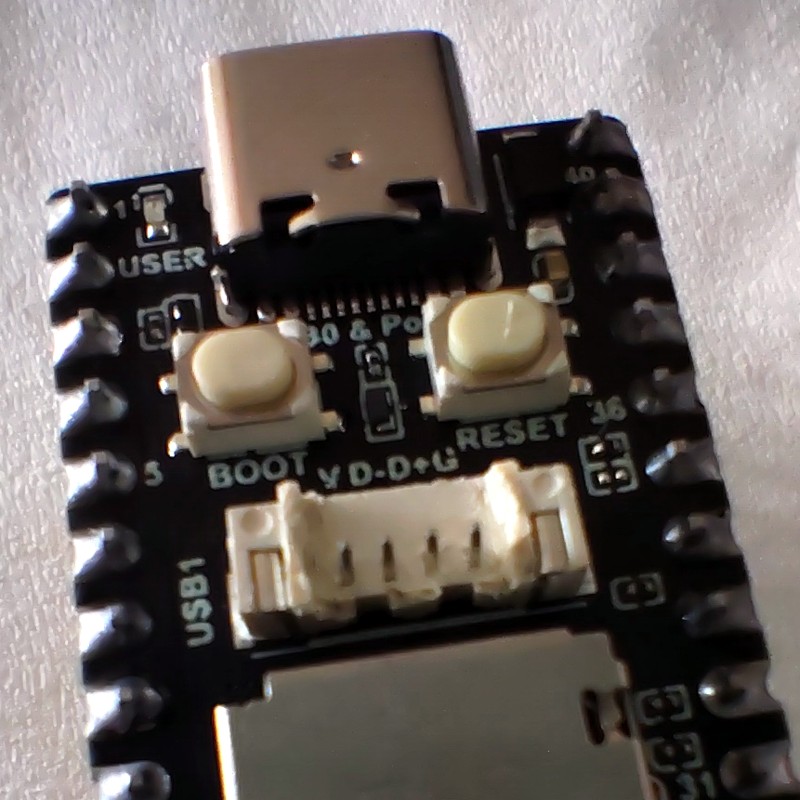
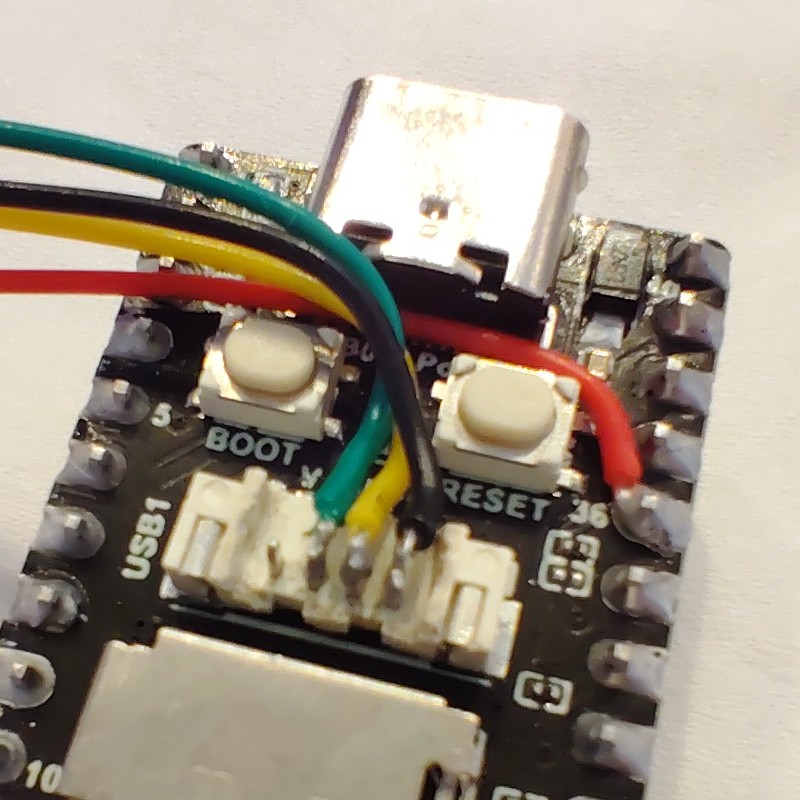

I then wrapped the WiFi module in heat-shrink tubing and stuck the WiFi antenna with its self-adhesive backing to the back of the PicoCalc case.


 (AC600 Nano USB)

