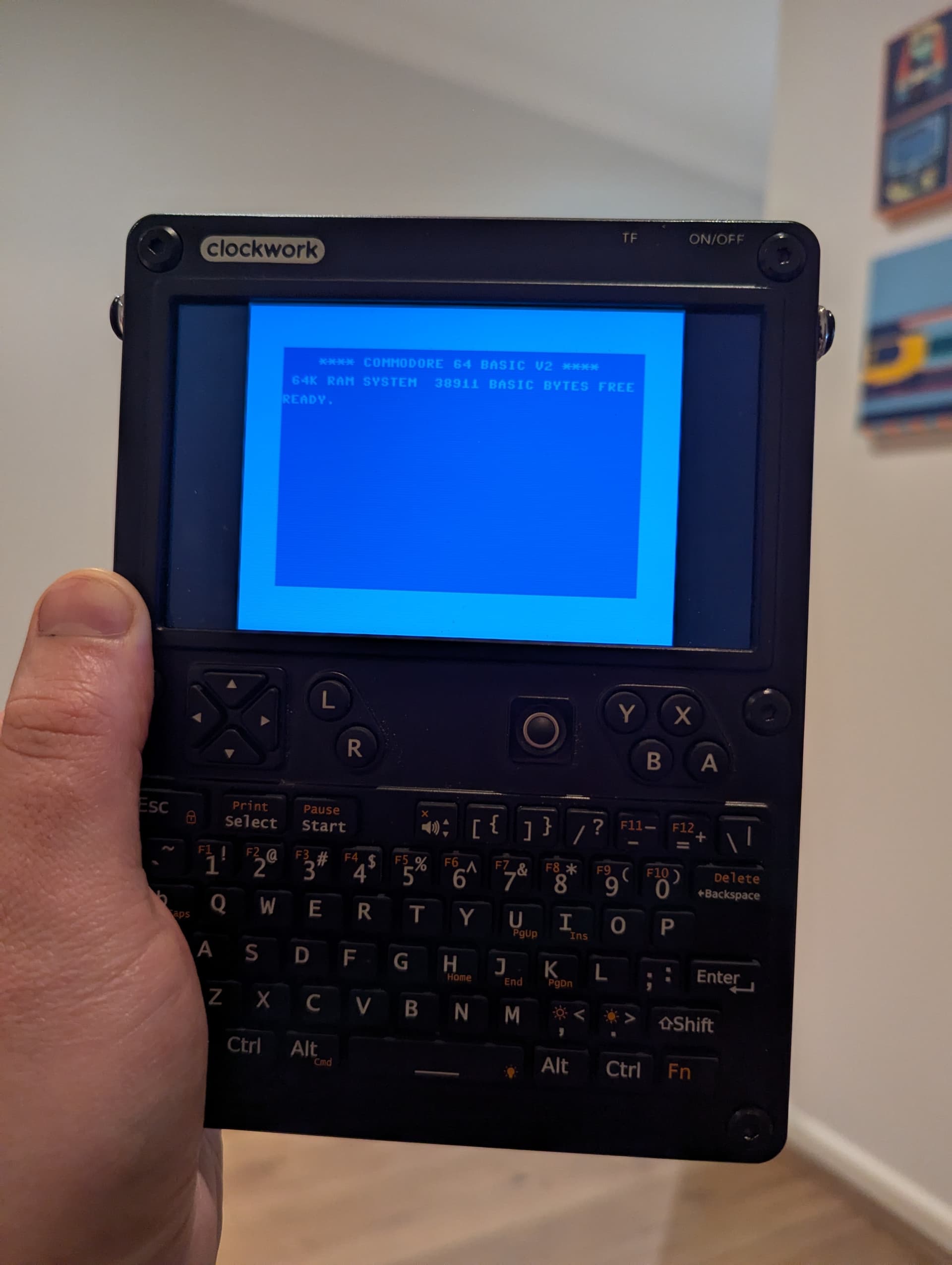
Hi there
I’m trying to get VICE to work on my uConsole. For Commodore 64 specifically.
I don’t have much Linux knowledge but I get by, following forum threads etc. I’ve really hit a wall with VICE.
So far I’ve installed with apt, but have not been able to set up the ROMs.
Where I think I am stuck is I have no way of knowing where VICE “expects” me to put the ROMs. I’ve tried all sorts of places (e.g. ./local/share/vice)
Has anyone got this to work? Would appreciate some pointers!
Based on your previous posts, I see you’re operating with the A-06 core. I wish you best of luck getting it to work. I barely hear folks here supporting that module.
Back to your question. Please see the following link: VICE Manual - 3 System files
As it appears, the program looks for the required files at the following directories:
$HOME/.local/share/vice/C64
/usr/local/share/vice/C64
/usr/local/bin/C64
Use the ls <directory> command to know which of those exists, where <directory>is one of the above. Then put the required files in there.
(Since you say you’re a beginner, please be reminded that “$HOME” stands for your home directory, typically where your terminal starts at. It’s denoted as ~, which is short for /home/<username>.)
2 Likes
I’m on Arch, so my help may only be worth so much to you. I had the vice package installed on my system but hadn’t yet launched it as it didn’t have a .desktop file. I did a $ pacman -Ql vice | grep bin/ and guessed that the C64 emulator binary was /usr/bin/x64, so I ran it and it booted into Commodore 64 BASIC V2 as expected. Attaching a disk is available in the Alt menus under File (“Attach disk image”) and similar menus exist for cassettes or cartridges. Selecting one such option opens the file picker dialogue. Additionally, x64 -h lists command-line options for doing the same actions given a specified file. Have you found any of these solutions to work on Debian?
Edit: I see that you mean the kernal ROMs that are included in the vice package on Arch. The Arch package installs them to /usr/share/vice (for example, /usr/share/vice/C64/kernal-251104-04.bin).
2 Likes
Thanks a bunch, appreciate the thoughtful reply!
Pleased to say I just got it going.
I had seen one but not all of those directories last night. I gave them all a go and no luck. After I tried all of them I thought maybe the problem was the ROM files themselves.
I noticed the tarball I’d downloaded was a different version (3.9) to the version of vice which installed via apt (3.6.1).
Once I’d clocked this I tracked down a tarball for that same version [CSDb] - VICE 3.6.1 by VICE Team (2022)
And voila!
1 Like