Hello all. Sorry if already been asked , but will the AIO V2 - the other is sold out as you know - work with Uconsole - i noted the RJ45 Ethernet expansion requires additional stuff which i do not want to buy so i can cross it as not working as long as the rest match. I think its CM5 ,not sure how to check it. Thanks
Hello all. Sorry if already been asked , but will the AIO V2 - the other is sold out as you know - work with Uconsole - i noted the RJ45 Ethernet expansion requires additional stuff which i do not want to buy so i can cross it as not working as long as the rest match. I think its CM5 ,not sure how to check it. Thanks
PS - checked my box and i thinks its CM4B
Yes, SDR/LoRa/GPS/RTC/USB HUB work without other stuff. The USB 3.0 and Rj45 Ethernet require new adapter board.
1 Like
Thank you , will try to purchase it in in the recent days - i am all the way to Bulgaria so no idea when it will ship, but i am in no hurry at the moment - using my RTL USb Dongle for the moment for testing and what not.
Have a nice New year 
1 Like
Hi guys, I just bought the AIO version 2, I installed it but it’s not recognized at all by the uConsole, I’m referring to the Realtek processor. Is there a tutorial on how to configure it on the uConsole? Thanks.
Did you check out this thread?
I’ll take a look thanks mate
Hello,
I have a uConsole + CM5 + AIO v2 + Upgrade Kit + Rex’s Bookworm image.
After installing Rex’s image and applying the settings:
“To install the package in Debian:
sudo apt update && sudo apt --install-recommends install hackergadgets-uconsole-aio-board -y && sudo apt install meshtastic-mui -yto install everything.”
SDR++ Brown and Tar1090 are working perfectly. However, Meshtastic and GPS are not working.
To make sure I’m following the correct method, could someone explain the full procedure to get Meshtastic and PyGPSClient working?
For your information, I followed steps “a” to “h”, but after that nothing happens: Meshtastic Web shows no activity and Meshtastic MUI reports “connection failed.”
Thank you to anyone who can help!
2 Likes
Unlike the AIO V1, the GPS/LoRa/SDR/Internal USB ports (USB-C and pin header) were not enabled by default. They are controlled by GPIOs. Below are the control pins of them.
GPS: 27
LORA: 16
SDR: 7
Internal USB: 23
You will have to pull the specific GPIO to high to turn them on. For example, if you want to turn on the GPS, you can use the following command:
pinctrl 27 op
pinctrl 27 dh
To turn the GPS off with the following command:
pinctrl 27 op
pinctrl 27 dl
If you want to enable or disable other features, replace 27 with the specific GPIO pin.
I wrote a script to make it easy to do that. Go and check this GitHub repository https://github.com/hackergadgets/aiov2_ctl.
Note: For the CM5, GPIO 7 was set to high by the system. So SDR will turn on after the CM5 boots. If you want to save power when idle, you can use the command or the script to turn it off.
6 Likes
Hi, little bump from my end - still waiting on my AIO V2 expansion - got unconsole cm4 seperatelly
Is it mandatory to use Rex image and scripts to get most of the things to work ?
At the moment i am using Focal/Dragon OS with RTL USB mounted into the uconsole for my SDR activities, no issue to find Rex’ related links and do the install when AIO v2 arrives, just asking
Thanks in advance
Suggestion to autostart the tray icon script via Systemd:
Store the .py script in /usr/bin/aiov2_ctl.py
Put this following exact file at: ~/.config/systemd/user/aiov2_ctl.service
[Unit]
Description=AIOv2 pin control tool autostart

[Service]
Type=simple
Restart=on-failure
RestartSec=5
ExecStart=/usr/bin/python3 /usr/bin/aiov2_ctl.py --gui

[Install]
WantedBy=default.target
init / start / status via :
systemctl --user daemon-reload
systemctl --user disable aiov2_ctl.service
systemctl --user enable aiov2_ctl.service
systemctl --user start aiov2_ctl.service
systemctl --user status aiov2_ctl.service
checks:
systemctl --user status default.target

systemctl --user list-dependencies
8 Likes
well done!
may i recommend some enhancements? i’m just too lazy to do it myself. i just put what i have into /etc/rc.local
But if you can do the following, it would be great!
- put the initial service configuration into a config file under
/etc/default/aiov2_ctl.conf - have the service auto start based on the boot settings
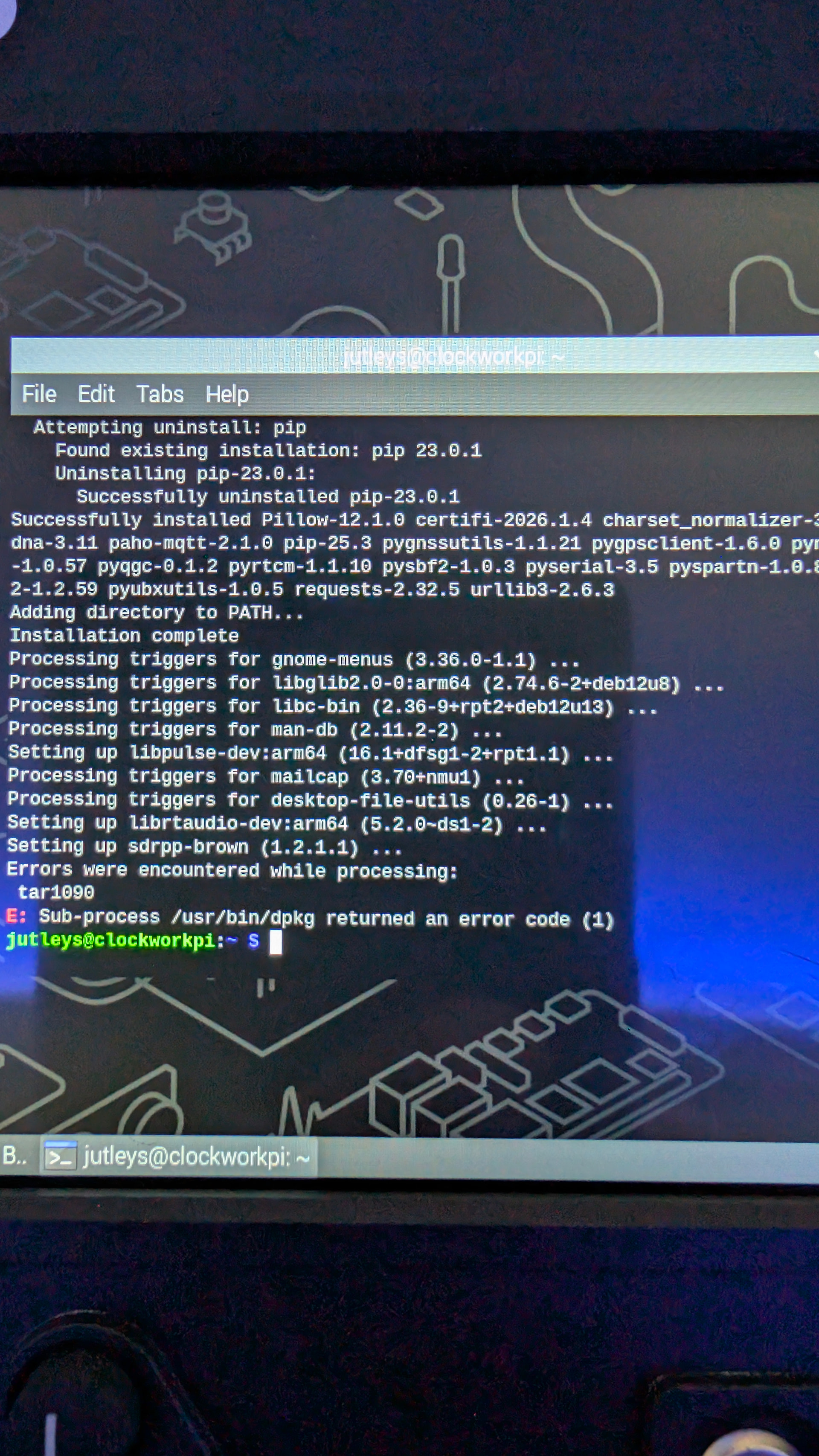
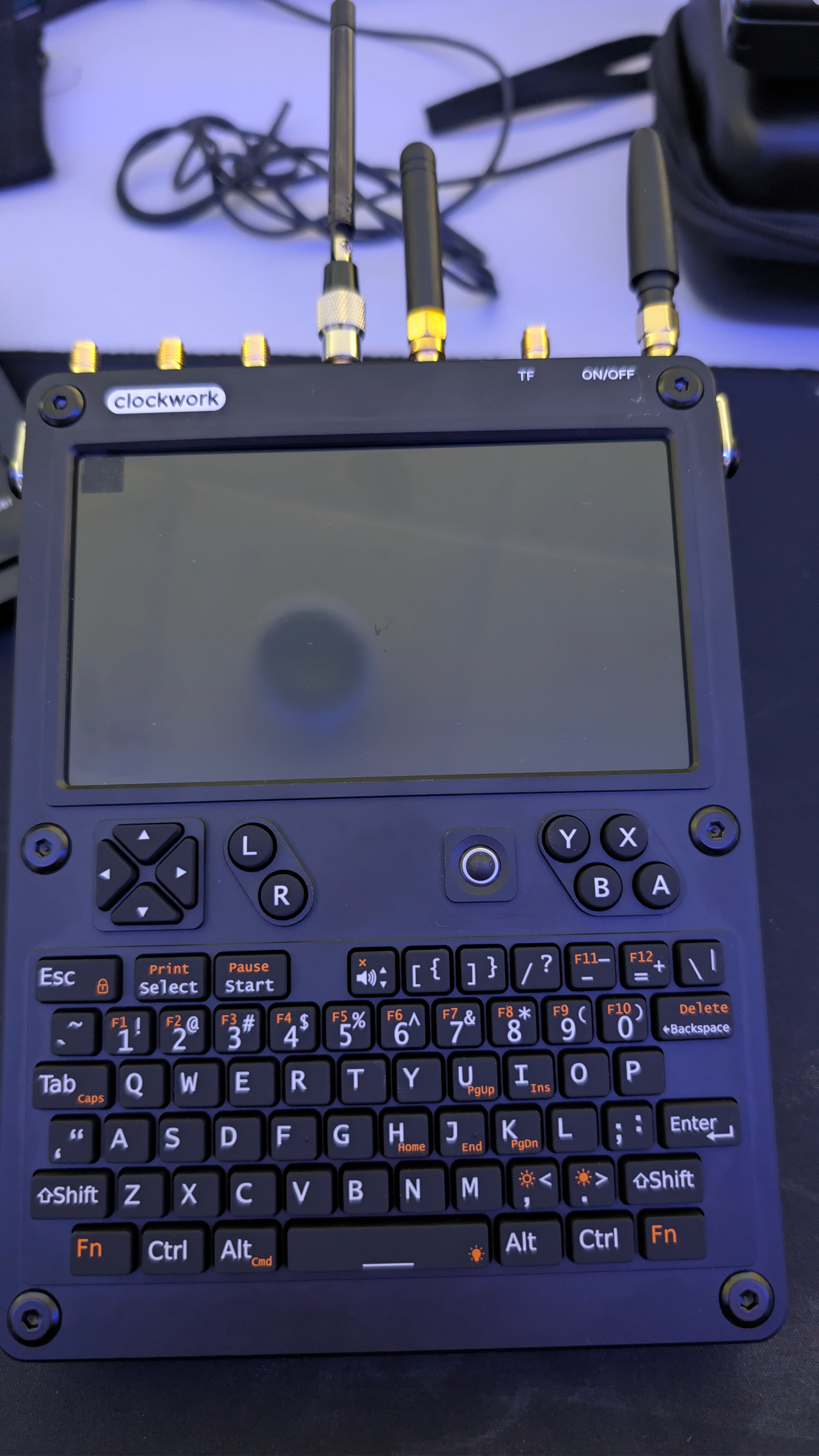
I have issues trying to get the AIO V2 board to work with Trixie and bookworm. The hacker gadgets script to install everything always errors out at the end. See the picture below so when I try SDR no sound and Tar1090 can’t connect errors out. I am stuck here does anyone else here have the same issue?. I am using all the latest hacker gadgets kit inside the UConsole and using a CM4.
1 Like
have you tried installing SDRPP and TAR1090 manually?
i have the REX kernel / package with Ubuntu 24.04 but don’t use his packages for the above.
mine (old) CM4 worked great with both.
1 Like
I haven’t I normally just use Rex script to do all the work and everything gets setup. I just can’t get anything to work on the AIO 2 board. I may have to fallback to a V1 board and see what happens.
i initially had issues with the v2 board too. had to re-sit it a few times. but it did finally get going. the dpkg error suggest a software issue.
i don’t think its a hardware thing in your case.
- the battery board works. the NVME shows up.
- have you checked
dmesgor thelsusbto confirm if the USB3 / ethernet is visible?
if so the expansion works as well. Make sure to use the aiov2_ctl.py script to turn all the pins on before checking
Looks good I think.In my case I am using CM4 so only USB 2.0.The thing I like about CM4 is they battery life is really good with some good Samsung batteries.
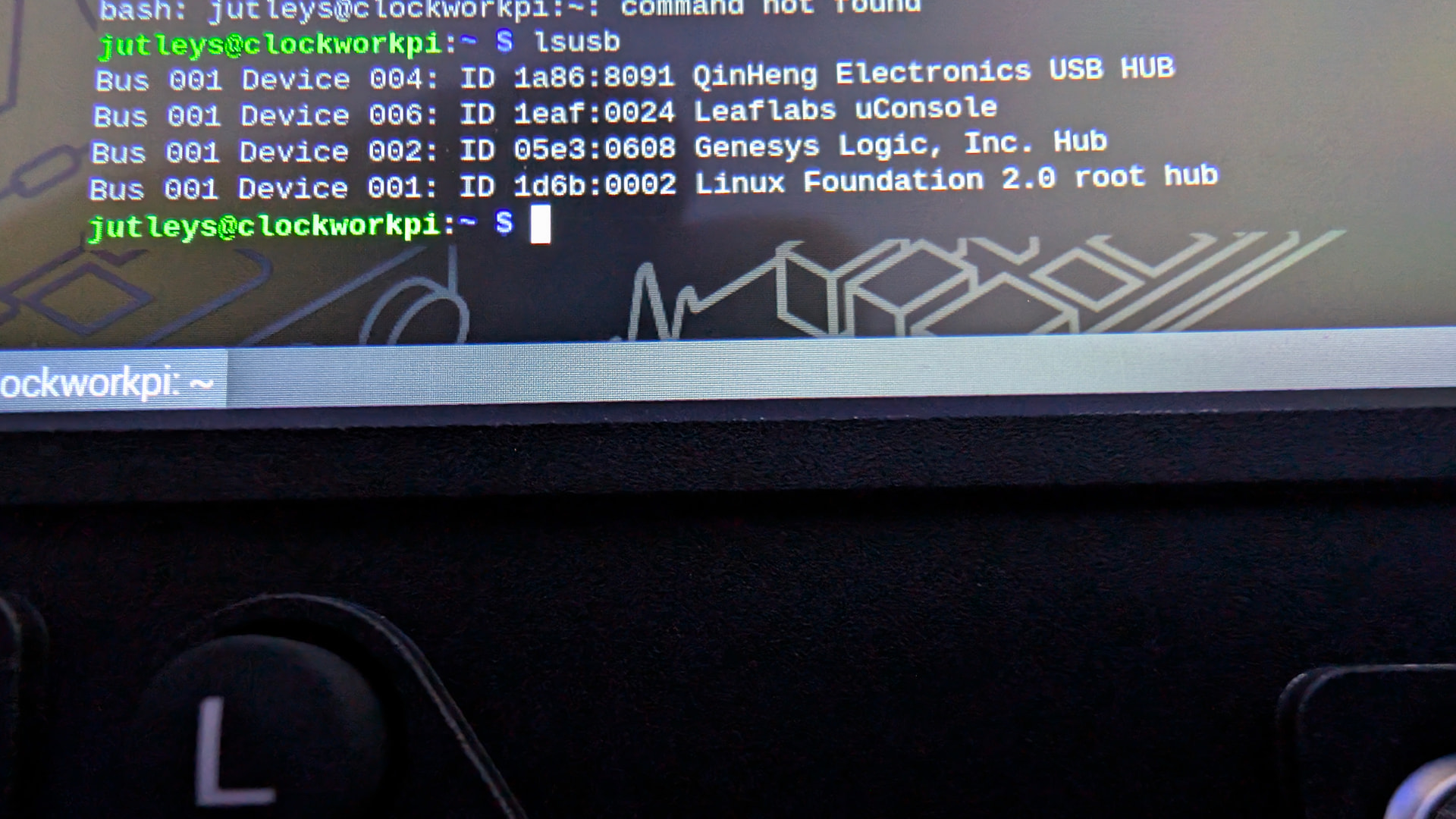
ah. sorry. i forget you are on CM4. USB from the AIO seems to be showing up. it matches what i have short of the USB3 stuff. you did try to use the control script to turn on the pins on the AIOv2 right?
Bus 001 Device 001: ID 1d6b:0002 Linux Foundation 2.0 root hub
Bus 001 Device 002: ID 05e3:0608 Genesys Logic, Inc. Hub
Bus 001 Device 003: ID feed:0000 Clockwork uConsole Keyboard
Bus 001 Device 005: ID 0bda:2838 Realtek Semiconductor Corp. RTL2838 DVB-T
Bus 001 Device 006: ID 1a86:8091 QinHeng Electronics USB HUB
Bus 002 Device 001: ID 1d6b:0002 Linux Foundation 2.0 root hub
Bus 003 Device 001: ID 1d6b:0003 Linux Foundation 3.0 root hub
Bus 004 Device 001: ID 1d6b:0002 Linux Foundation 2.0 root hub
Bus 005 Device 001: ID 1d6b:0003 Linux Foundation 3.0 root hub
Didn’t try that how to do that?
This one…
1 Like