Last worry 
Anyone here who doesn’t use a screen protector?
If so, have you ever damaged the screen?
Last worry
Anyone here who doesn’t use a screen protector?
If so, have you ever damaged the screen?
Good timing, I actually just (as in, found out 10 minutes ago) killed the rightmost column of pixels on my LCD. They’re now all white. My screen’s taken some dings and scratches over the years and has held up surprisingly well, probably because of the durability and good design of the case. I haven’t needed a screen protector or anything (though I may consider fitting an acrylic sheet or something over it to keep the replacement scratch free).
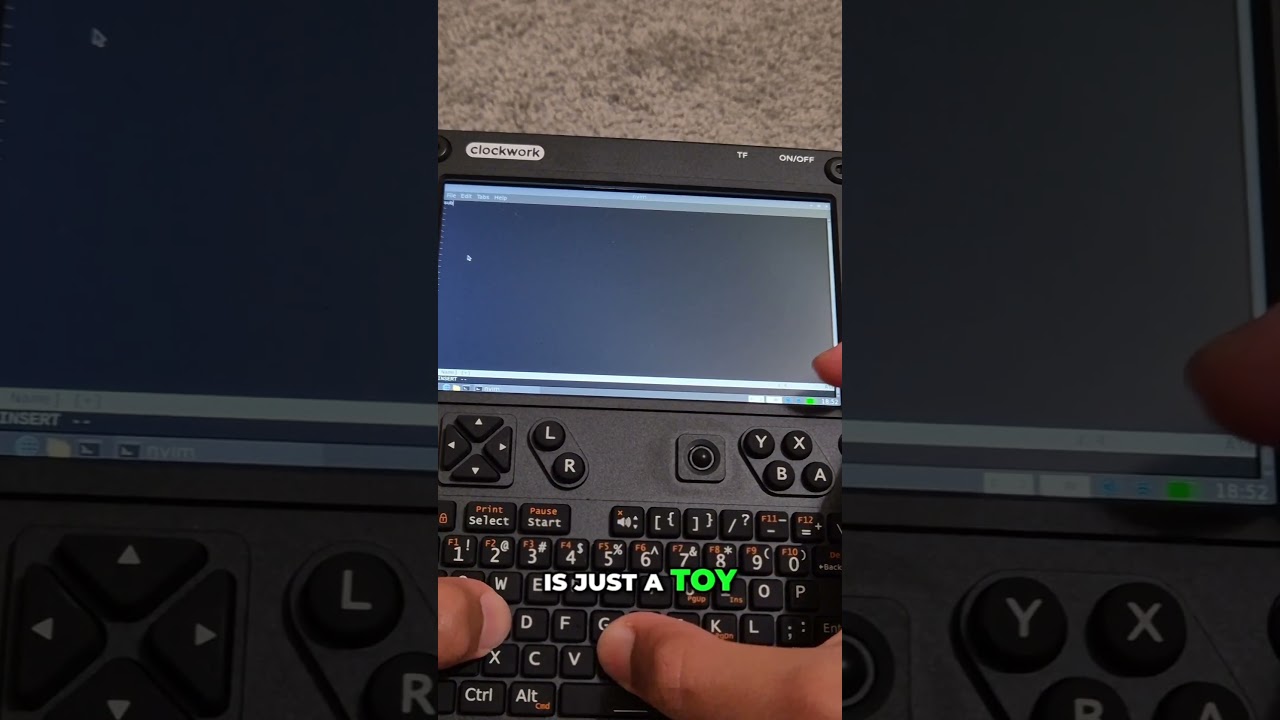
I’ve been working on my uconsole video for the last few days, but I have found a really annoying issue.
Where my main workstation is, I can’t connect to my main router and have a good connection, so for the last few months I’ve been using an extender.
The issue is that, my uconsole connects to the extender successfully, then when I try to search something up, or ping a website in the terminal, it fails.
The interesting thing is that my uconsole can connect to the main router, if I sit close enough, and all my other devices can connect and use to both (the extender and the router).
What wireless software stack are you using?
The package most used around here is probably NetworkManager (with wpa_supplicant). I avoid it like the plague because when I get issues with it they’re too hard for me to track down.
I use iwd with iwctl and dhcpcd. My issue with dhcpcd is similar to yours; sometimes I’ll connect to a WiFi access point but won’t get an IP address, so I’ll be “connected” but I won’t have any route to Internet hosts. I’m not sure what the trouble is, though. It would happen only with certain APs.
I doubt this is relevant to your own issues but these both (potentially) being DHCP issues with the Raspberry Pi’s built-in wireless adapter, it may be that the hardware itself has some strangeness. We may not have heard about it because few people order Pi to go.
I’m using NetworkManager.
WiFi issues have been fixed! I am still using Network Manager, but from a bit of googling and 1 simple command, I realized that all I had to do was turn off power management for that WiFi network.
By the way, I released my video about the uconsole (I plead you to support me, by watching it): https://youtu.be/ZnVIX_CIH_A?si=-wn-34EBqfHLO9fZ
The video is nice in the context of space-related topics. Now it’s clear where your username comes from. 
Yeah, my whole channel is based on it. 
Today, I’m going to be working on my YouTube short, linking to the longform video. I also want to try, sometime within the next week, setting up libre office, as microsoft onedrive on the web, is completely useable, but not very pleasant as it is through the cloud.
Augh. The WiFi isn’t working again for the specific extender. It was working completely fine yesterday, with wifi power saving disabled, but for some reason, not today.
Might have to WiFi hotspot from my phone for the day’s remaining work.
Has anyone been experiencing similar issues to the ones I am?
It’s because of the stock antenna you have stuck to the case. You need to unstick it from the case and give it a few mm of gap with a shim or something.
easiest shim is some double sided foam tape, if you want to be fancy you can make a 3d printed spacer
The foam trick is a good hack using few new materials. After the HackerGadgets antenna mount PCB came out, I started using that, and then after it broke (not HG’s fault, see my previous comments) I drilled a hole in my console and mounted the same RP-SMA port used on the PCB mount. But @lululvlv’s finger antenna is I think maybe the best WiFi antenna solution as it mounts in a really secure place and costs nearly nothing, it and a heat sink shipped from Tindie to the US was only $20 or so and it gets reception on par with my bigger router antenna.
if you have a 3d printer, you can also just get the model from printables for that antenna mount
Before the hackergadgets mount came out I drilled to holes in the top for smas. Now the holes are hidden with a 3d printed antenna cover.
I used an adhesive rubber pad I had (was meant to be a anti-slip foot pad for a server case) and adhered it where the antenna was supposed to go, then adhered the antenna to the rubber pad. One good thing about the slow shipping was I got to see all the posts warning about the antenna’s performance when stuck directly to the case. My performance is not quite as good as a stick antenna when it comes to BT, but I have no problems when it comes to Wifi (2.4 or 5Ghz).
Improved my reception before moving onto the Hackergadgets antennas… Note a small space at the bottom too.
It didn’t work for me.
Plus, I wouldn’t see why it would. It’s not about the connection speed, because it can connect to my hotspot or my main router (if im sitting within 15m of it) comfortably, which it can also connect to my extender, but when I search something up, it says network is unreachable, even when its connected.
I uploaded a short that is linking to the main video!