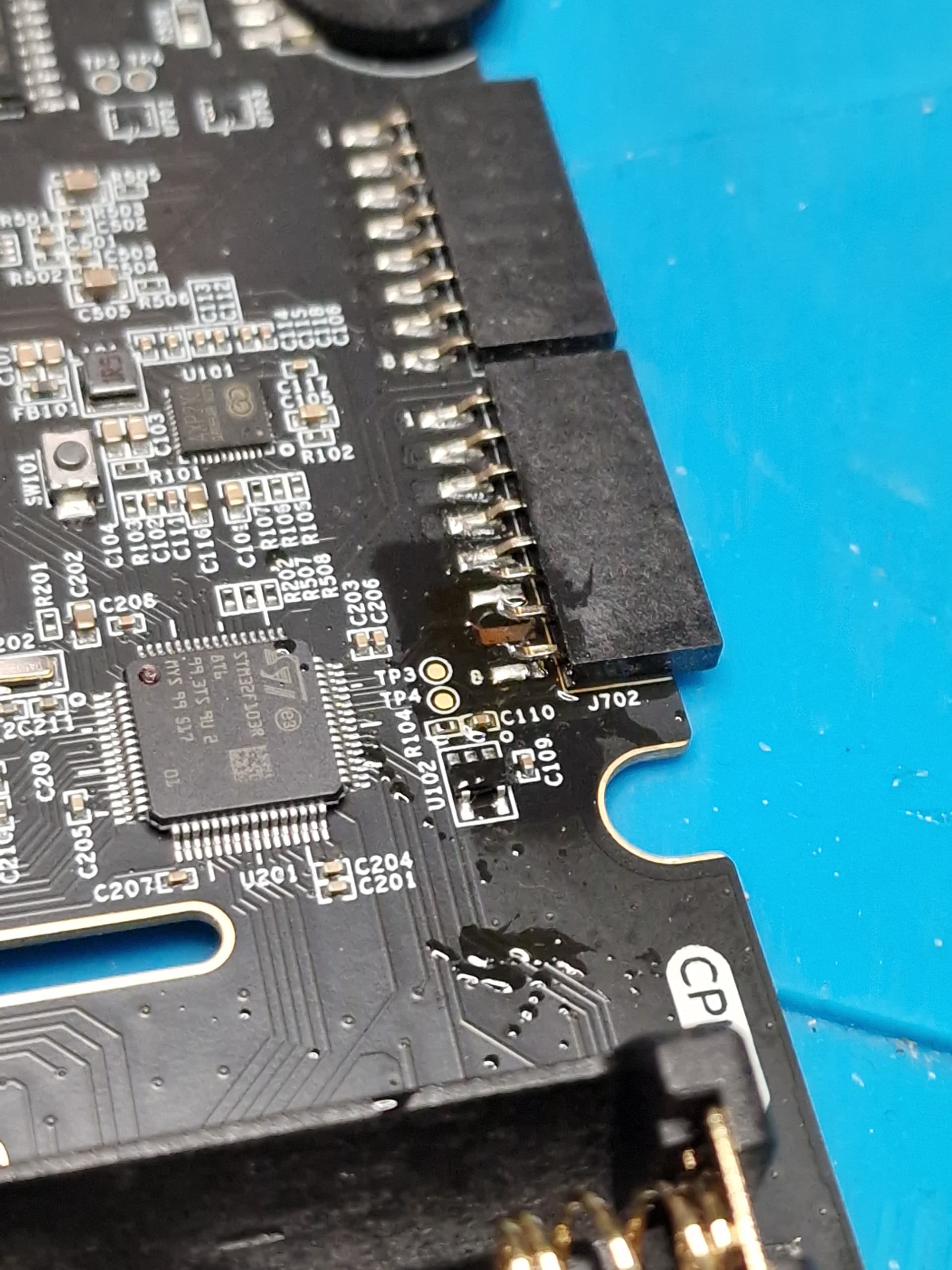
I develop in C on the PicoCalc which means I need to have a Debug Probe to connect to the SWD interface on the Pico. I was running a cable from the Pico out through the battery compartment.
I noticed on the I/O ports on the side of the PicoCalc that there were two pins that I would never use: USB_DP and USB_DM which are connected to the USB C port if switch 2 was activated otherwise they are disconnected. These two pins are next to the GND pin.
I cut the pins on the connector (completely reversible with a blob of solder) and connected a cable between the GPIO port and the Pico:
Oh! What about embedding a pico-probe inside and replace the USB-C interface to go on it instead of the (useless) USB stm32? :o
If the stm32 have pins to provide, at least programming, or debugging interface that can be usefull to use the USB port of the stm32! Maybe for a v3 of the mainboard?
I see someone here you embedded it but adding a third USB connector (and needed custom backplate). Too much USB!
I think you’re remembering something I said a while back that I subsequently realised was completely wrong. Sorry! USB_DP/DM are actually permanently connected to the stm32, they just happen to also be connected to usbc if sel2 is on.
As long as you have disconnected the connector pins from the mainboard though, it’s completely irrelevant (stick a bit of kapton tape under there just in case) so carry on!
I am new to embedded development and was wondering how most people debug firmware code on the PicoCalc? Do most people use a debug probe or do people use the old “printf” means. I have upgraded to using a pico2w in my PicoCalc so I assume I could repurpose the pico that came with the calc as debug probe?
I’ve learned over many years never to go without a debugger. Even when they’re a pain to set up initially, it invariably saves me so much more time that the effort has never been wasted.
Your pico is perfect for the task, although I do recommend using yapicoprobe (GitHub - rgrr/yapicoprobe: Yet Another Picoprobe) instead of the official debugprobe firmware, as it’s got a bunch of extra features.
I’ve modded my own picocalc to have a second pico (well, an rp2040-zero because of size and usb-c) permanently inside the case as a debug probe, because I’m using it so heavily right now.