BASIC programs from TheBackShed on PicoCalc

“The Black Hole Mystery” from javavi

Originally posted at PicoMiteVGA DEMO.

CLS
x0=MM.HRES/2: y0=MM.VRES/2
z =2

DO
 n=(INT(RND*7)+1)*7000+1000
 a=(INT(RND*18)+3)+10
 b=INT(RND*19)/10+0.1
 c=-(INT(RND*4)+1)*10
   FOR i=1 TO 3
     Clr=INT(RND*&hFFFF00)+&hFF
     Tracery
   NEXT i
 Clr=0
 Tracery
LOOP WHILE INKEY$=""

SUB Tracery
x=x0: y=y0
FOR j=1 TO n
 PIXEL x+63, y+42, Clr
 u=y-SGN(x-x0)*(ABS(b*(x-x0)-c))^1/z
 w=a-x+x0: x=u: y=w
NEXT j
END SUB
1 Like

“Fractal Lace” from javavi

Originally posted at PicoMiteVGA DEMO.

CLS
A=1:B=-1:C=-13:K1=1.5:K2=1.5:X=0:Y=0
DO
PIXEL 160+INT(K1*X*4),160+INT(K2*Y*4)
S=(X<0)-(X>=0)
TMP=Y
Y=A-X
X=TMP-S*LOG(SQR(ABS(B*X-C)))
LOOP UNTIL INKEY$<>""
1 Like

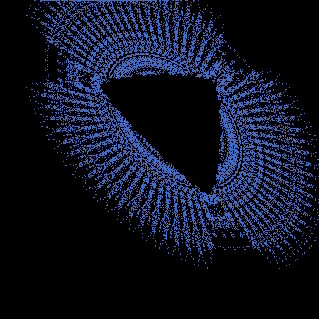
“no lines but if there were they would not look curved” from javavi

Originally posted at PicoMiteVGA DEMO.

CLS
'1
x=0:y=0
b1: INC x,24:b2:INC x,24:b1:INC x,24:b3:INC x,24:b4:INC x,24:b2:INC x,24:b1:INC x,24:b2
INC x,24:b1:INC x,24:b2:INC x,24:b1:INC x,24:b3:INC x,24:b4:INC x,24:b3:INC x,24:b4:INC x,24:b2
'2
INC y,24:x=0
b3: INC x,24:b1:INC x,24:b2:INC x,24:b1:INC x,24:b3:INC x,24:b4:INC x,24:b3:INC x,24:b4
INC x,24:b3:INC x,24:b1:INC x,24:b2:INC x,24:b1:INC x,24:b3:INC x,24:b4:INC x,24:b3:INC x,24:b4
'3
INC y,24:x=0
b4: INC x,24:b3:INC x,24:b1:INC x,24:b2:INC x,24:b1:INC x,24:b3:INC x,24:b4:INC x,24:b3
INC x,24:b4:INC x,24:b3:INC x,24:b1:INC x,24:b2:INC x,24:b1:INC x,24:b3:INC x,24:b4:INC x,24:b3
'4
INC y,24:x=0
b3: INC x,24:b4:INC x,24:b3:INC x,24:b1:INC x,24:b2:INC x,24:b1:INC x,24:b3:INC x,24:b4
INC x,24:b3:INC x,24:b4:INC x,24:b3:INC x,24:b1:INC x,24:b2:INC x,24:b1:INC x,24:b3:INC x,24:b4
'5
INC y,24:x=0
b4: INC x,24:b3:INC x,24:b4:INC x,24:b3:INC x,24:b1:INC x,24:b2:INC x,24:b1:INC x,24:b3
INC x,24:b4:INC x,24:b3:INC x,24:b4:INC x,24:b3:INC x,24:b1:INC x,24:b2:INC x,24:b1:INC x,24:b3
'6
INC y,24:x=0
b2: INC x,24:b4:INC x,24:b3:INC x,24:b4:INC x,24:b3:INC x,24:b1:INC x,24:b2:INC x,24:b1
INC x,24:b2:INC x,24:b4:INC x,24:b3:INC x,24:b4:INC x,24:b3:INC x,24:b1:INC x,24:b2:INC x,24:b1
'7
INC y,24:x=0
b1: INC x,24:b2:INC x,24:b4:INC x,24:b3:INC x,24:b4:INC x,24:b3:INC x,24:b1:INC x,24:b2
INC x,24:b1:INC x,24:b2:INC x,24:b4:INC x,24:b3:INC x,24:b4:INC x,24:b3:INC x,24:b1:INC x,24:b2
'8
INC y,24:x=0
b2: INC x,24:b1:INC x,24:b2:INC x,24:b4:INC x,24:b3:INC x,24:b4:INC x,24:b3:INC x,24:b1
INC x,24:b2:INC x,24:b1:INC x,24:b2:INC x,24:b4:INC x,24:b3:INC x,24:b4:INC x,24:b3:INC x,24:b1
'9
INC y,24:x=0
b1: INC x,24:b2:INC x,24:b1:INC x,24:b3:INC x,24:b4:INC x,24:b3:INC x,24:b4:INC x,24:b2
INC x,24:b1:INC x,24:b2:INC x,24:b1:INC x,24:b3:INC x,24:b4:INC x,24:b3:INC x,24:b4:INC x,24:b2
'10
INC y,24:x=0
b3: INC x,24:b1:INC x,24:b2:INC x,24:b1:INC x,24:b3:INC x,24:b4:INC x,24:b3:INC x,24:b4
INC x,24:b3:INC x,24:b1:INC x,24:b2:INC x,24:b1:INC x,24:b3:INC x,24:b4:INC x,24:b3:INC x,24:b4
'11
INC y,24:x=0
b4: INC x,24:b3:INC x,24:b1:INC x,24:b2:INC x,24:b1:INC x,24:b3:INC x,24:b4:INC x,24:b3
INC x,24:b4:INC x,24:b3:INC x,24:b1:INC x,24:b2:INC x,24:b1:INC x,24:b3:INC x,24:b4:INC x,24:b3

DO :LOOP

SUB b1
BOX x,y,24,24,0,RGB(white),RGB(white)
BOX x+2,y+2,8,8,0,RGB(black),RGB(black)
BOX x+14,y+14,8,8,0,RGB(black),RGB(black)
END SUB

SUB b2
BOX x,y,24,24,0,RGB(black),RGB(black)
BOX x+2,y+2,8,8,0,RGB(white),RGB(white)
BOX x+14,y+14,8,8,0,RGB(white),RGB(white)
END SUB

SUB b3
BOX x,y,24,24,0,RGB(black),RGB(black)
BOX x+2,y+14,8,8,0,RGB(white),RGB(white)
BOX x+14,y+2,8,8,0,RGB(white),RGB(white)
END SUB

SUB b4
BOX x,y,24,24,0,RGB(white),RGB(white)
BOX x+2,y+14,8,8,0,RGB(black),RGB(black)
BOX x+14,y+2,8,8,0,RGB(black),RGB(black)
END SUB
1 Like

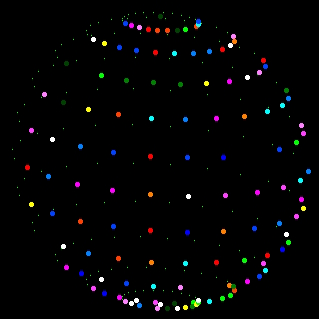
“DISCO BALL” from javavi

Originally posted at PicoMiteVGA DEMO.

OPTION ANGLE DEGREES
FRAMEBUFFER CREATE
FRAMEBUFFER WRITE F
RX=MM.HRES: RY=MM.VRES: CX=RX/2: CY=RY/2
Umin=-180: Umax=180: Ustep=15
Vmin= -90: Vmax= 90: Vstep=15
SCALE=CY-CY/10

DO
 FOR S=0 TO 12 STEP 3
 CLS
   FOR V= Vmin TO Vmax STEP Vstep
   FOR U= Umin TO Umax STEP Ustep
     U=U+S
       X=COS(U)*COS(V)
       Y=SIN(U)*COS(V)
       Z=SIN(V)
     U=U-S
     C=RND*&hFFFFFF
     Plot_XY
     IF INKEY$ <> "" THEN END
   NEXT U: NEXT V
   FRAMEBUFFER COPY F,N
 NEXT S
LOOP WHILE INKEY$=""

SUB Plot_XY
 X=SCALE*X: Y=SCALE*Y: Z=SCALE*Z
 Y=Y/4
 X1=X-Y+CX: Y1=Z-Y+CY
 IF y<0 THEN
   CIRCLE X1,Y1,2,,,C,C
 ELSE
   PIXEL X1,Y1
 ENDIF
END SUB
1 Like

“The Mystery of the 9th Planet” from javavi

Originally posted at PicoMiteVGA DEMO.

FRAMEBUFFER CREATE
FRAMEBUFFER WRITE F
CX=MM.HRES\2: CY=MM.VRES\2
A=CX*5:C=&hFFFFFF
DO
CLS
FOR i=7 TO 31 STEP 3
 FOR j=0 TO 324 STEP 9
   x=CX+A*SIN(j+i+t*i/200)\i
   y=CY+A*COS(j+i*0.3+t/2)\i
   IF j=0 THEN CIRCLE x,y,3,,,,C
   PIXEL x,y
 NEXT
NEXT
t=t+.05
CIRCLE CX,CY,9,,,,C

FRAMEBUFFER COPY F,N
LOOP UNTIL INKEY$ <> ""
1 Like

“a litle animation inspired by the planet 9 demo” from Martin H.

Originally posted at PicoMiteVGA DEMO.

FRAMEBUFFER create
FRAMEBUFFER write f
a=100:b=3:xc=160:yc=120
FOR n=0 TO 9:FOR i=n TO 180 STEP 10
t=(i+90)*PI/180:x=a*COS(t):y=b*SIN(t):cl=(y<0):ball xc+x,n*20+yc+y-112,cl
NEXT : FOR i=170+n TO n STEP -10
t=(i-90)*PI/180:x=a*COS(t):y=b*SIN(t):cl=(y<0):ball xc+x,n*20+yc+y-112,cl
NEXT :NEXT
DO
BLIT 0,0,0,200,320,20:BLIT 0,20,0,0,320,220:FRAMEBUFFER copy f,n:PAUSE 20
LOOP
SUB ball bx,by,cl
FOR d=6 TO 1STEP -1
IF cl THEN :COLOR RGB(255,255-d*42,0):ELSE :COLOR RGB(0,255-d*42,255):ENDIF
CIRCLE bx+d/2,by+d/2,d,d
NEXT
END SUB
1 Like

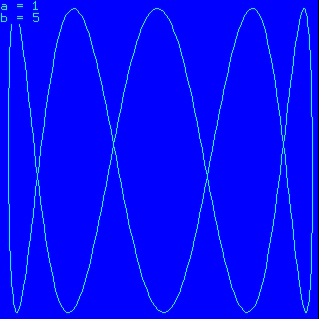
“Lissajous Figures” from javavi

Originally posted at PicoMiteVGA DEMO.

OPTION ANGLE DEGREES
FRAMEBUFFER CREATE
FRAMEBUFFER WRITE F
COLOUR RGB(Cyan),RGB(Blue)

CX=MM.HRES/2: CY=MM.VRES/2
Scale=0.95: AX=CY*Scale: AY=CY*Scale
a=1: b=0: p=0: f=0: c=0

DO
 IF p>360 THEN p=0: ENDIF
 IF b>6   THEN a=a+1: b=0: c=0: ENDIF
 IF a>5   THEN a=1:   b=0: c=0: ENDIF
 IF c=50  THEN
   f=1
   IF a=FIX(b) THEN f=0: c=0: ENDIF
 ENDIF
 IF c=130 THEN f=0: c=0: ENDIF

 CLS
     sx= AX * SIN(p) + CX
     sy= AY * SIN(p) + CY
 FOR i= 0 TO 360
     x = AX * SIN(a*i + p) + CX
     y = AY * SIN(b*i + p) + CY
     LINE sx,sy,x,y
     sx=x: sy=y
 NEXT i

 PRINT "a ="a: PRINT "b ="b
 FRAMEBUFFER COPY F,N

 INC p: INC c
 IF  f=0 THEN b=b+.02: ENDIF

LOOP UNTIL INKEY$ <> ""
END
1 Like

“Xmas Tree” from javavi

Originally posted at PicoMiteVGA DEMO.

FRAMEBUFFER CREATE
FRAMEBUFFER WRITE F
S=320
DO
CLS :t=t+1
FOR i=155 TO 165
 LINE 160,40,i,230,,RGB(brown)
NEXT i
FOR i=0 TO 900 STEP 2
 PIXEL i*5+SIN(i)*20,(t+i*40)MOD 136
 a=PI*2/60*(i+t/3)
 z=COS(a)*i/10+550
 x=SIN(a)*i/6*S/z+160
 y=(i/3-150)*S/z+120
 C=RND*&HFFFFFF
 CIRCLE 160,26,3,,,,C
 IF z<550 THEN
   CIRCLE x,y,1+i/300,,,C,C
 ELSE
   PIXEL x,y,C
 ENDIF
NEXT i
FRAMEBUFFER COPY F,N
LOOP
1 Like

“Christmas Tree” from javavi and inspired by GitHub - anvaka/atree: Just a simple Christmas tree, based on reddit story

Originally posted at PicoMiteVGA DEMO.

FRAMEBUFFER CREATE
FRAMEBUFFER WRITE F
max = 19
xScale = 6
zScale = 2.5
yScale = 11.5
dz = 320
phase=0
DIM redSpiral(2)=(RGB(Red),RGB(Myrtle),1)
DIM cyanSpiral(2)=(RGB(Cyan),RGB(Myrtle),0)

DO
CLS
FOR i= -startFrom TO max STEP 0.08
 IF (i<0) OR (i>max) THEN CONTINUE FOR
 createSpiral(redSpiral())
 createSpiral(cyanSpiral())
NEXT
INC phase,0.1: IF phase>6.28 THEN phase=0
FRAMEBUFFER COPY F,N
LOOP

SUB createSpiral(config())
sign = CHOICE(config(2),-1,1)
IF config(2) THEN
 foreground = config(0)
 background = config(1)
ELSE
 foreground = config(1)
 background = config(0)
ENDIF
zoff = i*SIN(i+phase)
z = dz/(dz-sign*zoff*zScale)
x = sign*i*COS(i+phase)*z*xScale+160
y = i*z*yScale+2
IF zoff+sign*PI/4 < 0 THEN
 COLOUR (foreground)
ELSE
 COLOUR (background)
ENDIF
PIXEL x,y
END SUB
1 Like

“Evil Fractal” from javavi

Originally posted at PicoMiteVGA DEMO.

CLS
DO
 IF CINT(RND) THEN
   T=(X+Y)/2
   Y=(Y-X)/1.333
   X=T
 ELSE
   T=(X+Y+1)/2
   Y=(Y-X+1)/4
   X=T
 ENDIF
 PIXEL 120+X*175,85-Y*145
LOOP WHILE INKEY$=""
2 Likes

“Perspective, Prospettiva, Perspicere” from javavi

Originally posted at PicoMiteVGA DEMO.

FOR Y=1 TO 320
 FOR X=1 TO 320
   Z=X-160
   IF (Z*64)MOD Y=0 THEN PIXEL X,Y
 NEXT
NEXT
1 Like

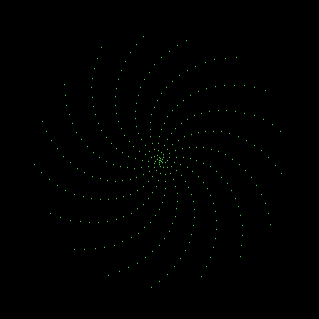
“Whirlwind” from javavi

Originally posted at PicoMiteVGA DEMO.

X0=MM.HRES\2: Y0=MM.VRES\2
DO
 X=MM.HRES/800:Y=0
 INC I,.1: IF i=360 THEN i=1
 C=COS(i): S=SIN(i)
 CLS
 FOR R=1 TO 320
   PIXEL X0+R*X,Y0+R*Y
   T=X*C-Y*S
   Y=X*S+Y*C
   X=T
 NEXT
 PAUSE 50
LOOP WHILE INKEY$=""
1 Like

“Whirlpool” from javavi

Originally posted at PicoMiteVGA DEMO.

X0=MM.HRES\2: Y0=MM.VRES\2
DO
INC I,.001: IF i=360 THEN i=.001
C=COS(i): S=SIN(i)
X=MM.HRES/800: Y=0
CLS
FOR R=1 TO 320
  PIXEL X0+R*X,Y0+R*Y
  T=X*C-Y*S
  Y=X*S+Y*C
  X=T
NEXT
PAUSE 30
LOOP WHILE INKEY$=""
1 Like

“RotaSphere” from javavi

Originally posted at PicoMiteVGA DEMO. Note that MAP() is not supported on LCD devices like the PicoCalc, so the default colors are hard-coded in the first line.

Dim CM(15)=(RGB(0,0,0),RGB(0,0,255),RGB(0,64,0),RGB(0,64,255),RGB(0,128,0),RGB(0,128,255),RGB(0,255,0),RGB(0,255,255),RGB(255,0,0),RGB(255,0,255),RGB(255,64,0),RGB(255,64,255),RGB(255,128,0),RGB(255,128,255),RGB(255,255,0),RGB(255,255,255))
Dim Xa(255), Ya(255)
x0=MM.HRES\2:y0=MM.VRES\2
Xdir=1:Ydir=1:C=CM(14)
n=4
r=n*16
Do
 i=0
 t=Timer
 tr=t-n*50
 ra=tr/1234
 rb=tr/2345
 For a=0 To Pi Step .39268
   For b=0 To Pi*2 Step .8-.6*Sin(a)
     o=Sin(a)*Cos(b)
     k=Sin(a)*Sin(b)
     e=Cos(a)*Cos(ra)+k*Sin(ra)
     Pixel Xa(i),Ya(i),0
     Xa(i)=(o*Cos(rb)+e*Sin(rb))*r+x0
     Ya(i)=(e*Cos(rb)-o*Sin(rb))*r+y0
     Pixel Xa(i),Ya(i),C
     Inc i
   Next b
 Next a
 If x0<r Then Xdir=1:C=CM(Int(Rnd*16))
 If y0<r Then Ydir=1:C=CM(Int(Rnd*16))
 If x0>MM.HRES-r Then Xdir=-1:C=CM(Int(Rnd*16))
 If y0>MM.VRES-r Then Ydir=-1:C=CM(Int(Rnd*16))
 Inc x0,Xdir:Inc y0,Ydir
Loop While Inkey$=""
1 Like

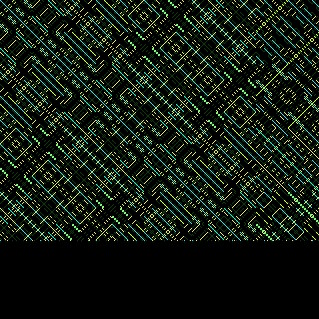
“XOR Patterns” from javavi

Originally posted at PicoMiteVGA DEMO. Note that MAP() is not supported on LCD devices like the PicoCalc, so the default colors are hard-coded in the first line.

Dim CM(15)=(RGB(0,0,0),RGB(0,0,255),RGB(0,64,0),RGB(0,64,255),RGB(0,128,0),RGB(0,128,255),RGB(0,255,0),RGB(0,255,255),RGB(255,0,0),RGB(255,0,255),RGB(255,64,0),RGB(255,64,255),RGB(255,128,0),RGB(255,128,255),RGB(255,255,0),RGB(255,255,255))
Do
R1=Int(Rnd*10)+1
R2=Int(Rnd*10)+10
R3=Int(Rnd*10)+20
C1=CM(Int(Rnd*15)+1)
C2=CM(Int(Rnd*15)+1)
C3=CM(Int(Rnd*15)+1)
For Y=0 To 240
For X=0 To 320
Color 0: Pixel X,Y
K=X Xor Y
If K Mod R1=0 Then Color C1: Pixel X,Y
If K Mod R2=0 Then Color C2: Pixel X,Y
If K Mod R3=0 Then Color C3: Pixel X,Y
Next
Next
Loop
1 Like

“XOR Patterns (Fast)” from Bleep

Originally posted at PicoMiteVGA DEMO. Note that MAP() is not supported on LCD devices like the PicoCalc, so the default colors are hard-coded in the first line.

Dim CM(15)=(RGB(0,0,0),RGB(0,0,255),RGB(0,64,0),RGB(0,64,255),RGB(0,128,0),RGB(0,128,255),RGB(0,255,0),RGB(0,255,255),RGB(255,0,0),RGB(255,0,255),RGB(255,64,0),RGB(255,64,255),RGB(255,128,0),RGB(255,128,255),RGB(255,255,0),RGB(255,255,255))
Dim Integer C(319),X(319),Y(319),D,K,I,J,R1,R2,R3,C1,C2,C3
'Initialise the X array 0 to 319 sequentially.
For J=0 To 319:X(J)=J:Next
Do
'Colour (RGB(255,255,255))
'Print Timer:Timer =0
R1=Int(Rnd*10)+1
R2=Int(Rnd*10)+10
R3=Int(Rnd*10)+20
C1=CM(Int(Rnd*15)+1)
C2=CM(Int(Rnd*15)+1)
C3=CM(Int(Rnd*15)+1)

For I=0 To 239
'Initialise Y array to line number, C array to 0 (Black)
Math Set I,Y()
Math Set 0,C()
For J=0 To 319
 K=J Xor I
 If Not(K Mod R3) Then:C(J)=C3
 ElseIf Not(K Mod R2) Then:C(J)=C2
 ElseIf Not(K Mod R1) Then:C(J)=C1
 EndIf
Next
'Display whole line of pixels in one go.
Pixel X(),Y(),C()
Next
Loop
1 Like

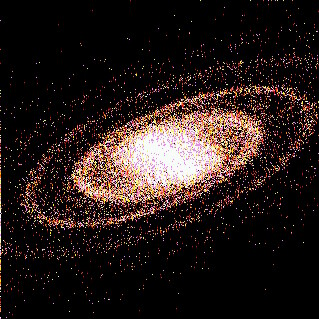
"Galactica” from javavi

Originally posted at PicoMiteVGA DEMO. Note that MAP() is not supported on LCD devices like the PicoCalc, so the default colors are hard-coded in the first line.

Dim Clr(15)=(RGB(0,0,0),RGB(0,0,255),RGB(0,64,0),RGB(0,64,255),RGB(0,128,0),RGB(0,128,255),RGB(0,255,0),RGB(0,255,255),RGB(255,0,0),RGB(255,0,255),RGB(255,64,0),RGB(255,64,255),RGB(255,128,0),RGB(255,128,255),RGB(255,255,0),RGB(255,255,255))
Dim CM(6)=(Clr(0),Clr(8),Clr(10),Clr(12),Clr(14),Clr(13),Clr(15))
Do
XC=MM.HRES\2:YC=MM.VRES\2
r1=200:r2=250
t1=200:t2=3
For N=1 To 5
 For I=0 To 10000
   L=-Log(Rnd)
   T=L*t1
   U=L*r1*Sin(T)
   V=L*r2*Cos(T)
   P=L*t2
   c=Cos(P)
   s=Sin(P)
   X=U*c+V*s
   Y=-U*s+V*c
   R=X*X+Y*Y
   Z=400*Exp(-R/100000)
   Z=Z*(Rnd -.5)
   Y=Y+Z+Rnd*50
   X=X-Z+Rnd*50
   xp=XC+X*.21+Y*.09
   yp=YC-X*.03-Y*.12
   If Pixel(xp,yp) Then
     Pixel xp,yp,CM(N+1)
   Else
     Pixel xp,yp,CM(N)
   EndIf
 Next
Next
Loop
3 Likes

Already done most of these myself with other modifications. One thing I noticed is most need the PicoCalc in radians mode, mine is forced into degrees via the library. Hence…

Option angle radians

Needed at the start of most if you’re a degrees person like myself.

Ah, good point. I’ve never set the degrees/radians option, so I guess the default is radians. I guess for completeleness all of these would need to have it set at the top of the code just to be sure. But since radians is the default maybe it’s safe to assume this code will work for most people, and if not, it’s becuase they changed the default and need to adjust it themselves? I’d rather not try to guess what people’s personal preferences are and generally go with the defaults for example code.

I should probably look into using the library at some point. Haven’t seen a need so far. I’ve got a flash slot with some code in that I use AUTORUN on, and another bit of code in an init file I only need to run once after a complete flash wipe. But so far I haven’t bothered with saving anything in the library since most code is small enough that it kind of makes more sense to me to keep it self contained, even if some of the same setup code is repeated across multiple programs. It also makes it easier to share since there would be no assumptions about what may or may not be in someone’s library.

1 Like

The library is handy for code you want running before EVERY program just incase its set otherwise by a program such as ‘option angle’. Also great for holding subroutines and functions you’d like available to all programs to avoid repetition or to save program space if running out… I also use autorun from a flash slot but to give basic information (memory use, clock speed etc) and set/DST correct the clock from my RTC along with a single keypress ‘m’ to get to my main menu.

1 Like