Found a cute graphical demo thing and ported it to the picocalc.

8 Likes
Just gave me a lightbulb moment
Wow! That’s beautiful! My pico calc has been on the shelf due to too many competing life priorities (few self chose, it’s been a year)… but this is absolutely inspiration to dust it off, get it charged up and try compiling some of the communities recent achievements… starting with this one! Good job wonderful person!
@pelrun Very cool demo you ported! 
would be great as a screensaver to the UF2 loader 
I tried to do simular using MMBasic, but to slow.
It took more then 6 seconds per frame.
' PicoMite MMBasic version of:
' https://x.com/yuruyurau/status/1226846058728177665

Option explicit
Option angle radians

Const W=320, N=150, r=Pi*2/N
Dim x=0, y=0, t=0, i, c,angle

'Do
  CLS
  Timer = 0
  For i=0 To N-1
    For c=0 To N-1
      Func(i, c)
    Next
  Next
  Print Timer " ms per frame"
'  t=t+0.1
'Loop

Sub Func(i, c)
  Local u, v, col
  u=Sin(i+y)+Sin(r*i+x)
  v=Cos(i+y)+Cos(r*i+x)
  x=u+t
  y=v
  col=RGB(i,c,99)
  Pixel u*N/2+W/2,y*N/2+W/2,col
End Sub
3 Likes
There was already a version posted to TheBackShed that I tweaked a bit (since a lot of the examples on TheBackShed use display code that doesn’t work directly on the PicoCalc) and posted here:
I’m not sure what the original dev (javavi) based that code on. I also didn’t compare it with pelrun’s, but it seems to produce something similar. The one I adapted was using the FRAMEBUFFER which might help a bit, but it still wasn’t exactly fast or smooth.
This demo might provide a good comparison of how properly implemented C code compares to PicoMite MMBasic for roughly the same thing. I’d be curious to see how this same demo compares when implemented with machikania/phyllosoma. Since that’s compiled BASIC, it would almost certainly be faster than MMBasic, but wouldn’t be as fast as the C version.
2 Likes
I just reduced the time per frame by 27%, by replacing the call to Func() with its code inline instead!
Try this version
Font 7
FRAMEBUFFER create
FRAMEBUFFER write f

Dim Float u(65),w(65),p,q,t,v=0,x=0,b
Dim Integer c(65),d(65),n(65),m(32, _
65),nn,dd,xc,yc,xs,ys
Dim Integer a,g,i,j,cc
Const r=(2*Pi)/235,k=255,s=50
CLS RGB(black)
t=Rnd*10
't=1
nn=Peek(varaddr n())
dd=Peek(varaddr d())
cc=Peek(varaddr c())
'calculate centre and scale factor
xc=MM.HRES\2:yc=MM.VRES\2
xs=MM.HRES/4.2:ys=MM.VRES/4.0  'Oval
'Circular

For a=0 To 65
For g=0 To 65
 If a<18 And g<18 Then
  n(g)=RGB(0,255,0)
 Else
  n(g)=RGB(a*3.93,g*3.93, _
128*(a+g<65))
 EndIf
Next 'g
Memory pack nn, Peek(varaddr m(0,a)), _
66,32 'pack pixel colours
Next 'a
Do
CLS
Inc t,0.035:g=0:Print Timer:Timer =0
For i=60To 255Step 3
b=r*i+t
 For j=0To  _
65:u(j)=Sin(i+v)+Sin(x):v=Cos(i+v)+Cos _
(x):x=u(j)+b:w(j)=v:Next
 Math Scale u(),xs,c():Math Scale w(), _
ys,d():Math add c(),xc,c():Math Add  _
d(),yc,d()
 Memory unpack Peek(varaddr m(0,g)), _
nn,66,32 'unpack pixel colours
 Pixel c(),d(),n()'Box c(),d(),e(), _
e(),0,,n()
 'Memory pack cc,z,66,16:Memory pack  _
dd,y,66,16
 Inc g
Next 'i
FRAMEBUFFER copy f,n
Loop
2 Likes
Unfortunately doesn’t that either iterate enough on each frame to get those magical swirling galaxies that I like.
Like in the GIF animation from https://x.com/i/status/1226846058728177665)

But it is definitly an improvement.
Nice work!
3 Likes
In the comparison of execution of a program using floating point, C is 2.3-2.4 times faster than MachiKania BASIC. In other words, the execution speed of MachiKania BASIC is ~40% of that of C.
2 Likes
not too shabby in Lua! https://img.maple.pet/i/l7w.mp4
3 Likes
I ported the lua version of Bubble Universe (Thank you, @maple) almost directly to Basic Compiler Machikania.
rem over clock_366MHz
system 51,14
system 50,366000000

usevar stp
w=320:n=150
stp=2
r#=PI#*2.0/float#(n)
x#=0:y#=0
t#=0
u#=0:v#=0

cls
while inkey()=0
  rem wait 3
  cls
  for i=0 to n-1 step stp
    for c=0 to n-1 step stp
      u#=sin#(float#(i)+y#)+sin#(r#*float#(i)+x#)
      v#=cos#(float#(i)+y#)+cos#(r#*float#(i)+x#)
      x#=u#+t#
      y#=v#
      palette 255,255*i/n,255*c/n,168
      pset int(u#*float#(n)/2)+w/2, int(y#*float#(n)/2)+w/2, 255
    next
  next
  t#=t#+0.1
wend
These are the results at normal speed and overclocked (366MHz).
…SPI also overclocked( system 58,100000000 )
3 Likes
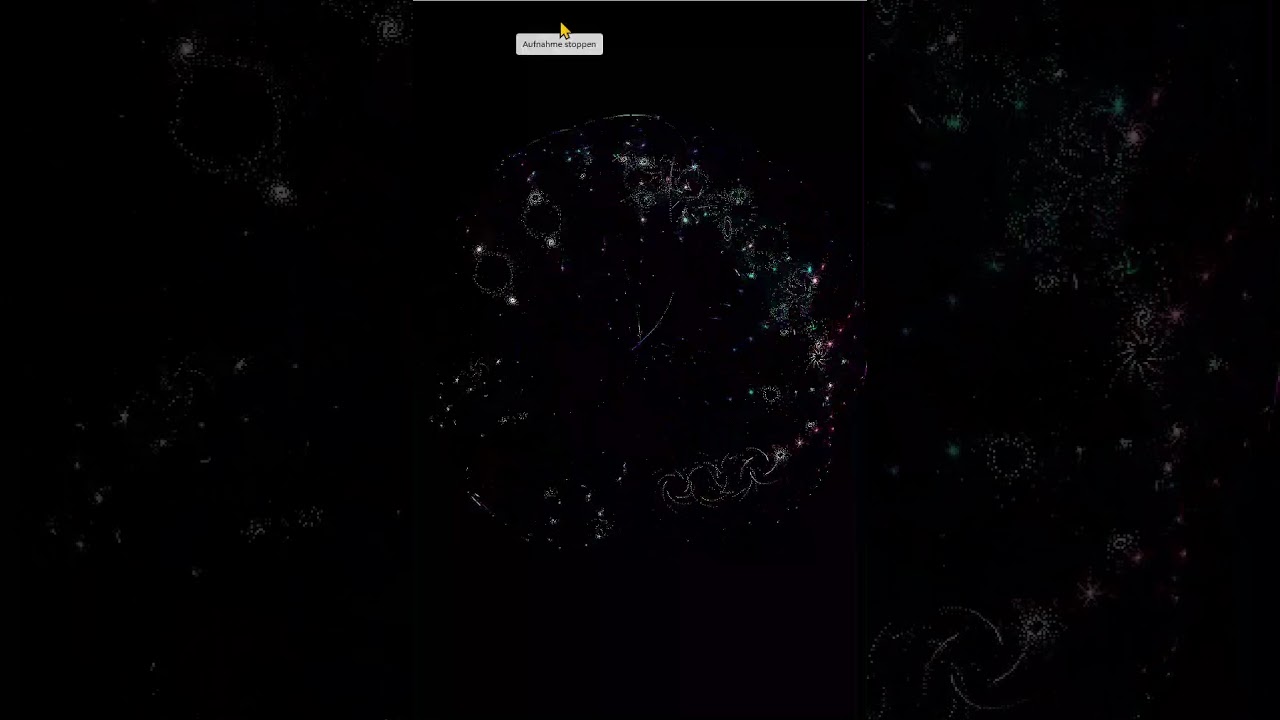
That was an inspiring code. Therefore i have converted it to Python with PyGame and run it on my laptop: (I know it is not fair, sorry)
import pygame
import math
import time
import sys
w = 160
n = 160
step=2
r = math.pi*2/n
x,y,t = 0,0,0
pygame.init()
window = pygame.display.set_mode((w*2,n*2))
running=True
while running:
   for event in pygame.event.get():
     if event == pygame.QUIT:
         running=False
     elif event.type == pygame.KEYDOWN:
         if event.key == pygame.K_q:
            running=False
   window.fill(pygame.Color(0,0,0))
   for i in range(0, n-1,step):
      for c in range(0, n-1,step):
        u = math.sin(float(i)+y)+math.sin(r*float(i)+x)
        v = math.cos(float(i)+y)+math.cos(r*float(i)+x)
        x = u + t
        y = v
        px=u*n/2+w/2
        py=y*n/2+w/2
        pygame.Surface.set_at(window,(int(px+n/2), int(py+n/2)), pygame.Color(math.floor(i/n*255),math.floor(c/n*255),168))
   pygame.display.update()
   t=float(t)+0.01
   #time.sleep(0.1)
pygame.quit()
sys.exit()
Update: Fixed the code for pressing “q” to exit.
4 Likes
I’ve ported this to zeptoforth as follows; note that it requires the RP2350 because it uses hardware single-precision floating point.
(Full text included here as just pasting the GitHub link cuts off everything beyond the license text; you can get it from GitHub at https://github.com/tabemann/zeptoforth/blob/master/test/rp2350/picocalc_bubble.fs.)
\ Copyright (c) 2025 Travis Bemann
\
\ Permission is hereby granted, free of charge, to any person obtaining a copy
\ of this software and associated documentation files (the "Software"), to deal
\ in the Software without restriction, including without limitation the rights
\ to use, copy, modify, merge, publish, distribute, sublicense, and/or sell
\ copies of the Software, and to permit persons to whom the Software is
\ furnished to do so, subject to the following conditions:
\
\ The above copyright notice and this permission notice shall be included in
\ all copies or substantial portions of the Software.
\
\ THE SOFTWARE IS PROVIDED "AS IS", WITHOUT WARRANTY OF ANY KIND, EXPRESS OR
\ IMPLIED, INCLUDING BUT NOT LIMITED TO THE WARRANTIES OF MERCHANTABILITY,
\ FITNESS FOR A PARTICULAR PURPOSE AND NONINFRINGEMENT. IN NO EVENT SHALL THE
\ AUTHORS OR COPYRIGHT HOLDERS BE LIABLE FOR ANY CLAIM, DAMAGES OR OTHER
\ LIABILITY, WHETHER IN AN ACTION OF CONTRACT, TORT OR OTHERWISE, ARISING FROM,
\ OUT OF OR IN CONNECTION WITH THE SOFTWARE OR THE USE OR OTHER DEALINGS IN THE
\ SOFTWARE.

begin-module bubble

  oo import
  float32 import
  picocalc-term import
  pixmap8 import
  st7365p-8-common import

  : draw-bubble ( -- )
    page
    10 ms
    [: { display }
      display clear-pixmap
      display update-display
    ;] with-term-display
    320 150 2 { w n step }
    2e0 vpi v* n n>v v/ { r }
    0e0 0e0 0e0 { x y t }
    begin key? not while
      w n step r x y t [: { w n step r x y t display }
        n n>v { n' }
        n' 2e0 v/ { n'2/ }
        w 2 / { w2/ }
        display clear-pixmap
        n 0 ?do
          n 0 ?do
            j n>v { j' }
            j' y v+ { jy+ }
            j' r v* x v+ { jr*x+ }
            jy+ vsin jr*x+ vsin v+ { u }
            jy+ vcos jr*x+ vcos v+ { v }
            u t v+ to x
            v to y
            j' n' v/ 255e0 v* vround-zero v>u
            i n>v n' v/ 255e0 v* vround-zero v>u
            168 rgb8
            u n'2/ v* vround-zero v>n w2/ +
            y n'2/ v* vround-zero v>n w2/ +
            display draw-pixel-const
          step +loop
        step +loop
        t 0.1e0 v+ to t
        display update-display
        x y t
      ;] with-term-display
      to t to y to x
    repeat
    key drop
  ;

end-module
1 Like
i love how this is gonna become the next “mandelbrot render” that’s gonna get bundled as an example for every different picocalc firmware now 
1 Like
Don’t apologize for this! You’ve effectively given people a way to run this on the GameShell as well, with very little modification needed. I haven’t tried it yet (I’ll have to dig my GameShell out and dust it off), but in theory it should directly run on the device, with a quick change to the screen width and height variables. I’m curious how it performs on that device. This should also easily run on the DevTerm and uConsole as well, under Pygame.
This entire thread is not just a cool demo making the rounds, but it’s also a useful example if someone wants to try coding in a different language and get a head start. Maybe it’s just me, but I’ve always found it easier to start porting something from one language to another if I have some examples in both languages. And this gives everything you need to start plotting pixels on the screen, within a short complete program.
Would be fun to see more short examples like this that do something cool but make use of other core functionality. (Maybe one for text display, one for file access, one for keyboard input, one for sound output, etc.) WIth a handful of examples like this we’d have a nice collection for a reference that could help people port code from one language to another, specifically for PicoCalc, or just more easily dive into playing around with a new (to them) language. It’s also a good way to actually see which language is more practical for a given application, since some of them would just be too slow on the PicoCalc for certain things.
3 Likes
I tried installing Pygame (for Python 2.7) on my GameShell based on that old thread, but got some SSL errors and it seemed like the usual mess of Python changing over time and breaking things. Turns out it was even easier to just install the latest version and not worry with that post from the past…
sudo apt install python3 python3-pip
python3 -m pip install --upgrade pip
python3 -m pip install pygame
and for good measure
pip install pygame --upgrade
That got everything installed and ready to go.
It did give a warning at runtime, so it’s possible a custom build of pygame could run faster on the GameShell. That’s not something I’m going to bother with though, but if someone wanted to squeeze out more speed on the thing, it may be possible.
<frozen importlib._bootstrap>:241: RuntimeWarning: Your system is neon capable but pygame was not built with support for it. The performance of some of your blits could be adversely affected. Consider enabling compile time detection with environment variables like PYGAME_DETECT_AVX2=1 if you are compiling without cross compilation.
While the post above worked directly, I tweaked a couple of things to get it to fit on screen. Someone else could probably make it fit even better but I just wanted to see how well it ran.
I changed w = 240, n = 100, just forced the resolution to 320x240 on the pygame.display.set_mode line, and changed the pygame.Surface.set_at line to use int(px), int(py) instead of the scaled y position from the original.
I didn’t bother setting up an entry in the GameShell menu and just ran it directly via SSH using:
DISPLAY=:0 python3 bubble_universe_pygame.py
It took some time to launch, but the animation is decent. Though it’s not as smooth as pelrun’s version on PicoCalc. The smaller screen and unusual display on the GameShell makes it a bit more difficult to see the details – no matter the framerate it looks better on the PicoCalc screen.
If nothing else I proved my GameShell is still alive.
2 Likes
I made a significantly sped up version of Bubble Universe, which now runs in real-time, using a lookup table for the sine and cosine functions.
You can get it from zeptoforth/test/rp2350/picocalc_fast_bubble.fs at v1.14.2.6 · tabemann/zeptoforth · GitHub.
And here is the full source code:
\ Copyright (c) 2025 Travis Bemann
\
\ Permission is hereby granted, free of charge, to any person obtaining a copy
\ of this software and associated documentation files (the "Software"), to deal
\ in the Software without restriction, including without limitation the rights
\ to use, copy, modify, merge, publish, distribute, sublicense, and/or sell
\ copies of the Software, and to permit persons to whom the Software is
\ furnished to do so, subject to the following conditions:
\
\ The above copyright notice and this permission notice shall be included in
\ all copies or substantial portions of the Software.
\
\ THE SOFTWARE IS PROVIDED "AS IS", WITHOUT WARRANTY OF ANY KIND, EXPRESS OR
\ IMPLIED, INCLUDING BUT NOT LIMITED TO THE WARRANTIES OF MERCHANTABILITY,
\ FITNESS FOR A PARTICULAR PURPOSE AND NONINFRINGEMENT. IN NO EVENT SHALL THE
\ AUTHORS OR COPYRIGHT HOLDERS BE LIABLE FOR ANY CLAIM, DAMAGES OR OTHER
\ LIABILITY, WHETHER IN AN ACTION OF CONTRACT, TORT OR OTHERWISE, ARISING FROM,
\ OUT OF OR IN CONNECTION WITH THE SOFTWARE OR THE USE OR OTHER DEALINGS IN THE
\ SOFTWARE.

begin-module bubble

  oo import
  float32 import
  picocalc-term import
  pixmap8 import
  st7365p-8-common import

  begin-module ftrig

    begin-module ftrig-internal

      360 constant divisions
      vpi 2e0 v/ divisions u>v v/ constant increment

      : fill-table ( -- )
        divisions 1+ 0 ?do i u>v increment v* vsin , loop
      ;

      create table fill-table

      : vsin'' ( theta -- )
        increment v/ vround-zero v>u cells table + @
      ;

      : vsin' ( theta -- )
        dup [ vpi 2e0 v/ ] literal v< if vsin'' exit then
        dup vpi v< if vpi swap v- vsin'' exit then
        vpi v-
        dup [ vpi 2e0 v/ ] literal v< if vsin'' vnegate exit then
        vpi swap v- vsin'' vnegate
      ;

    end-module> import

    : vsin ( f -- f' )
      dup [ vpi 2e0 v* ] literal v/ vround-zero
      [ vpi 2e0 v* ] literal v* v-
      dup v0< if [ vpi 2e0 v* ] literal v+ then
      vsin'
    ;

    : vcos ( f -- f' )
      [ vpi 2e0 v/ ] literal swap v- vsin
    ;

  end-module> import

  : draw-bubble ( -- )
    page
    10 ms
    [: { display }
      display clear-pixmap
      display update-display
    ;] with-term-display
    320 150 2 { w n step }
    2e0 vpi v* n n>v v/ { r }
    0e0 0e0 0e0 { x y t }
    begin key? not while
      w n step r x y t [: { w n step r x y t display }
        n n>v { n' }
        n' 2e0 v/ { n'2/ }
        w 2 / { w2/ }
        display clear-pixmap
        n 0 ?do
          n 0 ?do
            j n>v { j' }
            j' y v+ { jy+ }
            j' r v* x v+ { jr*x+ }
            jy+ vsin jr*x+ vsin v+ { u }
            jy+ vcos jr*x+ vcos v+ { v }
            u t v+ to x
            v to y
            j' n' v/ 255e0 v* vround-zero v>u
            i n>v n' v/ 255e0 v* vround-zero v>u
            168 rgb8
            u n'2/ v* vround-zero v>n w2/ +
            y n'2/ v* vround-zero v>n w2/ +
            display draw-pixel-const
          step +loop
        step +loop
        t 0.1e0 v+ to t
        display update-display
        x y t
      ;] with-term-display
      to t to y to x
    repeat
    key drop
  ;

end-module
1 Like
PICO8 port of it
3 Likes