Hallo, den Widerstand kann ich selbst tauschen. Auf die Rückerstattung verzichte ich . Wenn Leute die Hardwareerweiterungen entwickeln nichts verdienen ist unser Hobby schnell am Ende.
It does specify this, in bold, at the bottom next to the product listing. But I get how that could be confusing given it’s advertised on the same page as the AIOv2 and had a specs section there - but it was covered. I’ll try and work with Vileer to make that more clear in future. The wifi card should have been an optional extra within the product, to make it more obvious.

Hello, is there a way to see if my card is working or if I am affected by this? It seems I have my card installed by I don’t think its being read by my CM5 and maybe this is why.
Hi yukkerz,
Just because I was facing the same situation…  First, make sure that you powered on the internal USB-C by
 pinctrl 7 op && pinctrl 7 dh Afterwards, it should show-up in the Wifi Menu. lsusb should show you a line mentioning …MediaTek…
Okay, I powered on the usb-c as you posed and it seemed to work fine as I see the MediaTek in the lsusb. I don’t see it as a wlan device it seems.
I’ve installed the AIOv2 card in my uConsole. It appears to see the card (i.e. ip link show now has an eth0 device in the output which wasn’t there before), however the ethernet device doesn’t seem to be working.
- The orange and green lights on the ethernet connector are both lit up, whether there’s a cable plugged into it or not.
- When a cable is plugged in, the lights on the switch at the other end of that cable don’t light up. (The same cable does work when I connect it to a USB ethernet adapter.)
- I tried using
nmtuito “activate” the ethernet, but this fails with an error message saying “Connection ‘AIOv2 Ethernet’ is not available on device eth0 because device has no carrier”. This happens whether there’s a cable plugged in or not.
The docs talk about commands needing to be run in order to activate the GPS, LoRa, SDR, and internal USB port - is some other command also needed to activate the ethernet port?
I just installed the hackergadgets-uconsole-aio-board meta-package. This mostly worked, but it looks like an additional package may be needed - or maybe just a note in the docs, if this message is normal the first time things are installed:
FATAL: could not find aircraft.json in any of the usual placew!
checked these: /run/readsb /run/dump1090-fa /run/dump1090 /run/dump1090-mutability /run/adsbexchange-feed /run/skyaware978
--------------
You need to have a decoder installed first, readsb is recommended:
https://github.com/wiedehopf/adsb-scripts/wiki/Automatic-installation-for-readsb
--------------
dpkg: errror processing package tar1090 (--configure):
 installed tar1090 package post-installation script subprocess returned error exit status 1
Errors were encountered while processing:
 tar1090
Error: Sub-process /usr/bin/dpkg returned an error code (1)
I then rebooted the uConsole. The ethernet port’s behaviour hasn’t changed (i.e. both lights are still on whether a cable is plugged in or not, and even with a cable plugged in I can’t activate the interface). Then I tried doing a full power-off and power-on, same results.
Other information:
- This is using the CM4 and adapter card that came as part of the uConsole kit. I’m waiting for a CM5 to arrive, and I’ve ordered the other expansion kit to get external USB-3 ports. (The ethernet and USB-C ports are the most important things for me, the SDR/LoRa/GPS stuff is more for curiosity.)
- Earlier today a friend installed the 4.7KΩ resistor noted above.
I’ve been using Linux for over 30 years, personally and professionally, but I have very little experience with Raspberry Pi hardware. Until the uConsole showed up, they’ve just been low-powered servers to me.
Please tell me I’m missing something simple here.
Follow this and you should be good GitHub - hackergadgets/aiov2_ctl: This is a client for controll the aiov2
That was literally the next thing I was going to look at anyway.
Installing the python3-pyqt6 package resulted in the same exact error message shown above, about the aircraft.json file. Other apt commands are reporting “1 not fully installed or removed” and trying to do the tar1090 post-install script every time. Whatever is causing that problem will need to be resolved before apt will consider the package to be fully installed.
The aiov2_ctl program seems to be working, in that I can use aiov2_ctl usb on and aiov2_ctl usb off, and running aiov2_ctl --status afterward shows the last setting I ran. The external USB-C connector also seems to work as expected (i.e. I’m able to use gpg --card-status to see the GPG keys stored on a YubiKey 5C).
Running sudo aiov2_ctl --add-apps apparently wants to donwload and install some other packages, and that’s failing because of the same issue with the tar1090 package’s post-install scripts.
Running aiov2_ctl --gui fails with an error message telling me to install the python3-pyqt6 package.
Overall, it looks like I need to figure out what’s going on with the packages before anything else is going to work …
I would just start fresh clean Trixie install on SD card and re run the scripts
I’ll worry about the software issues later, in the appropriate thread. For now, my concern is the ethernet port not working.
- The orange and green lights are staying on whether there’s a cable connected or not. I just watched while the unit was booting up, the lights come on after the display backlight comes on but before the boot messages start appearing on the display.
- When I do connect a cable, the lights on the switch at the other end of that cable don’t come on. The cable itself is good, if I connect it to a USB ethernet adapter it works as expected.
- The kernel sees an
eth0interface, but I am not able to “activate” it.
I don’t want to point any fingers until I’ve tried everything possible, but so far it smells like there’s a hardware issue with the ethernet port.
@vileer I hate to ask, but is there anything else I can try? Or do we need to talk about a repair/replacement for the ethernet port issue? (order #6529)
The official adapter didn’t expose the Ethernet signals to the expansion port. The Ethernet port on the AIO v2 and the RJ45 Ethernet and USB 3.0 expansion board requires a new adapter board from the upgrade kit, which you already ordered but haven’t shipped yet.
Ah, that makes sense. I was really worried the board was bad.
Any idea when order #6936 is going to ship? 
Yes, make sure the final resistance value is between 4.3k-3.4k.
It will be shipped within this week.
1 Like
i just want to share my experience. i have the AIOv2 board as well as the new adapter board. I would note the following.
The port seems finicky with UTP cables. plugged in UTP Cat5e cables and booted up connected, the eth0 shows 100Mbps only. Unplugging and replugging the cable can sometimes bring up the port to 1000Mbps.
Test command = ethtool eth0
However, switching the cable to a STP Cat7 cable has the port coming up as 1000Mbps everytime.
i’ve tested multiple cables, ports and points on L2 or L3 switches, and the result was the same. i have since concluded that STP Cat 6 and above cables works much better. Its time for me to trash my Cat5e cables anyway.. so they all went into the bin.
Stably connecting at 1Gbps now over the AIOv2 board… (thanks to @vileer again for such an awesome board!)
2 Likes
That’s becasue the Ethernet signal tracks on the mainboard were not designed for Ethernet, it’s for CSI, and the transformer is far away from the RJ45 connector. This is like connecting a Cat5e cable to a piece of DuPont wire and then connecting it to the transformer. The errors throughout the entire link will be compounded. But there is no more area on the AIO board for such a big size transformer. So that’s the best performance we could achieve under the circumstances.
7 Likes
Could I please mention;
Asking for proof of destruction wastes a whole load of environmental resources.
Now the basic situation is that while there are people have paid for boards which won’t do what they were promised and who don’t have the soldering skills and/or equipment to fix the issue, there may be other people who would like one of these boards and who do have the potential skills and equipment to repair one.
These people might be prepared to purchase one of these boards at less than normal retail price with the knowledge that they have to perform the repair themselves, so if there was a return option, instead of a destroy option, it is possible that you could still sell them (and potentially limit your losses).
At a personal level, I am considering purchasing a uConsole, but that purchase is dependent on me also being able to purchase one of the AIO v2 boards. Your statement that you might not be able to make any more due to the losses means that it may not be worth me purchasing a uConsole.
However, I possibly do have both the skills and the equipment to replace a surface mount resistor, so I may be prepared to take a gamble on fixing one of the AIO v2 boards myself, if there were a discount which matched that risk (I haven’t soldered anything for over 10 years - and I personally only now have just purchased a cheap hobbyist soldering iron where I used to use professional Weller irons, so I may completely fail).
And if you can limit your losses and enable you to manufacture more, then I was intending to buy one at the retail price anyway (assuming that I bought a uConsole, which I haven’t yet).
1 Like
It’s more likely a physique thing rather than skill thing. If you’re healthy, with good eyesights and steady hands(well, I’m non of both but I’m okayish) You don’t really need any skill that’s beyond watching a 10 minute video and follow it. I have almost 0 soldering experience (I mean i soldered things, but the total time of me doing it combined is probably under an hour for my entire life).
You just need:
- a reasonably good and thin precision soldering iron. Mine is a FNIRIS/Makerworld collaboration soldering iron that’s pretty basic.
- Flux
- Wicks
- pair of precision tweezers
- magnification glass for pcb soldering helps, but it’s not required.
When desoldering old resistor, depending on how it goes, you can apply some flux to desolder and remove the old solder with the wick, then add some solder on the soldering base (like a tiny drop of it is ok, if you can see the bulge then it’s working.). Use the tweezer to drop the new resistor on to the soldering base, hold it, heat it up, remove the soldering iron when you see the solder is melted.
Then repeat the same process for the otherside of contact.
Watch this video:
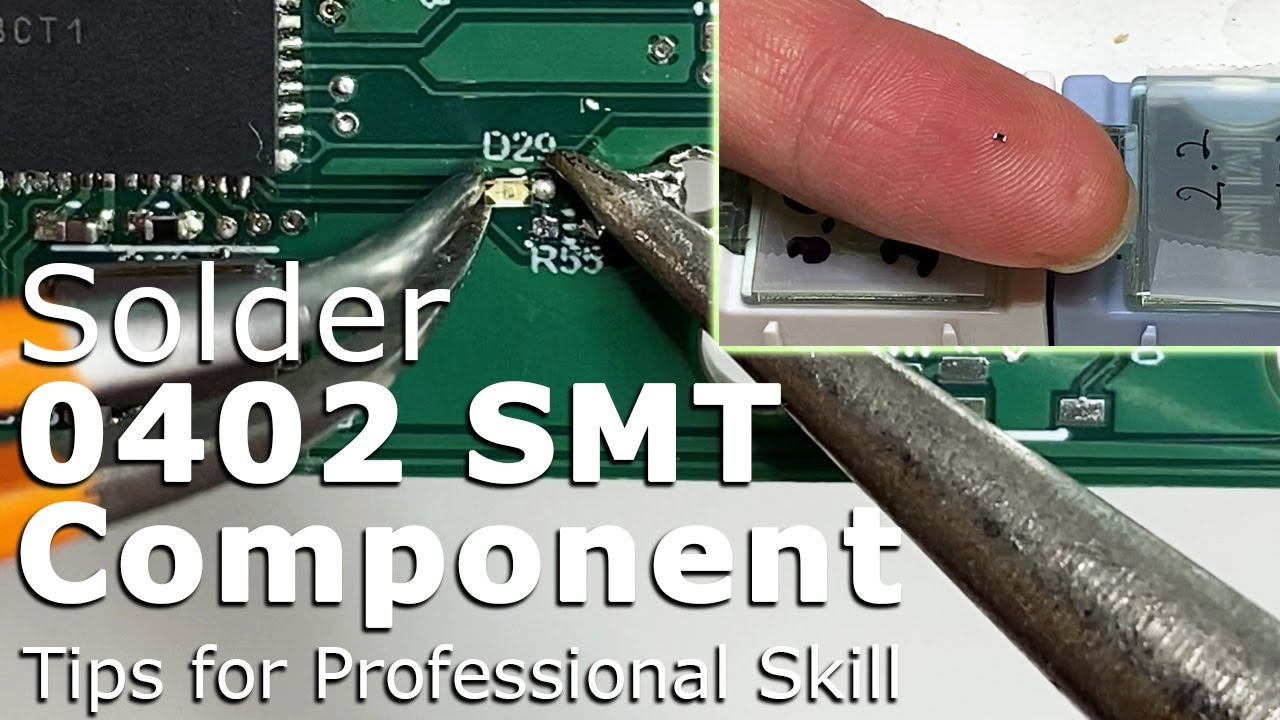
It took me like 3 minutes for trying, successed in the first try.
The newer shipments all have the problem fixed.
If it is an existing unit with the issue, one opt to use the discrete method which i used. Thats definitely do-able with normal tools. It works perfectly too.
the various compensation options has already been made available by @vileer.. which IMHO, is fair considering it is the same as what some other companies do too.
That said.
i do agree that destroying the unit for full compensation isn’t very “Green”.
But hey… who am i to say… 
I did try showing that using discrete components and soldering can also work. hopefully, that made the fix more accessible. Just me playing my part in being “Green”
1 Like
I think the compensation plan that was laid out is fair. Destroying the product is a good way to make sure a defective product dose not make its way into the hands of someone who is unaware that there is an issue. Destroying a product to get full compensation is pretty standard occurrence and alleviates the liability issue for the manufacture. I do not have a problem with it at all. Plus there are not enough of these boards out in the wild to have any type of environmental impact.